15
ENGLISH
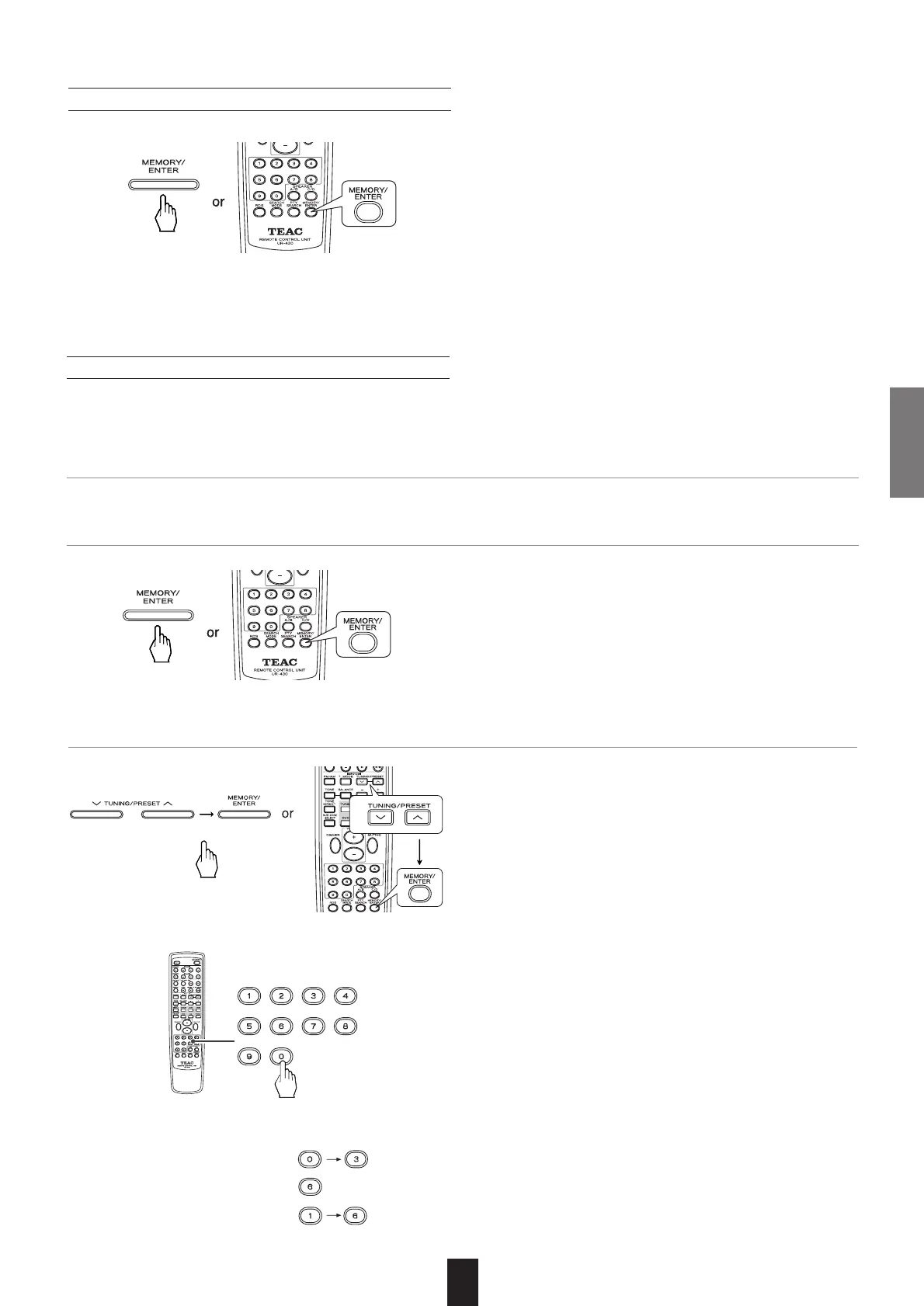
Manual presetting
• You can store up to 30 preferred stations in the memory.
1. Tune in the desired station with auto or manual tuning.
2. Press the MEMORY/ENTER button.
• "MEM" is flickering for 5 seconds.
• Auto presetting function automatically searches for FM sta-
tions only and store them in the memory.
• While listening to radio broadcasts, press and hold down the
MEMORY/ENTER button for more than 2 seconds.
• Then "AUTO MEM" is displayed and this receiver starts auto
presetting.
• Up to 30 FM stations can be stored.
∑Notes:
• FM stations of weak strength cannot be memorized.
• To memorize AM stations or weak stations, preform "Manual
presetting" procedure with using "Manual tuning" operation.
Auto presetting
3. Press the TUNING/PRESET UP (°) or DOWN (‡) button to select the desired preset number and press
the MEMORY button.
• The station has now been stored in the memory.
•A stored frequency is erased from the memory by storing
another frequency in its place.
• If "MEM" turns off, start again from the above step 2.
You can also use the numeric buttons of the remote control
unit to select a preset channel.
To select channel No.16 for example, press “1”, and within 2
seconds press “6”.
To select channel No.1, 2 or 3, press “0” and then the num-
ber (1, 2 or 3). As an example, to select number 3, press “0”
and “3”. (Optionally, you may press just the number “3” and
then wait a few seconds.)
To select channel No.4 through 9, simply press the appropri-
ate button (4 through 9).
When using the numeric buttons, the station is stored auto-
matically without pressing the MEMORY/ENTER button.
Example:
To select channel No. 3:
To select channel No. 6:
To select channel No. 16:



 To Next Page