LISTENING TO RADIO BROADCASTS
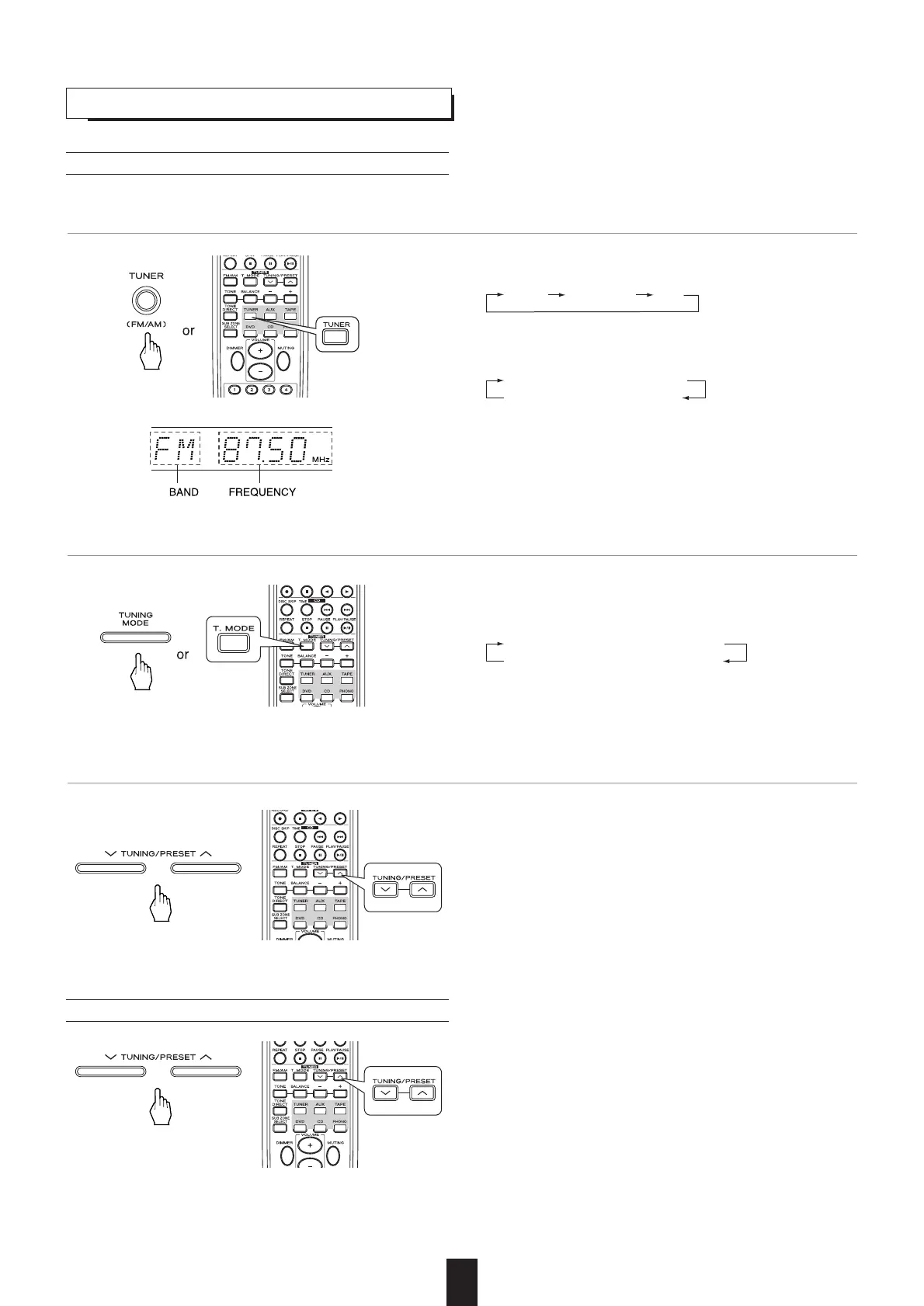
Auto tuning
• Each time this button is pressed, the mode changes as fol-
lows:
Tuning mode : "PRESET" turns off.
Preset mode : "PRESET" lights up.
14
1
. Select the tuner and then the desired band.
2. Select the tuning mode.
• Each time this button is pressed, the tuner is automatically
selected and the band is changed as follows :
• When the FM stereo broadcast is tuned, the FM mode
changes as follows:
• When FM stereo broadcasts are poor because of weak
broadcast signals, select the FM mono mode ("ST" turns off)
to reduce the noise, then FM broadcasts are reproduced in
monaural sound.
Stereo mode : "ST" lights up.
Mono mode : "ST" turns off.
• The tuner will now search until a station of sufficient strength
has been found. The display shows the tuned frequency and
"TUNED".
• If the station found is not the desired one, simply repeat this
operation.
• Weak stations are skipped during auto tuning.
3. Press the TUNING/PRESET UP (°) or DOWN (‡) button for more than 0.5 second.
• Manual tuning is useful when you already know the frequen-
cy of the desired station.
• Perform the steps 1 and 2 in "Auto tuning" procedure on
page 14 and press the TUNING/PRESET UP (°) DOWN
(‡) button repeatedly until the right frequency has been
reached.
Manual tuning



 To Next Page