EasyManua.ls Logo

Teac AG-V4200 - Manual Presetting; Recalling the Preset Stations; Scanning the Preset Stations; FM MODE Button

Teac AG-V4200
47 pages
Print Icon
To Next Page IconTo Next Page
To Previous Page IconTo Previous Page
Loading...
i
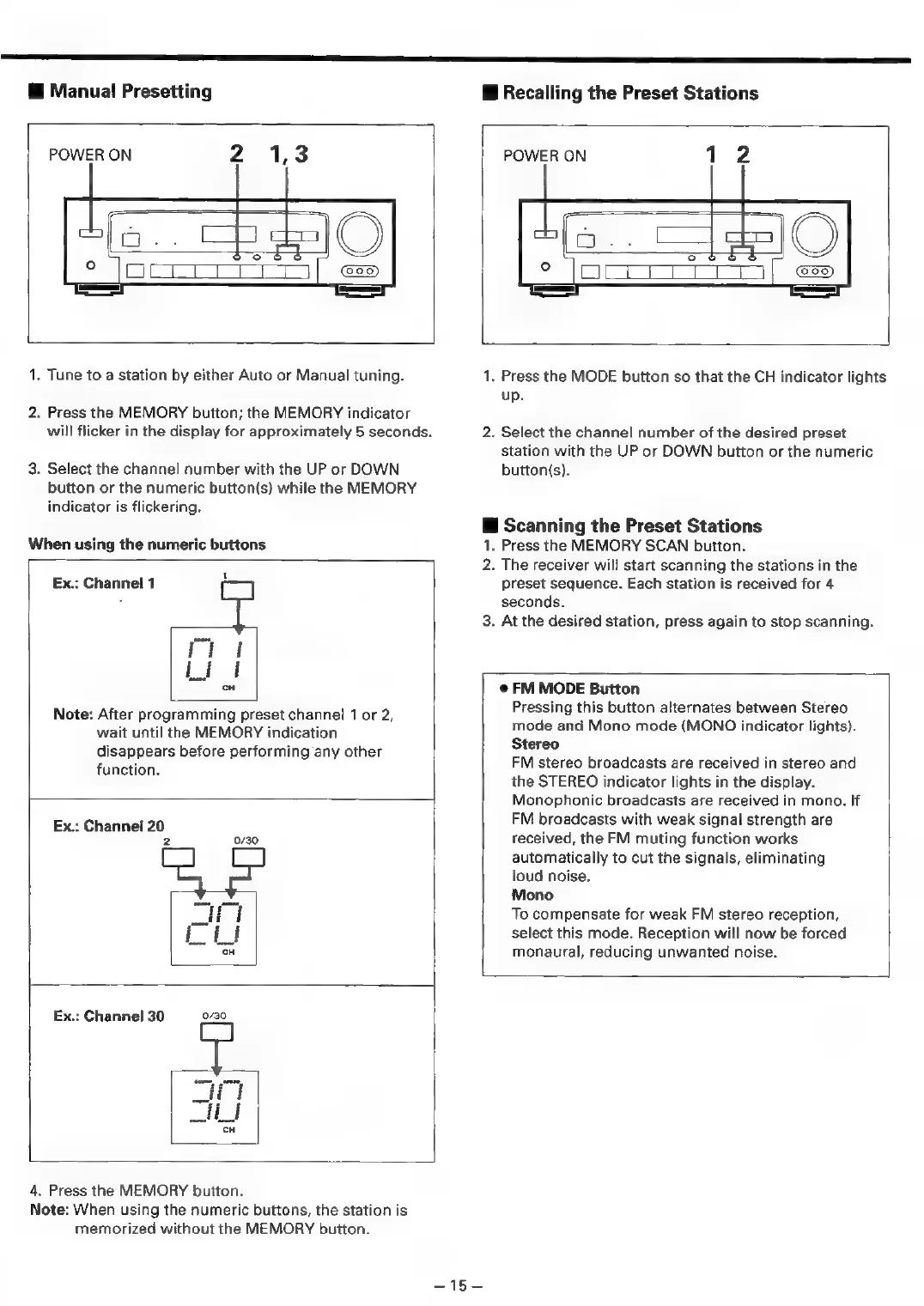
Manual
Presetting
Recalling
the
Preset
Stations
POWER
ON
POWER
ON
1
1.
Tune
to
a
station
by
either
Auto
or
Manual
tuning.
2.
Press
the
MEMORY
button;
the
MEMORY
indicator
will
flicker
in
the
display
for
approximately
5
seconds.
3.
Select
the
channel
number
with
the
UP
or
DOWN
button
or
the
numeric
button(s)
while
the
MEMORY
indicator
is
flickering.
When
using
the
numeric
buttons
=
iif
Lif
Ex.:
Channel
1
cH
Note:
After
programming
preset
channel
1
or
2,
wait
until
the
MEMORY
indication
disappears
before
performing
any
other
function.
.
Press
the
MODE
button
so
that
the
CH
indicator
lights
up.
.
Select
the
channel
number
of
the
desired
preset
station
with
the
UP
or
DOWN
button
or
the
numeric
button(s).
@
Scanning
the
Preset
Stations
1.
Press
the
MEMORY
SCAN
button.
2.
The
receiver
will
start
scanning
the
stations
in
the
preset
sequence.
Each
station
is
received
for
4
seconds.
3.
At
the
desired
station,
press
again
to
stop
scanning.
Ex.:
Channel
20
2
0/30
@
FM
MODE
Button
Pressing
this
button
alternates
between
Stereo
mode
and
Mono
mode
(MONO
indicator
lights).
Stereo
FM
stereo
broadcasts
are
received
in
stereo
and
the
STEREO
indicator
lights
in
the
display.
Monophonic
broadcasts
are
received
in
mono.
If
FM
broadcasts
with
weak
signal
strength
are
received,
the
FM
muting
function
works
automatically
to
cut
the
signals,
eliminating
loud
noise.
Mono
To
compensate
for
weak
FM
stereo
reception,
select
this
mode.
Reception
will
now
be
forced
monaural,
reducing
unwanted
noise.
0/30
Ex.:
Channel
30
4.
Press
the
MEMORY
button.
Note:
When
using
the
numeric
buttons,
the
station
is
memorized
without
the
MEMORY
button.
—45—

Related product manuals