EasyManua.ls Logo

Teac AG-V4200 - Video Operations; Playing Video Sources; Recording with a Video Deck; Tape Dubbing (from VCR 2 to VCR 1)

Teac AG-V4200
47 pages
Print Icon
To Next Page IconTo Next Page
To Previous Page IconTo Previous Page
Loading...
VIDEO
OPERATIONS
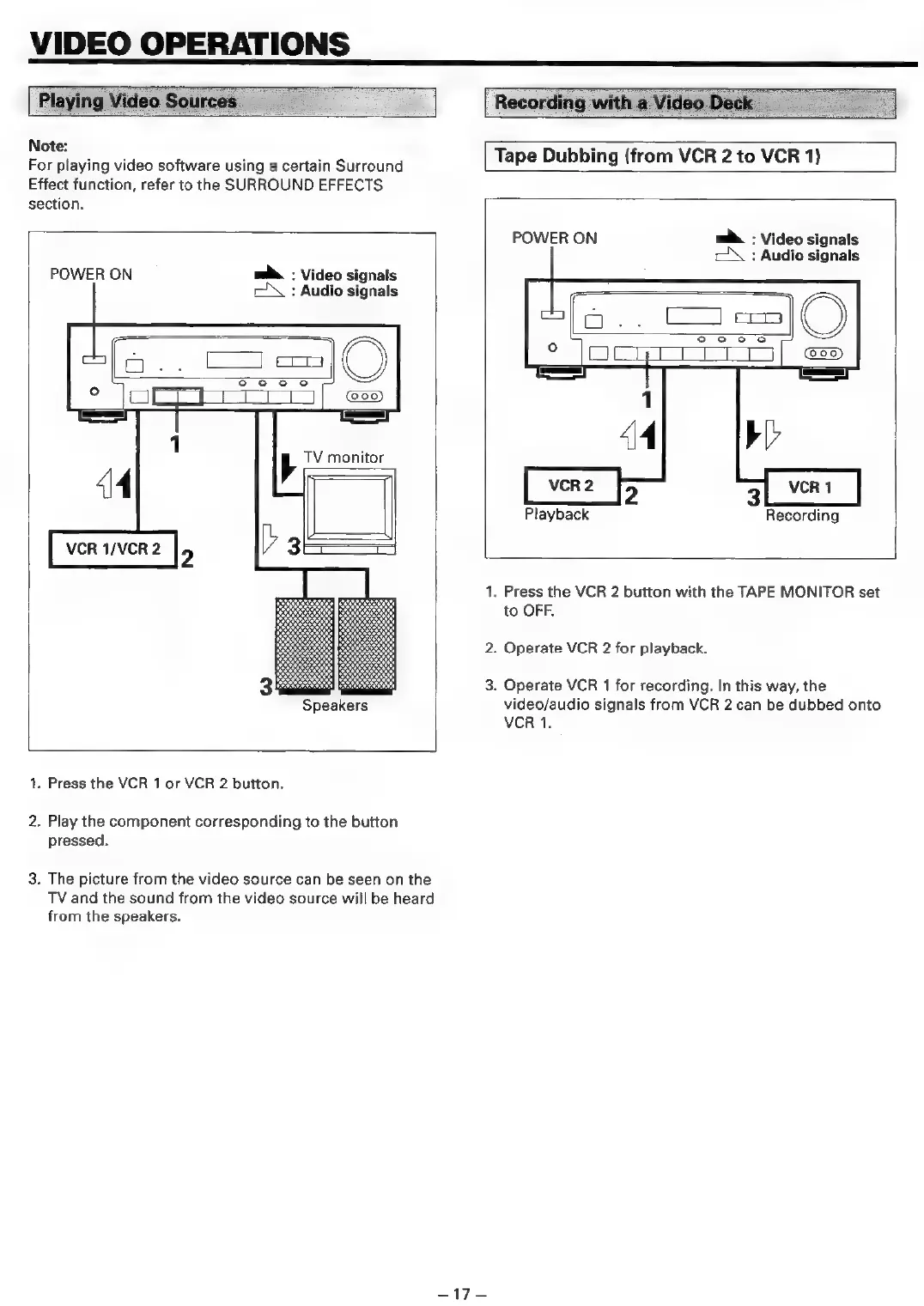
Playing
Video
Sources.
Recording
with
a
Video
Deck
_
Note:
For
playing
video
software
using
a
certain
Surround
Effect
function,
refer
to
the
SURROUND
EFFECTS
section.
POWER
ON
m&.
:
Video
signals
:
Audio
signals
Speakers
1.
Press
the
VCR
1
or
VCR
2
button.
2.
Play
the
component
corresponding
to
the
button
pressed.
3.
The
picture
from
the
video
source
can
be
seen
on
the
TV
and
the
sound
from
the
video
source
will
be
heard
from
the
speakers.
Tape
Dubbing
(from
VCR
2
to
VCR
1)
POWER
ON
m&
:
Video
signals
cX
:
Audio
signals
Playback
Recording
1.
Press
the
VCR
2
button
with
the
TAPE
MONITOR
set
to
OFF.
2.
Operate
VCR
2
for
playback.
3.
Operate
VCR
1
for
recording.
In
this
way,
the
video/audio
signals
from
VCR
2
can
be
dubbed
onto
VCR
1.
estes

Related product manuals