EasyManua.ls Logo

Teac CR-H255 - Using Function Control 1; Station Order

Teac CR-H255
44 pages
Print Icon
To Next Page IconTo Next Page
To Previous Page IconTo Previous Page
Loading...
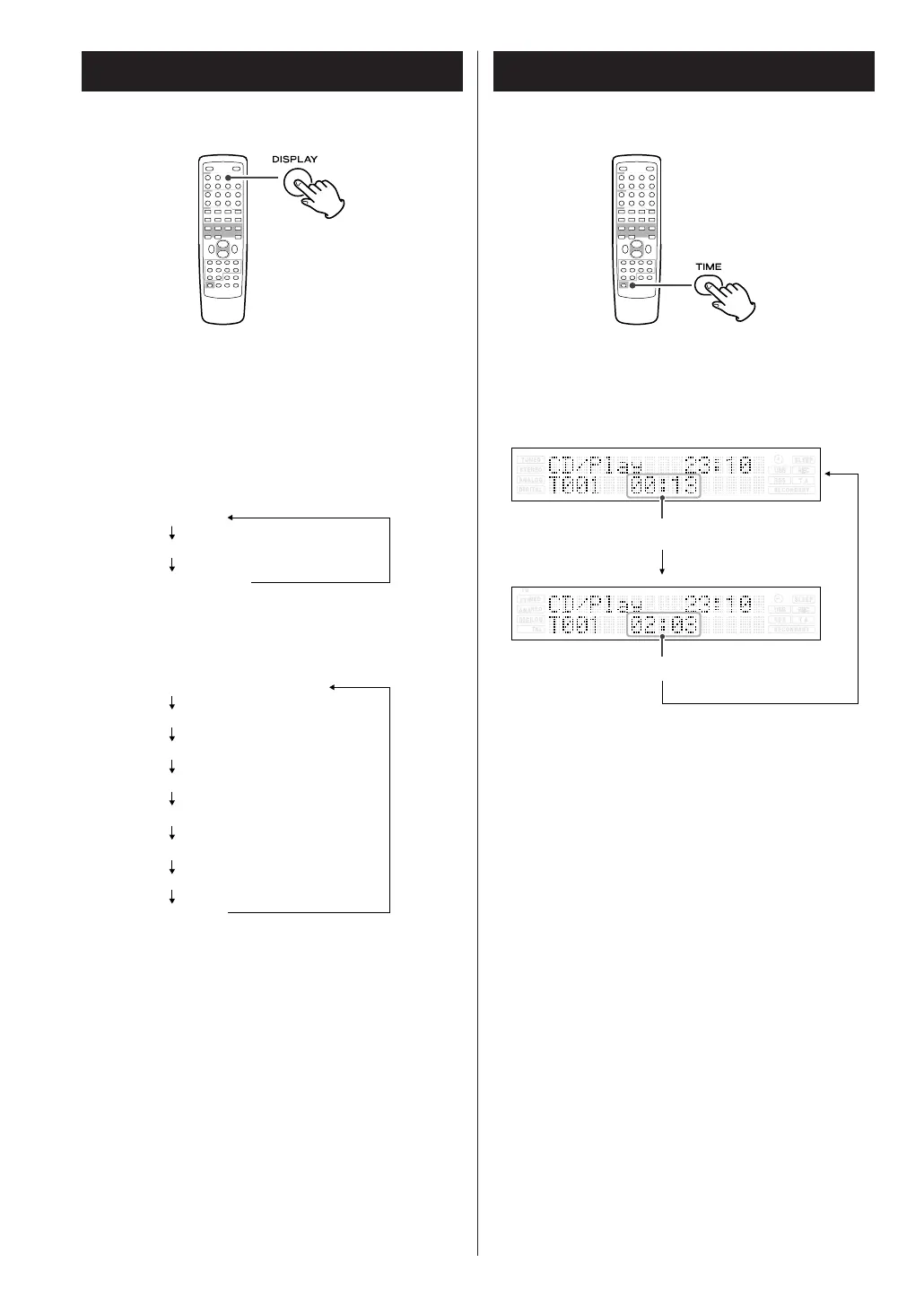
elapsed time of the current track
remaining time of the current track
22
Time Display
When playing back an audio CD, each time the TIME
button is pressed the display changes as follows:
Display
During MP3/WMA playback, press the DISPLAY
button repeatedly to change what information is
displayed.
Default display (scrolling):

Song Title
Artist Name
Album Name
Display changes as follows:
Default display (scrolling)
Track Number
File Name
Song Title
Artist Name
Album Name
Year
Comment

Related product manuals