26
< To display the signal strength of a channel, press
the ENTER button. The signal strength is displayed.
Press the ENTER button once again to cancel the
signal strength display.
< Channels are displayed in alphanumeric order in
the channel list, with numbers coming first. So,
stations such as 6 Music from the BBC will be listed
early in the list.
< If a channel is no longer broadcasting or the unit is
moved out of the area of a broadcast channel, the
unit will no longer be able to tune in the channel. If
the channel cannot be tuned in a question mark (?)
is displayed in front of the channel name. If you
select this channel to tune in by pressing the ENTER
button, ‘No stations Available’ is displayed.
v
Using the Channel List
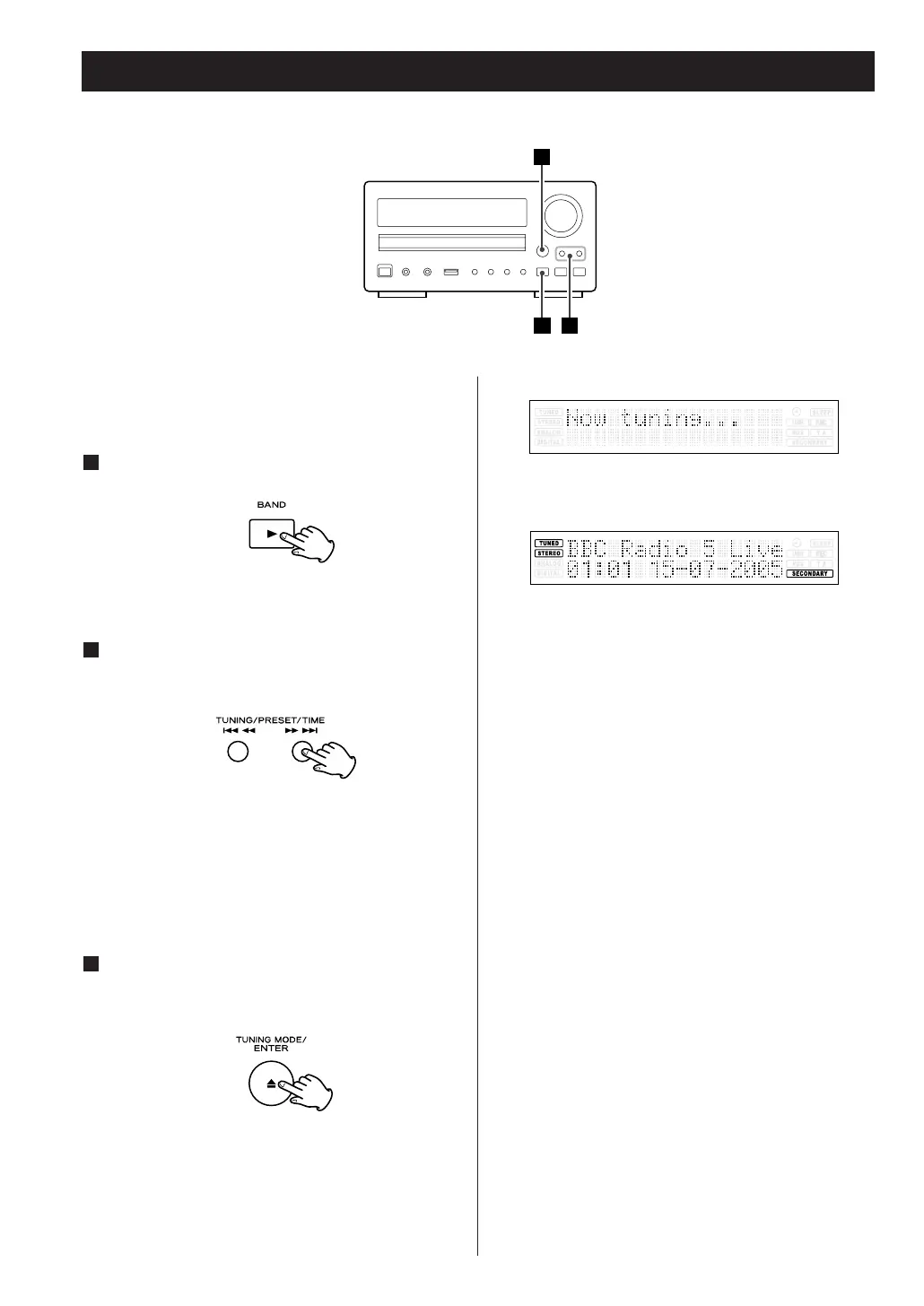
Follow the steps below to tune in and listen to the
channels found by the unit.
Select DAB by pressing the BAND button.
1
Press the TUNING/PRESET/TIME button to find
the channel in the channel list.
2
When you have found a channel that you
want to listen to, press the ENTER button
once.
3
The channel is tuned in and channel information is
displayed.



 To Next Page