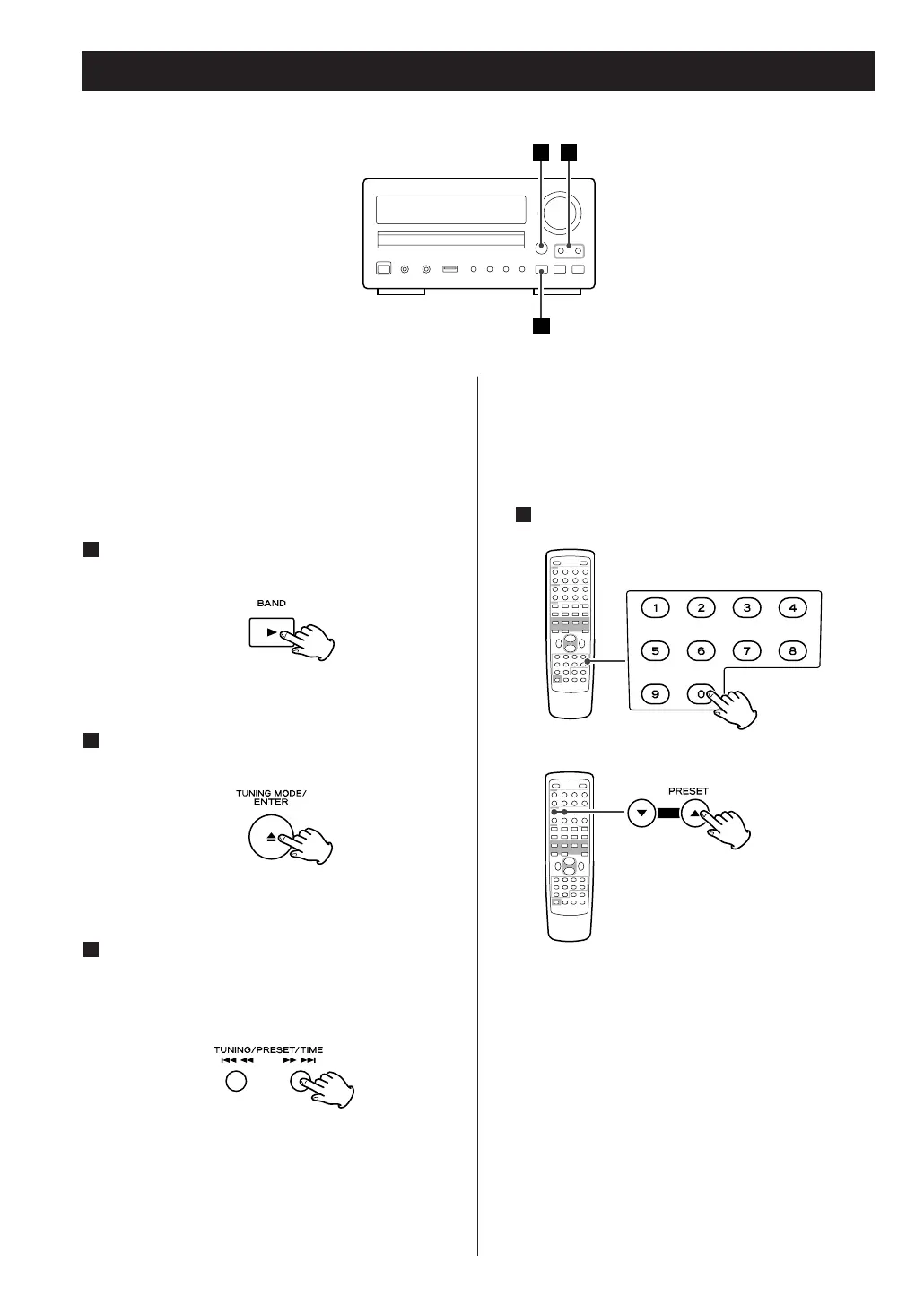
< Preset channels can also be selected by the PRESET
(
b/5) buttons or the numeric buttons of the
remote control.
< When you use the numeric buttons, press the input
selector button of the remote control first.
< When using the remote control, you can skip step
.
2
Select a preset channel.
Press the TUNING/PRESET/TIME button repeatedly
until the desired preset station is found.
3
Select AM or FM by pressing the BAND button.
1
Select ‘Preset tune’ by pressing the TUNING
MODE button.
2
How to select FM/AM preset stations
How to select DAB preset stations
See ‘Preset tune’ of page 28.



 To Next Page