30
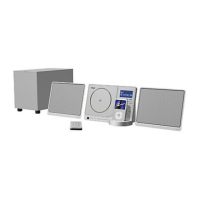
Connect the PHONES jack (audio output jack) of a
portable audio player to the AUX IN jack of the CX-
200iDAB using the supplied stereo mini plug cable.
1
Listening to an External Source
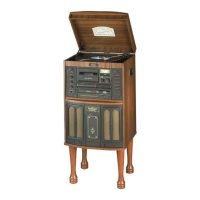
Play the source, and adjust the volume using the
VOLUME buttons of the CX-200iDAB and the audio
player.
3
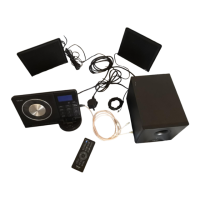
Press the FUNCTION button to select ‘AUX’.
2
When using the PHONES jack of your mini player, you must
adjust the volume of the mini-player or you may hear no
sound from your CX-200iDAB.
The Radio Data System (RDS) is a broadcasting service which
allows stations to send additional information along with the
regular radio programme signal.
RDS works on the FM waveband in Europe only.
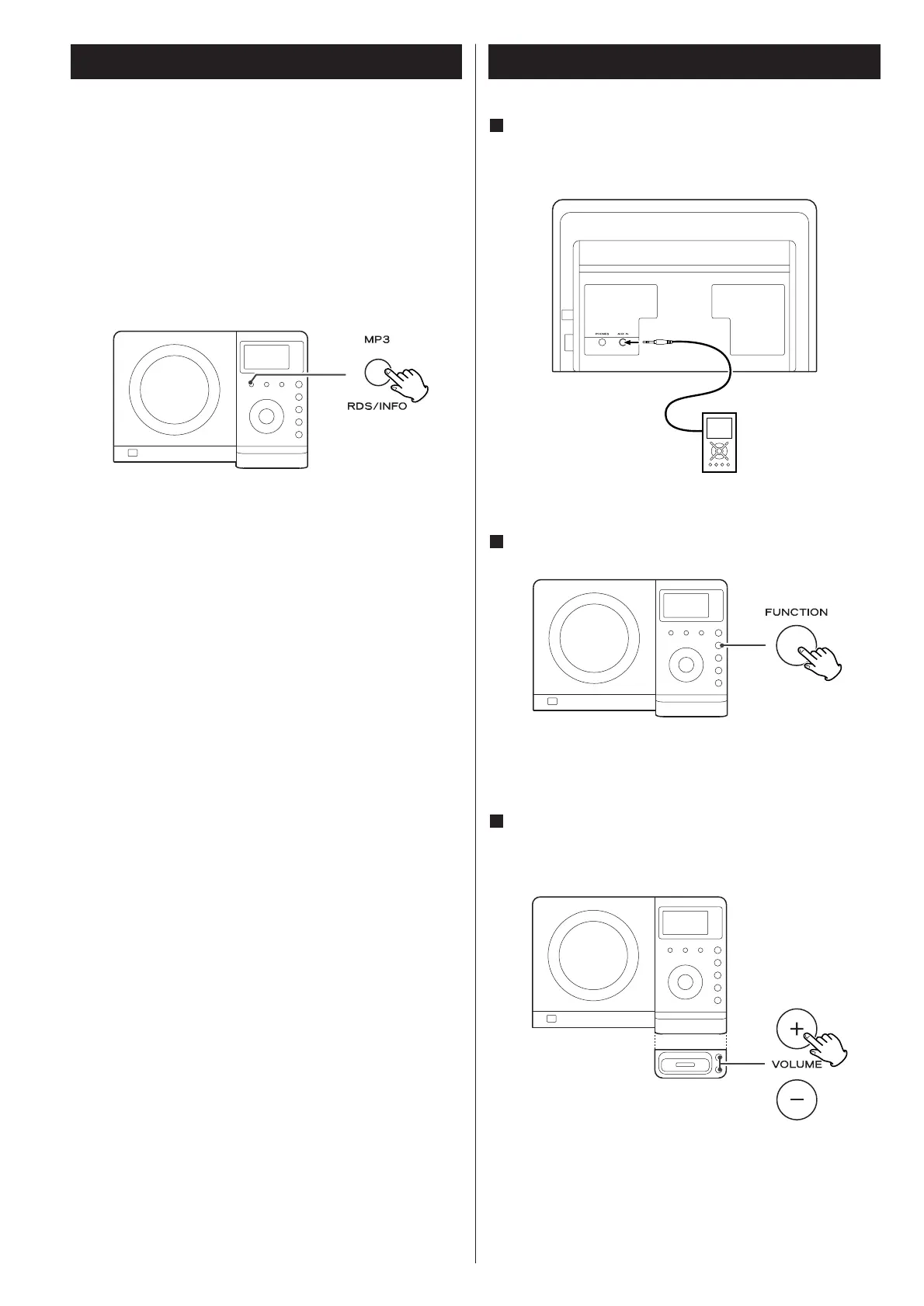
While listening to a FM RDS station, press the RDS button.
The Programme Service name (station’s name) appears on the
display.
RDS



 To Next Page