VGA( PC)VGA( PC)
USBUSB
HDMI1HDMI1 HDMI2HDMI2
HDMI3HDMI3
PC
AUDIO
PC
AUDIO
CO
AXCO
AX
PHONEPHONE
RF IN RF IN
Pb1Pb1
Pr1Pr1
Y1Y1
Pb2Pb2
Pr2Pr2
Y2Y2
LL RR
VIDEOVIDEO
VGA( PC)VGA( PC)
USBUSB
HDMI1HDMI1 HDMI2HDMI2
HDMI3HDMI3
PC
AUDIO
PC
AUDIO
C
O
A
X
C
O
A
X
PHONEPHONE
RF IN RF IN
Pb1Pb1
Pr1Pr1
Y1Y1
Pb2Pb2
Pr2Pr2
Y2Y2
LL RR
VIDEOVIDEO
Audio CableAudio Cable
AUDIOAUDIORGB-PC OUTPUTRGB-PC OUTPUT
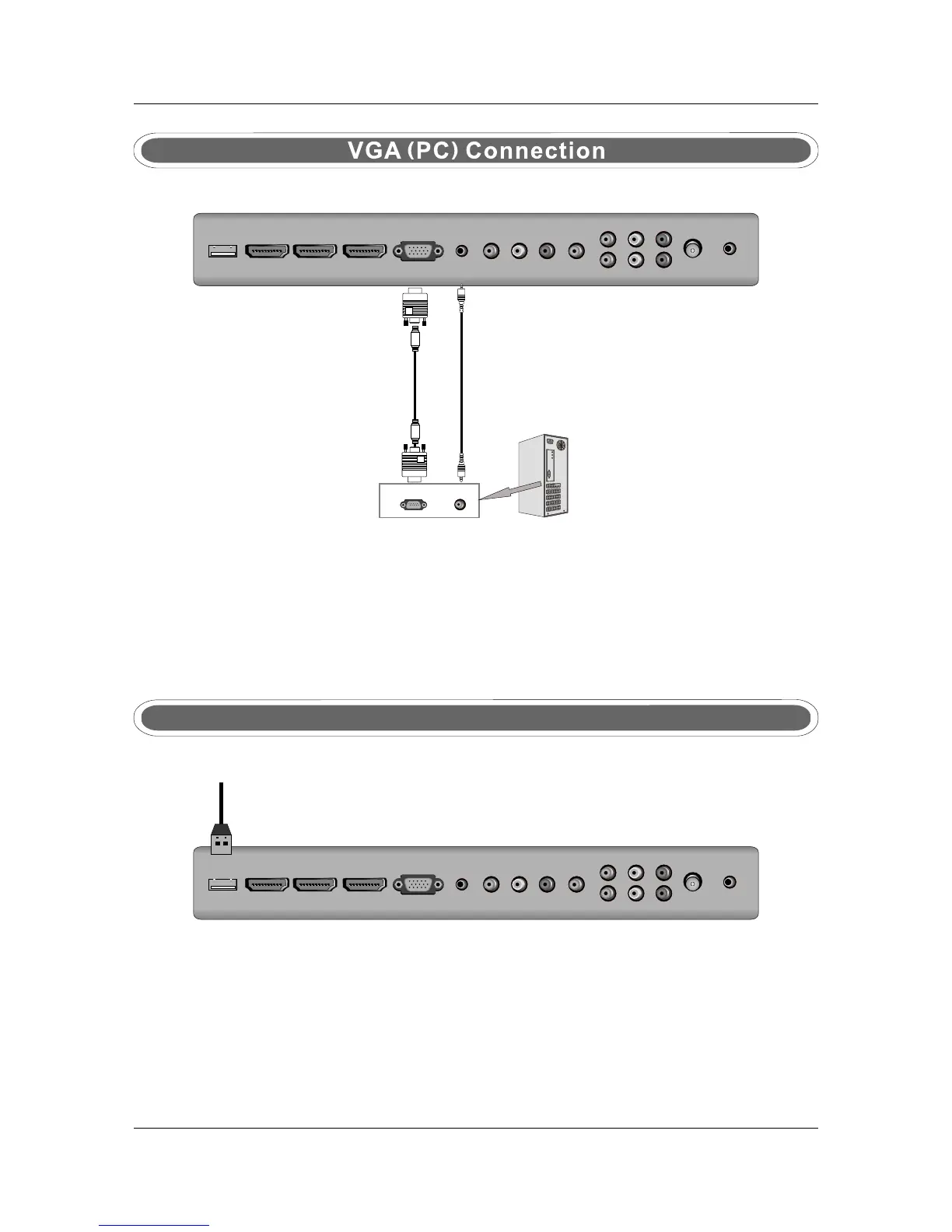
Connect the RGB output of the VGA to the PC IN jack on the set. Connect the AUDIO output of the
PC to the PC AUDIO jack on the set . Select the VGA input source with using SOURCE button on the
remote control.
7
TV BackTV Back
VGA CableVGA Cable
USB PORT FUNCTION
USB PORTUSB PORT
Put the USB flash drive to the USB port, Select USB channel source with using the SOURCE
button on the remote control.
TV BackTV Back



 To Next Page