EasyManua.ls Logo

Teac LCDV3257DVR - User Manual

Teac LCDV3257DVR
62 pages
Print Icon
To Next Page IconTo Next Page
Loading...
Product Image to be inserted
USER MANUAL
WARRANTY INFORMATION INSIDE. PLEASE READ
www.teac.com.au
IMPORTANT !
Trademark of TEAC Corporation JAPAN
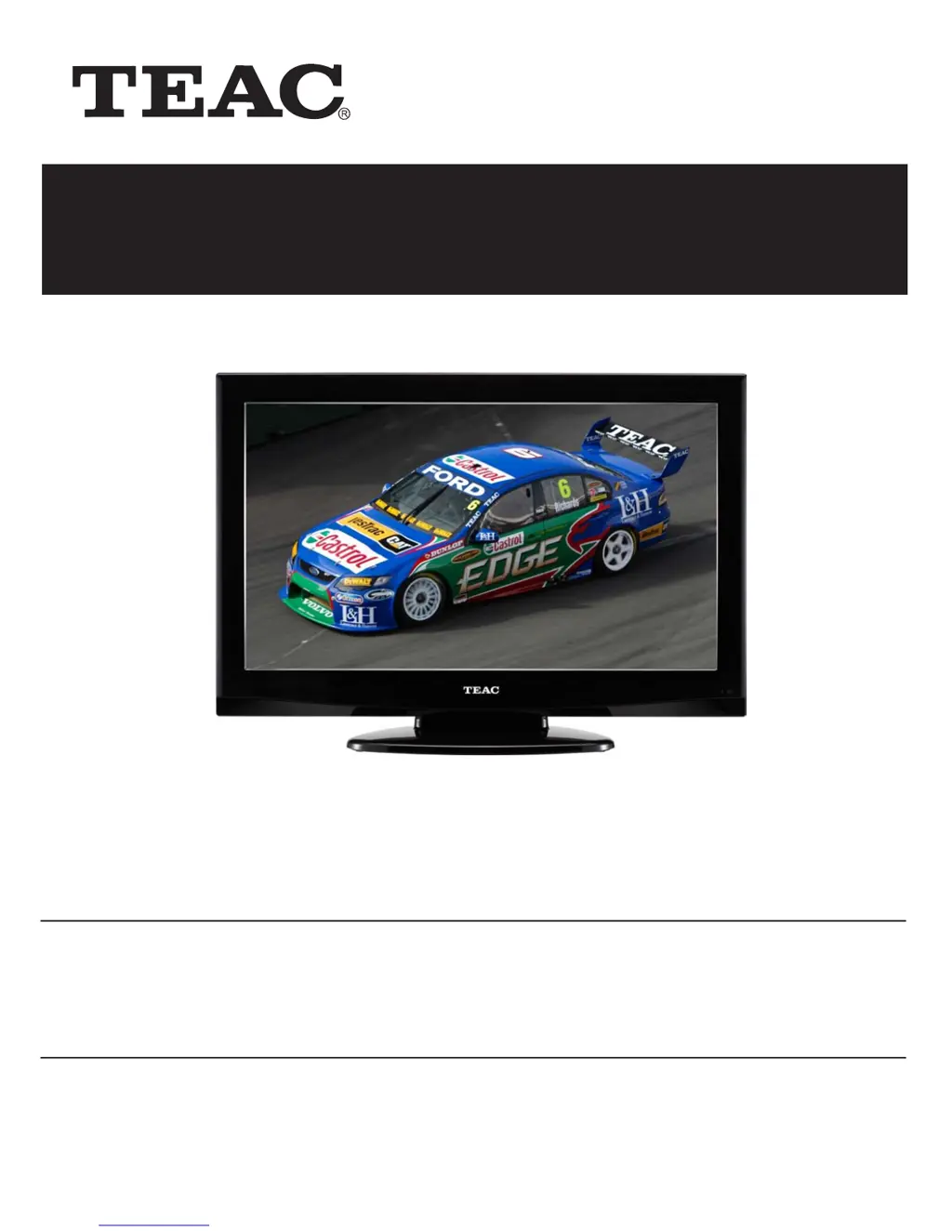
32 HD Wide Screen LCD TV
LCDV3257DVR

Questions and Answers

Summary

Warranty Procedure

Warranty Service Steps and Contact

Outlines steps for warranty service and provides contact information.

Warranty Terms and Conditions

Warranty Coverage and Consumer Rights

Explains warranty terms, conditions, and consumer rights.

Important Safety Instructions

Electrical Safety and Laser Precautions

Warns about electrical hazards and laser safety.

Detailed Safety Guidelines

Operational and Installation Safety

Provides comprehensive instructions for safe usage and installation of the unit.

Right Side Panel Controls

Rear Panel Connections

Input and Output Jacks on Rear Panel

Illustrates and lists all available input and output ports on the rear of the unit.

Front Panel Features

Screen, Speakers, and Indicators

Describes the TFT screen, speakers, power status indicator, and remote sensor.

Stand and Wall Mounting Options

Remote Control Layout and Basic Use

Remote Control Diagram and Usage Guidelines

Shows the remote layout, battery insertion, and basic operating guidelines.

Remote Control Button Functions

Remote Control Preparation and Usage

Battery Installation and Operation Range

Details how to insert batteries and the proper operating distance and conditions.

System Connections - Power and Antenna

Power Supply and TV Antenna Connection

Instructions for connecting power and a TV antenna.

External AV Signal Source Connection (AV1;S-Video)

Component Video Connection (YPbPr)

HDMI Signal Connection

PC Connection via VGA and Audio

Input Source Selection

Navigating Input Sources on the TV

Explains how to use the INPUT button and direction keys to select input sources.

TV Setup: Preparations and Installation Guide

Initial Setup Steps and Guide

Covers powering on, selecting input modes, and initial installation guide steps.

Manual Channel Tuning and Program Editing

DVR Functions - Time Shift

Time Shifting Live TV Broadcasts

Explains how to pause, rewind, and fast-forward live DTV broadcasts.

DVR Functions - Recording Programs

Recording Live DTV Programs

Details how to record DTV programs and manage recording status.

DVR Functions - Playing Recorded Programs

Accessing and Playing Recorded Files

How to access recorded files and use playback controls.

DVR Functions - Schedule Recording

Setting Program Recording Schedules

Guide on using the Electronic Program Guide to schedule recordings.

DVR Schedule Recording Management

Electronic Program Guide (EPG)

DVD Playback - Preparation and Basic Playback

DVD Player Preparation Steps

Steps for connecting power, selecting DVD mode, and inserting discs.

DVD Playback Advanced Operations

DVD System Setup - General Operations

Troubleshooting Common Issues

Player, Sound, and Picture Problems

Addresses issues like player not playing, no sound, and picture display problems.

Product Specifications

Summary

Warranty Procedure

Warranty Service Steps and Contact

Outlines steps for warranty service and provides contact information.

Warranty Terms and Conditions

Warranty Coverage and Consumer Rights

Explains warranty terms, conditions, and consumer rights.

Important Safety Instructions

Electrical Safety and Laser Precautions

Warns about electrical hazards and laser safety.

Detailed Safety Guidelines

Operational and Installation Safety

Provides comprehensive instructions for safe usage and installation of the unit.

Right Side Panel Controls

Rear Panel Connections

Input and Output Jacks on Rear Panel

Illustrates and lists all available input and output ports on the rear of the unit.

Front Panel Features

Screen, Speakers, and Indicators

Describes the TFT screen, speakers, power status indicator, and remote sensor.

Stand and Wall Mounting Options

Remote Control Layout and Basic Use

Remote Control Diagram and Usage Guidelines

Shows the remote layout, battery insertion, and basic operating guidelines.

Remote Control Button Functions

Remote Control Preparation and Usage

Battery Installation and Operation Range

Details how to insert batteries and the proper operating distance and conditions.

System Connections - Power and Antenna

Power Supply and TV Antenna Connection

Instructions for connecting power and a TV antenna.

External AV Signal Source Connection (AV1;S-Video)

Component Video Connection (YPbPr)

HDMI Signal Connection

PC Connection via VGA and Audio

Input Source Selection

Navigating Input Sources on the TV

Explains how to use the INPUT button and direction keys to select input sources.

TV Setup: Preparations and Installation Guide

Initial Setup Steps and Guide

Covers powering on, selecting input modes, and initial installation guide steps.

Manual Channel Tuning and Program Editing

DVR Functions - Time Shift

Time Shifting Live TV Broadcasts

Explains how to pause, rewind, and fast-forward live DTV broadcasts.

DVR Functions - Recording Programs

Recording Live DTV Programs

Details how to record DTV programs and manage recording status.

DVR Functions - Playing Recorded Programs

Accessing and Playing Recorded Files

How to access recorded files and use playback controls.

DVR Functions - Schedule Recording

Setting Program Recording Schedules

Guide on using the Electronic Program Guide to schedule recordings.

DVR Schedule Recording Management

Electronic Program Guide (EPG)

DVD Playback - Preparation and Basic Playback

DVD Player Preparation Steps

Steps for connecting power, selecting DVD mode, and inserting discs.

DVD Playback Advanced Operations

DVD System Setup - General Operations

Troubleshooting Common Issues

Player, Sound, and Picture Problems

Addresses issues like player not playing, no sound, and picture display problems.

Product Specifications

Teac LCDV3257DVR Specifications

General IconGeneral
BrandTeac
ModelLCDV3257DVR
CategoryLCD TV
LanguageEnglish

Related product manuals