16
System Connections
Do not connect the power cord until all other connections have been made.
Ensure that you observe the color code when connecting audio and video cables.
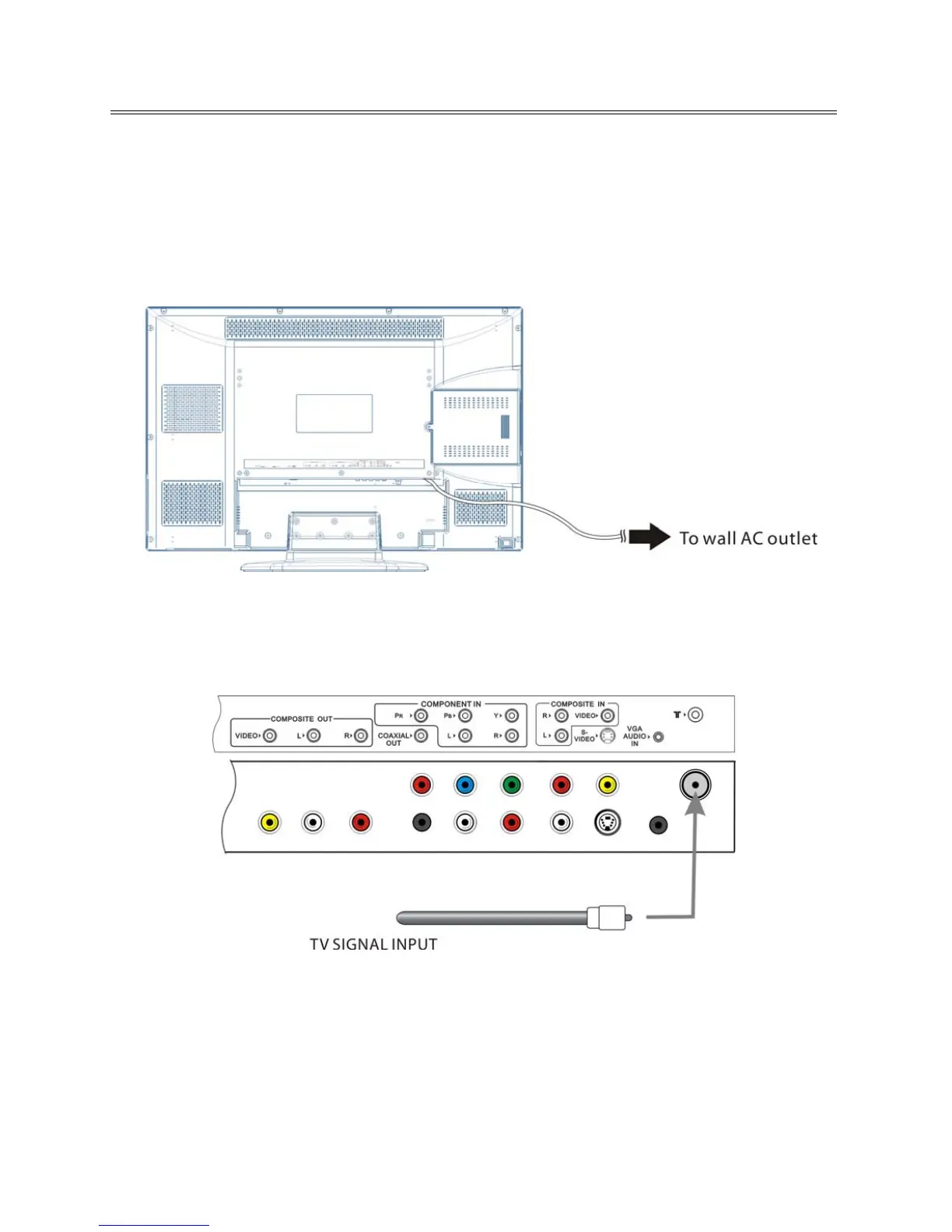
Connecting to the Power Supply
Connect the power supply cord to AC 100~240V wall outlet, see the figure below:
Connecting to a TV Antenna
Connect TV signal input source from the aerial to the TV jack on the rear panel of the unit.
After connection, turn on the power of the unit. Then press the INPUT button and the direction buttons
to select ATV or DTV mode, press the ENTER button to confirm and conduct program selection.



 To Next Page