38
DVR Function
In DTV Mode Only
DVR function allows the unit to record live DTV program and make it available for reviewing at any time.
NOTE:
When DVR function is in progress, please do not unplug the power and external USB device at will.
When DVR function is active, the power indicator will blink with red and blue colours consecutively.
Before recording a program, please make sure the external USB device is connected.
While recording, if the available storage space becomes low, the recording will automatically
stop.
Time Shift Function
This function allows you to pause and fast forward/rewind normal Live DTV viewing at any time without
missing any of the live broadcast, provided that a USB storage device is connected.
1. While viewing a DTV program, press the
button on the remote control to pause live TV. A
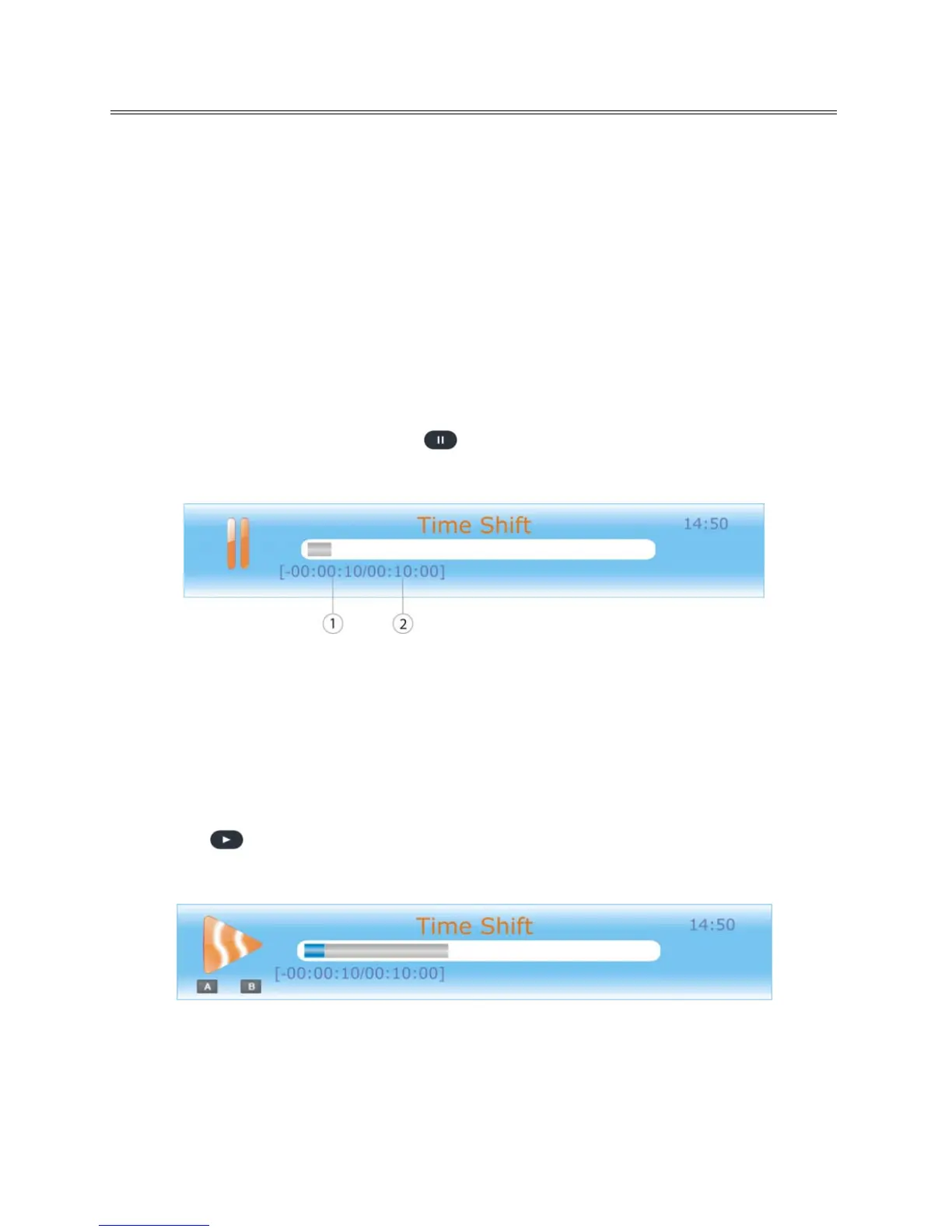
progress bar will be displayed on the screen:
① Current time behind live TV.
② Total allowable time for time shifting. Varies depending on the available storage space.
The progress bar will fade out in 10 seconds.
Note:
Press EXIT button to toggle between Time Shift info banner and a minimized icon at the bottom right of the
screen. Both info banner and minimized ico
n will fade out in 10 seconds.
2. P
ress the
button to continue playing the program from the point where it was paused. A
progress bar will be displayed on the screen.
The progress bar will fade out in 10 seconds.
Time shift function stops when the current save time becomes 00:00:00.



 To Next Page