41
DVR Function
Schedule Recording
Schedule Recording is a function which permits the recording of future programs. This automated command
can be set by the user with reference to the local program guide.
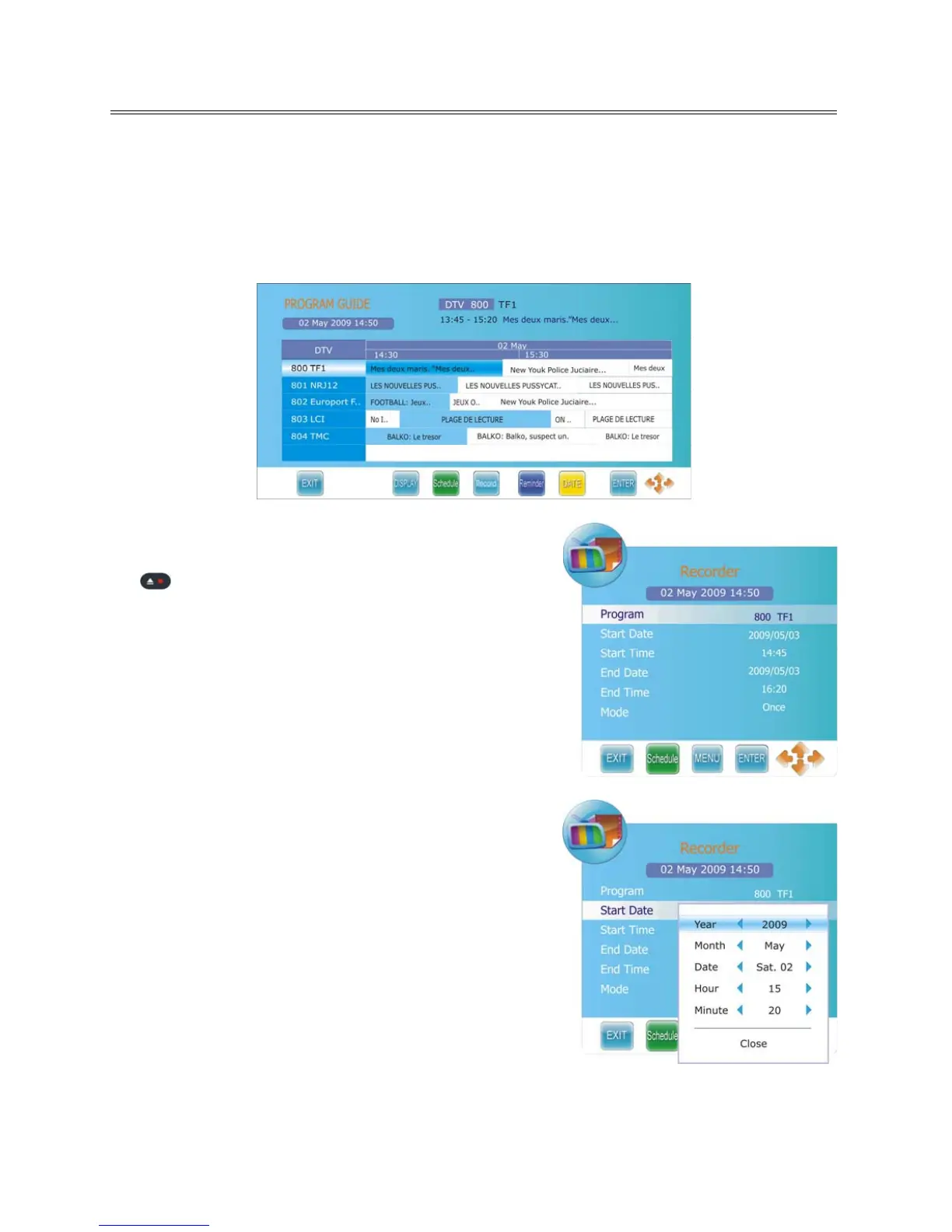
1. Press the GUIDE button to display the Electronic Program Guide menu, as shown:
2. Select your desired TV program and press the RECORD
button to enter the Recorder menu, as shown:
3. From here you can modify the start and end date and time
of your record schedule by using the ◄► dir
ection button.
4. Use the ▲▼ direc
tion button to select date/time to
change.



 To Next Page