3. Movie
Press / button to select the option on the table, and press OK button to change.
Multimedia Operation
GOTO Time
Press / button to select the option on the table, and press OK button to change.
Press
button to search for music, and press OK button to select.
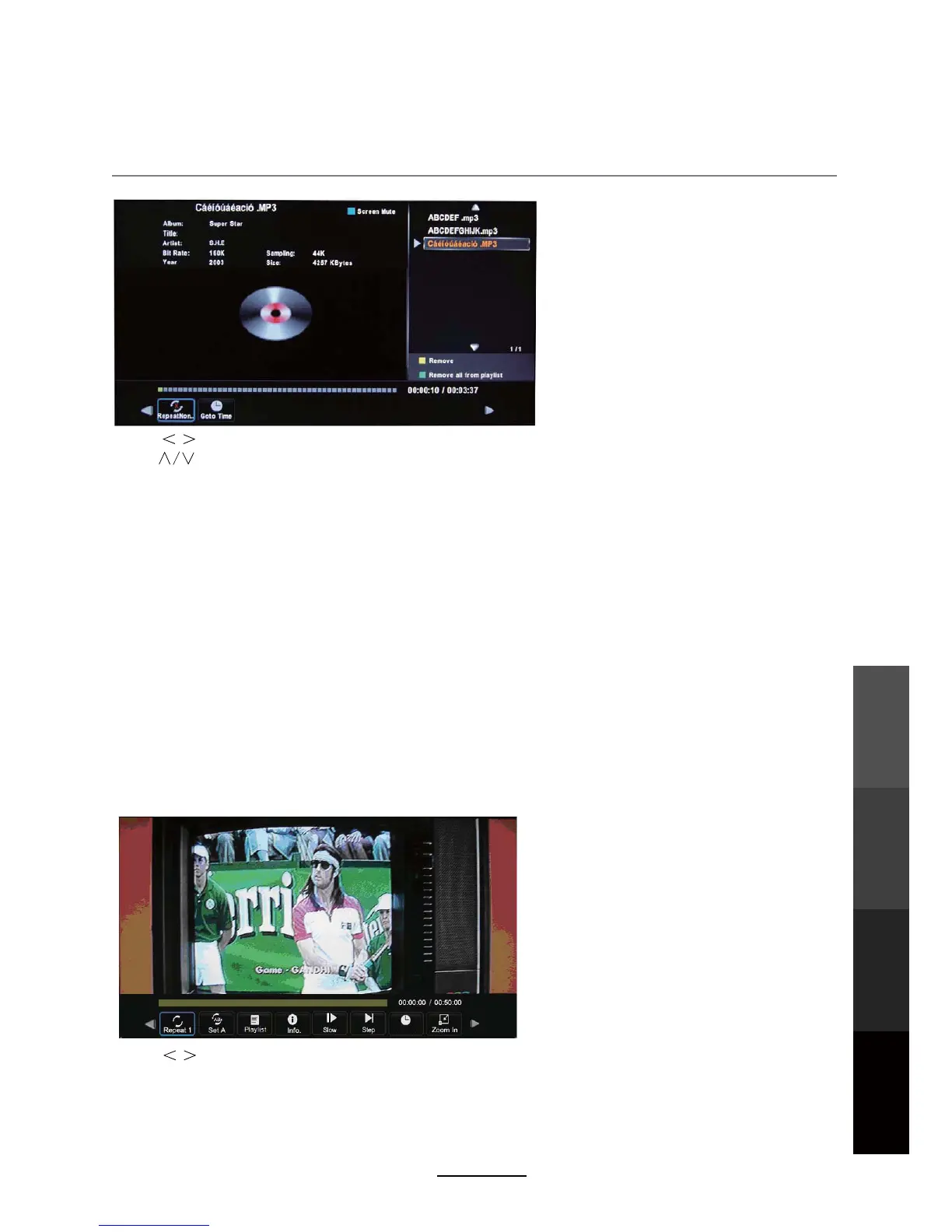
Repeat: Select the repeat mode from Repeat All, Repeat 1, Repeat None.
Goto Time: Start playing music from your desired time.
Press OK button to select. Then input the exact time which you wish to play from. Press OK to start
Screen Mute: Press the BLUE button to enter the Screen Mute mode, press again to exit.
playback.
To play video files, select individual files to be added to the playlist, alternatively, press the green
button to select all files in the folder. Once all files are selected, press PLAY to view in full screen mode.
To access the side bar for the movie playlist once the movie is in play, press OK to access the menu
bar below, as illustrated below, and select playlist to select a different chapter or file by using the </>
buttons.
Individual files can be removed from the playlist one by one using the YELLOW button on the remote.
The playlist can be cleared using the GREEN button on the remote.
Multimedia
Operation
Recording
Operation
DVD Operation
Maintenance
and Service
23



 To Next Page