Recording Operation
2) Manual Recording
After the settings are completed on the DVR File System menu, you can start recording by selecting
Record Start in the menu and press OK button in DTV mode. (You can also start recording by press-
ing the REC button on the remote control).
1) Free Record Limit
Select a maximum recording time from 1 hour to 6 hours.
Note:
1- This only applies to manual (instant) recording.
2- Recording will stop once it reaches the maximum set time.
Record buttons
Record: Press to start recording.
PLAY/PAUSE: Press to start the time shift mode while watching DTV.
Record list: Press to display the recording list.
Stop: Press to stop recording.
Recording
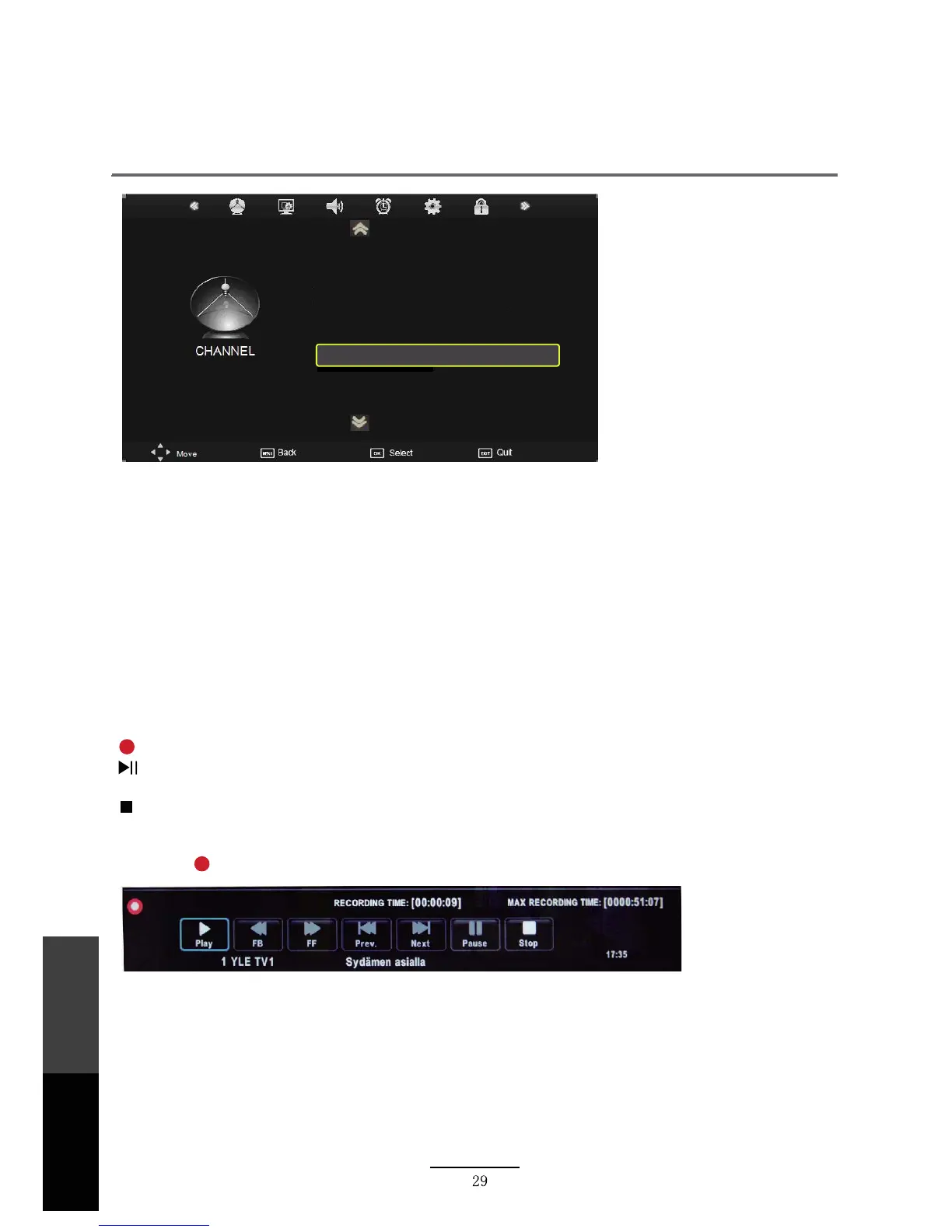
When the REC button is pressed, the screen will display the recording menu as below:
NOTE:
7RGLVSOD\WKH5HFRUGLQJLQIREDUSUHVVWKH(;,7EXWWRQRQWKHUHPRWHFRQWUROSUHVV
DJDLQWRFORVH
3UHVV6723EXWWRQWRVWRSUHFRUGLQJ
3UHVV3/$<EXWWRQWRSOD\WKHSURJUDP\RXDUHUHFRUGLQJIURPEHJLQQLQJZKLOHXQLWLV
UHFRUGLQJLQWKHEDFNJURXQG
3UHVV5HFRUGLQJOLVWEXWWRQWRGLVSOD\WKH5HFRUGHUOLVW\RXFDQSOD\WKHSURJUDP\RX
VHOHFWHG<RXFDQUHFRUGDSURJUDPDQGYLHZDUHFRUGLQJVLPXOWDQHRXVO\
Signal Information
Record Start
Recorded List
Recorded Mode
Schedule List
DVR File System
Free Record Limit 1Hr.
Recording
Operation
Maintenance
and Service



 To Next Page