Recording Operation
3) Scheduled Recordings
Scheduled Recording is a function which allows the user to record future programs without physically
being present to initiate the recording. A schedule setup is made to mark recording dates and times of
the broadcasted programs stated on the Electronic Program Guide (EPG). Recording would terminate
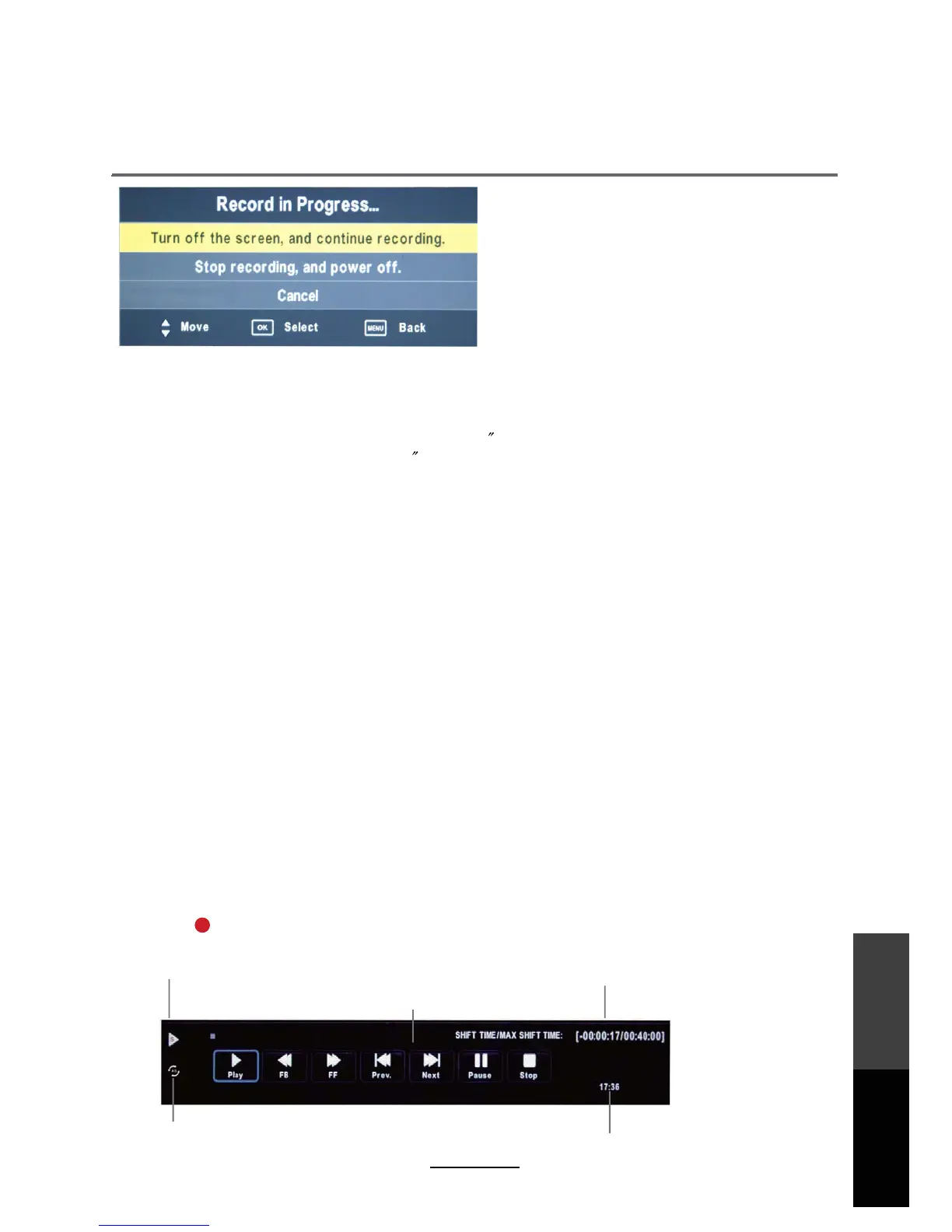
at the end of the program. When recording starts the control bar shown below will display
To start, access the Electronic Program Guide (EPG) with the EPG button on the remote. This displays
the program schedule for DTV channels. Select the program to be recorded with the directional buttons,
then press RECORD button. Press OK to confirm and the Record Schedule List will be updated.
The current state of the program
The current time
The name and number
of the program
The process of the program
A-B mark
Time Shift
Time Shift is an ideal way to temporarily pause live TV in case of a distraction such as a doorbell or
a ringing telephone. Once the distraction has passed, playback can be resumed from the point
where the TV program was paused. Press the PLAY/PAUSE button on the remote control to start
the Time shift mode. Press the PAUSE button again to resume playback.
NOTE:
v<WLQ[XTIa\PM<QUM;PQN\QVNWJIZJaXZM[[QVO-@1<J]\\WVon the remote control, press
again to close.
v8ZM[[;<78J]\\WV\WM`Q\\PM<QUM;PQN\UWLM
v8ZM[[84)AJ]\\WV\WXTIa\PM Time Shifted program.
:-+7:,16/16;<)6,*A57,-
- This unit is able to record while in sleep mode.
- Start a recording, then press the power button.
- A pop up message as shown above will be displayed.
- Select "Turn off the screen, and continue recording
.
- Or select "Stop recording, and power off
.
- While recording in standby mode, unit will not output any picture or sound. The power indicator will
flash in Green and red consecutively while there is a recording in standby mode.
30
Recording
Operation
Maintenance
and Service



 To Next Page