5
Getting Started
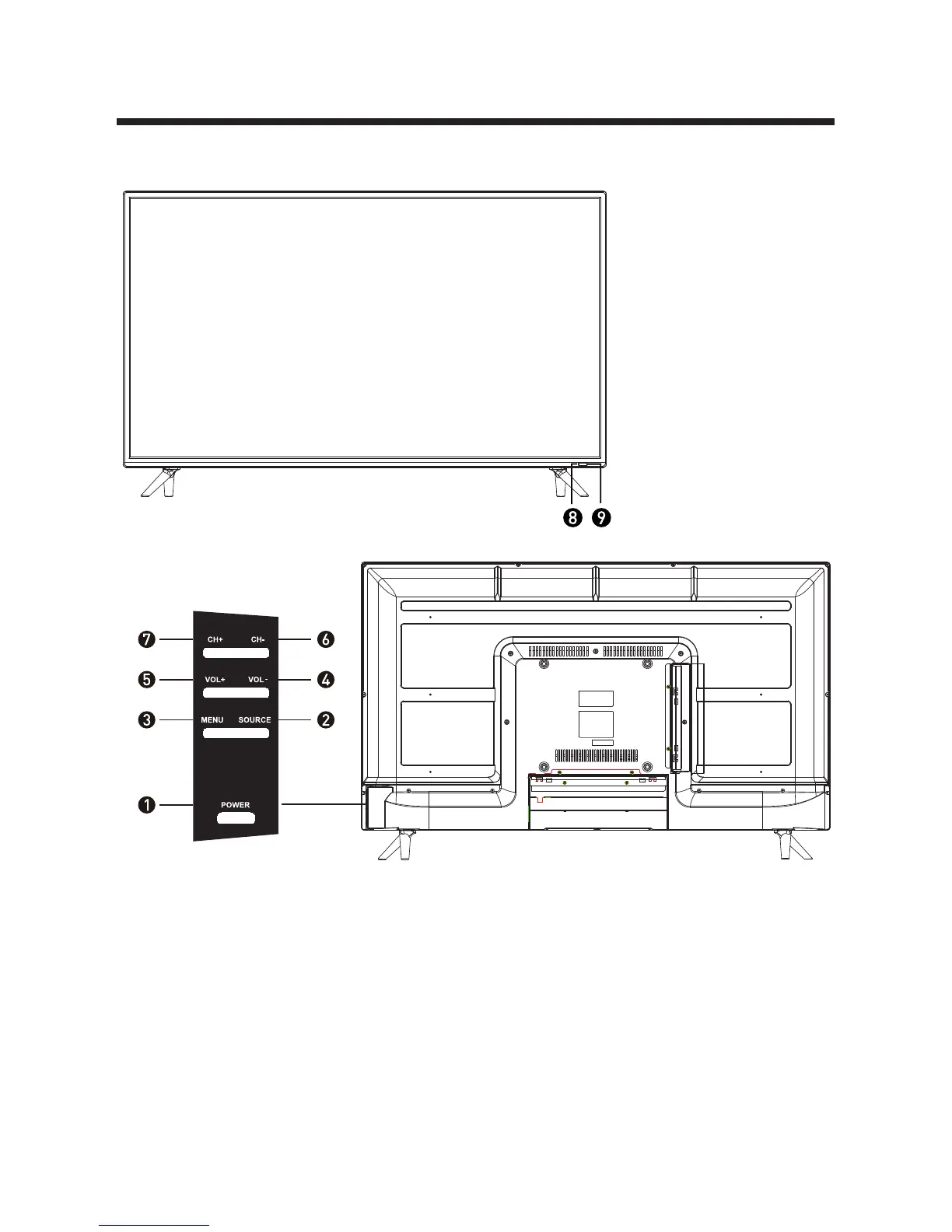
1. POWER Button: To turn ON/OFF the TV.
2. SOURCE Button: To select the input source.
3. MENU Button: To enter menu setting page.
4. VOL-: To decrease the volume level.
5. VOL+: To increase the volume level.
6. CH-: To select previous channel.
7. CH+: To select next channel.
8. Remote Control Sensor
9. Power Indicator: In standby mode the indicator light will display red color;
when switching on the unit the indicator light will display green color.
Front/Back View
Button Functions



 To Next Page