26
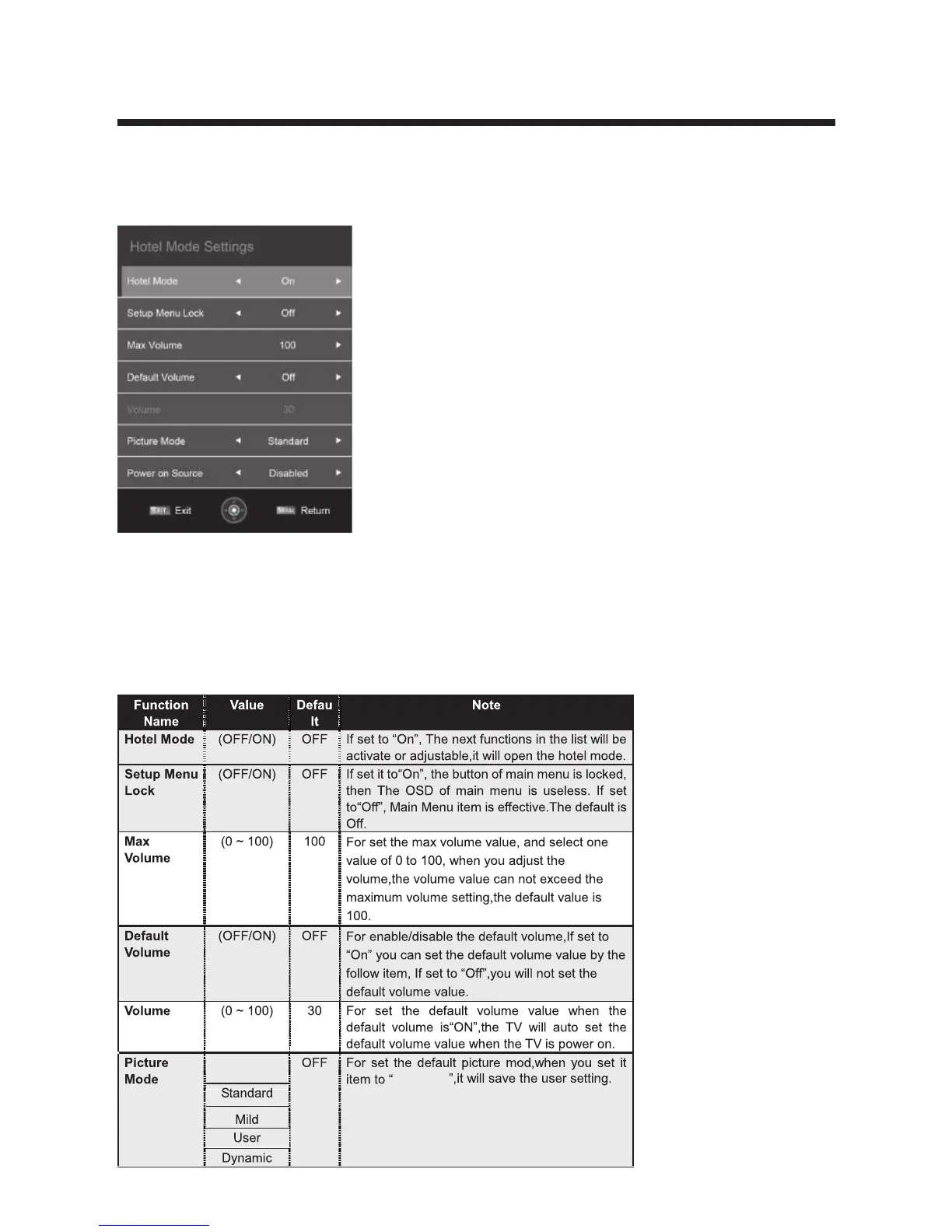
Hotel Mode
Press ▲/▼ button to select Hotel Mode then press OK to enterthe sub menu will
appear as follows:
1.How to enter and exit the hotelmode menu:
• Enter:You can enter the hotel mode menu by the follow steps:
Press password "9173" under the OSD menu.
• Select:use direction key to select the different items.
• confirm:Press the key “OK” or right direction key to confirm.
2.Function description of hotel mode:
Default
Default



 To Next Page