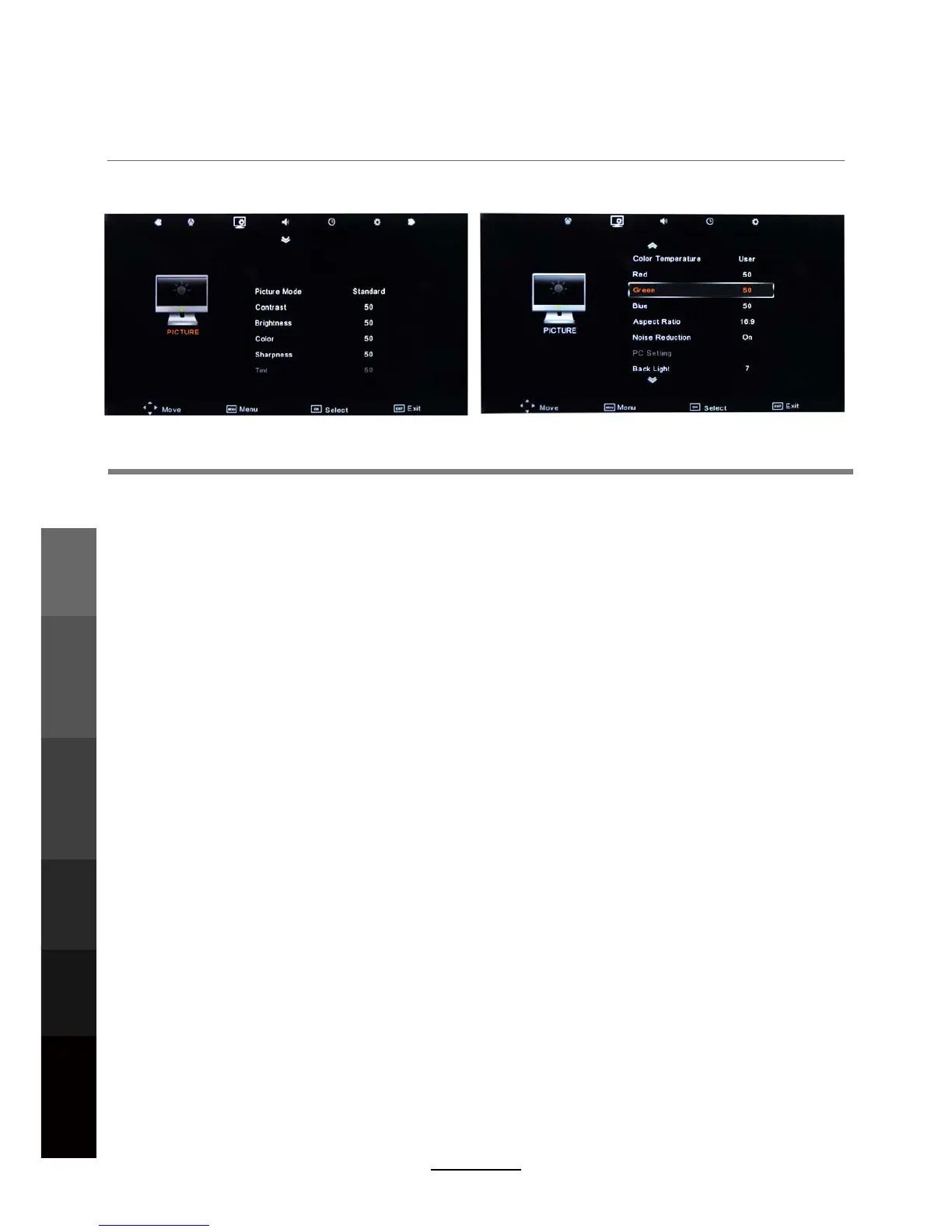
OSD Menu
2. PICTURE menu
Description
Picture Mode: Choose from Standard, Dynamic, User and Mild.
Note: Contrast, Brightness, Color and sharpness are only available and can be adjusted in
the User mode option in the Picture Mode Settings.
Contrast: Controls the difference between the brightest and darkest regions of the picture.
Brightness: Controls the overall brightness of the picture.
Color: Control the color.
Sharpness: Increase this setting to see crisp edges in the picture; decrease it for soft edges.
Tint: Controls the tint ( NTSC mode only).
Note: RED, GREEN and BLUE are only available and can be adjusted in the User mode
option in the Color Temperature Settings.
Color Temperature: Choose from Medium, Cool, Warm and User.
Noise Reduction: Turn on/off the function that reduces the noise in TV signals.
Aspect Ratio: Select the picture display mode in the screen.
PC Setting : Change the PC settings in the PC
mode.
Back Light: Adjust the backlight.
OSD Menu
Electronic Program
Guide
Recording
Operation
Maintenance
and Service
NETWORK
Media
Operation
18



 To Next Page