NETWORK
Listen to Internet Radio Stations
1. Press [MENU] in
2. Select DTV Setting → Network →Internet Radio and press [OK].
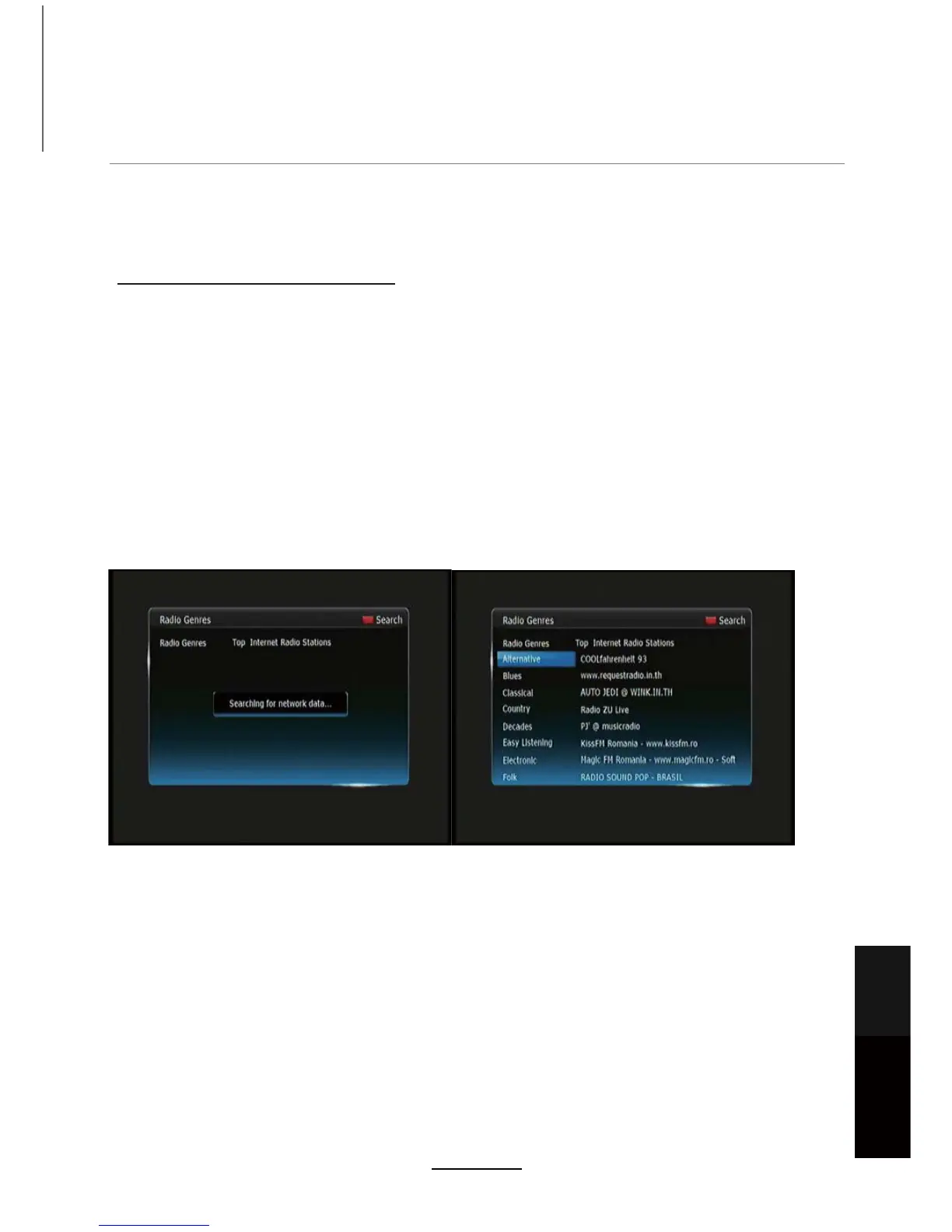
3. Unit will scan for Internet radio stations automatically.
4. Once autoscan is complete, a list of genres will be displayed on the left hand side of the
screen. Select a genre by pressing [OK]. A list of stations from that genre will be displayed on
WKHULJKWKDQGVLGHRIWKHVFUHHQ3UHVVWKH>Ź@EXWWRQWRQDYLJDWHWRWKHULJKWKDQGVLGHRI
the screen.
8VLQJWKH>Ÿ@>ź@EXWWRQVVHOHFWWKHVWDWLRQ\RXZLVKWROLVWHQWRDQGSUHVV>2.@WR
listen to the broadcast.
6. To change the genre, press the Menu button to select a new genre by pressing the [OK]
button.
3UHVV>(;,7@WRH[LWWRWKH/LYH79EURDGFDVW
DTV source.
127($SSDYDLODELOLW\PD\FKDQJHRYHUWLPH,IWKHVXJJHVWHGDSSVDUHQRWDYDLODEOH
please try similar related apps.
(QVXUHWKDW\RXUGHYLFHDQGWKHUHFHLYHUDUHERWKFRQQHFWHGWRWKHVDPHQHWZRUN
NOTE: The performance of your home network, as well as the Internet radio broadcaster will
GHWHUPLQHWKHTXDOLW\DQGVSHHGRIGHOLYHU\RI,QWHUQHWUDGLR
Maintenance
and Service
NETWORK
29



 To Next Page