Basic Operation
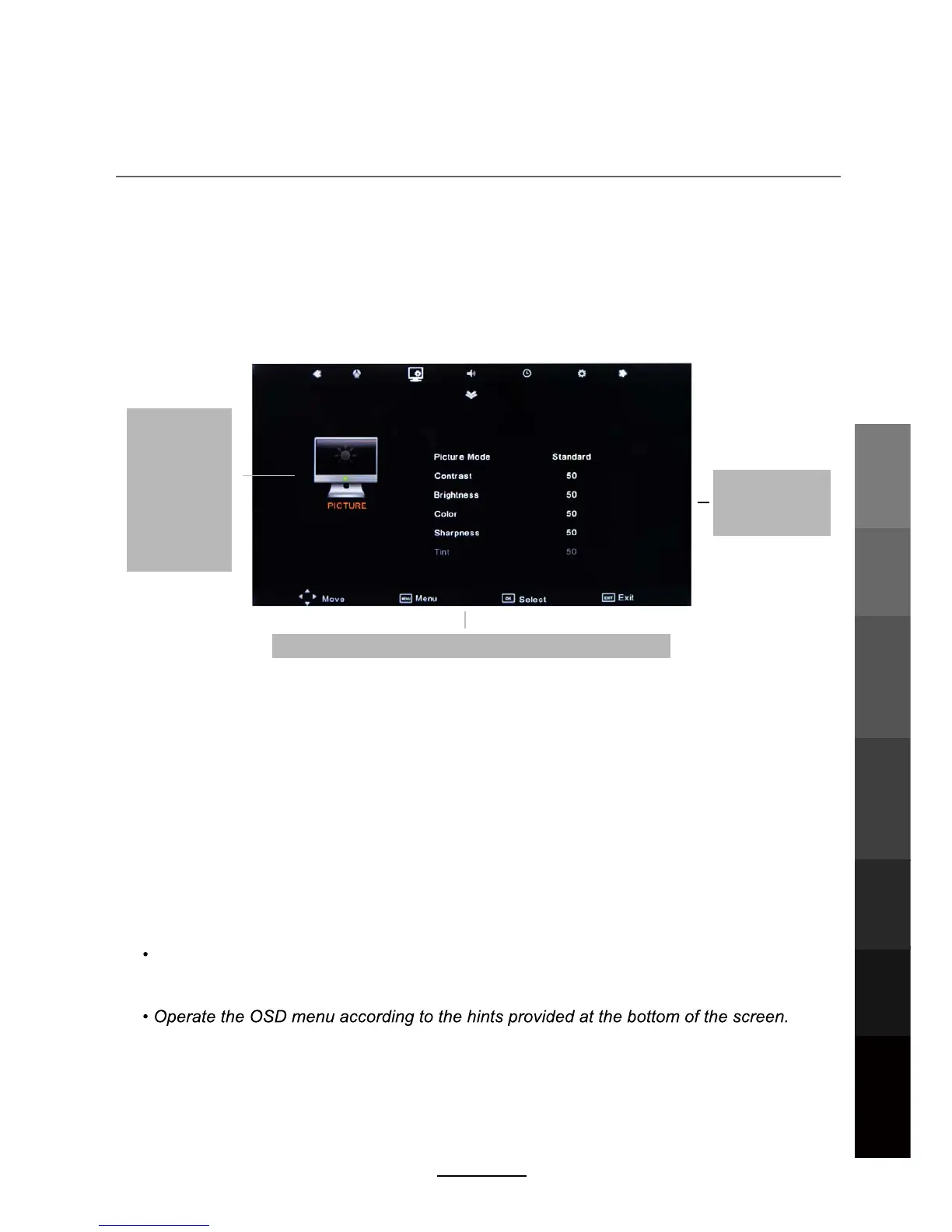
The On Screen Display (OSD) menu acts as the Main Menu and aids the user in browsing
through the different options/properties available on the television unit. Press the MENU
button on the remote control to access the OSD menu as shown below:
Using the On Screen Display Menu
Main menu
P
DTV Setting
ICTURE
SOUND
OPTION
Submenu
(Picture menu
for example)
Hint---you should operate the OSD menu according to the hint.
TIME
Use the </> direction buttons to make a selection from the main menu (DTV Setting
PICTURE, SOUND, TIME, OPTION). Press \/ button to enter the submenu system.
Once in the submenu, use \/ //\ buttons to select an item. Press the OK button to access the
selected item to make changes to the settings.
To return to the main menu, press the MENU button.
To exit the menu display, press the EXIT button.
NOTE:
Some menu items can only be activated when the right INPUT selection has been
made (ie, the CHANNEL selection can only be accessed under DTV input selections).
Basic OperationOSD Menu
Electronic Program
Guide
Recording
Operation
Maintenance
and Service
NETWORK
Media
Operation
13



 To Next Page