Electronic Program Guide
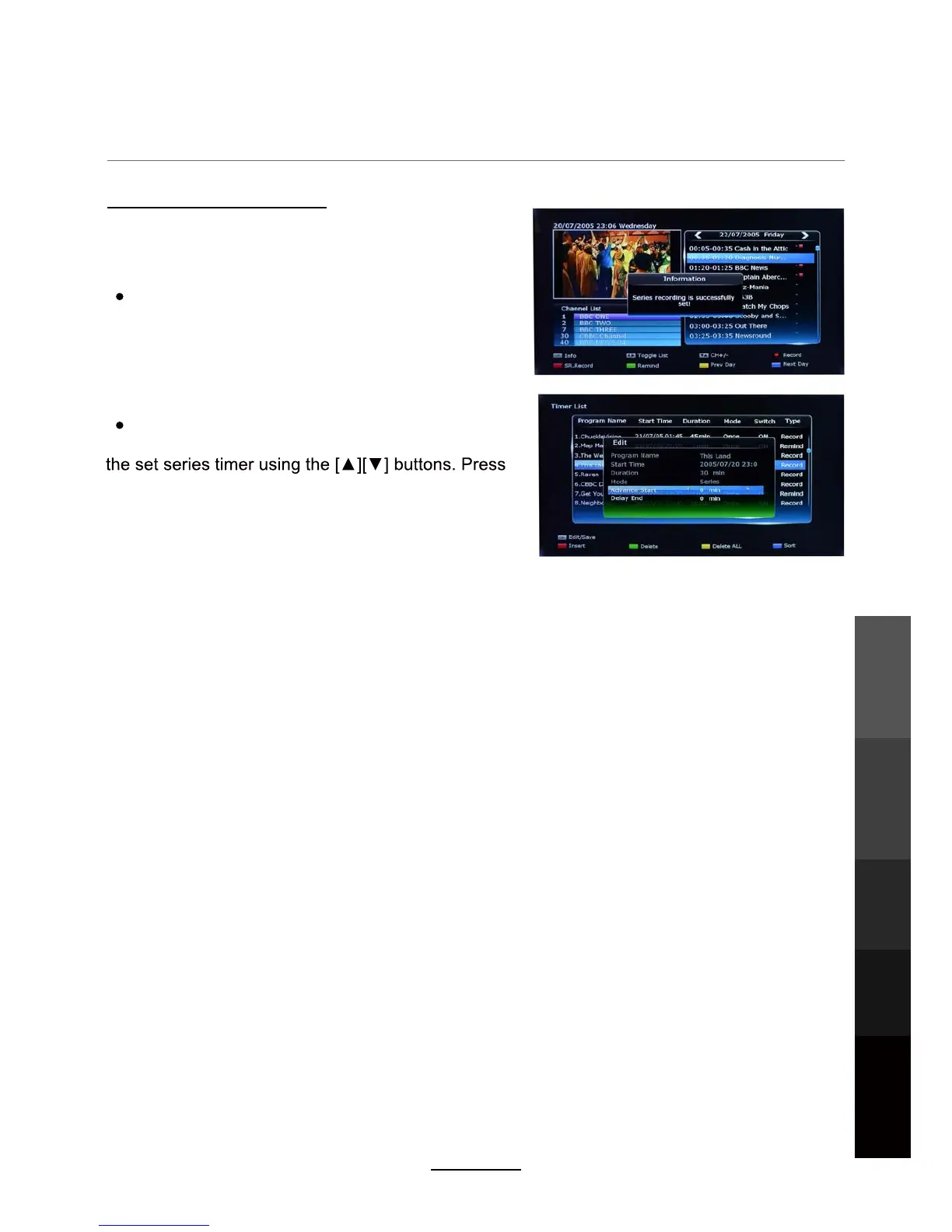
Setting Series Recordings
Series recording allows you to record every episode
in the series of the program you have selected with a
single button press:
In the EPG, select the program for which you wish
to record the whole series, then press the [RED]
button on the remote.The message “Series recording
is successfully set!” will be displayed on the screen.
The program will be marked with a red square with “S”
in the EPG.
To edit or delete a set series recording, press the
[SCH.LIST] button on the remote control. Then, select
OK button to edit the S.REC settings(Such as
Advance Start/Delay End times). Press the [GREEN]
button to delete this timer.
NOTE: Series recording only works for programs in the series that start at the same time.
Please check the EPG before you set a series recording in case some episodes start at
different times and need to be scheduled separately.
Electronic Program
Guide
Recording
Operation
Maintenance
and Service
NETWORK
Media
Operation
23



 To Next Page