Media Operation
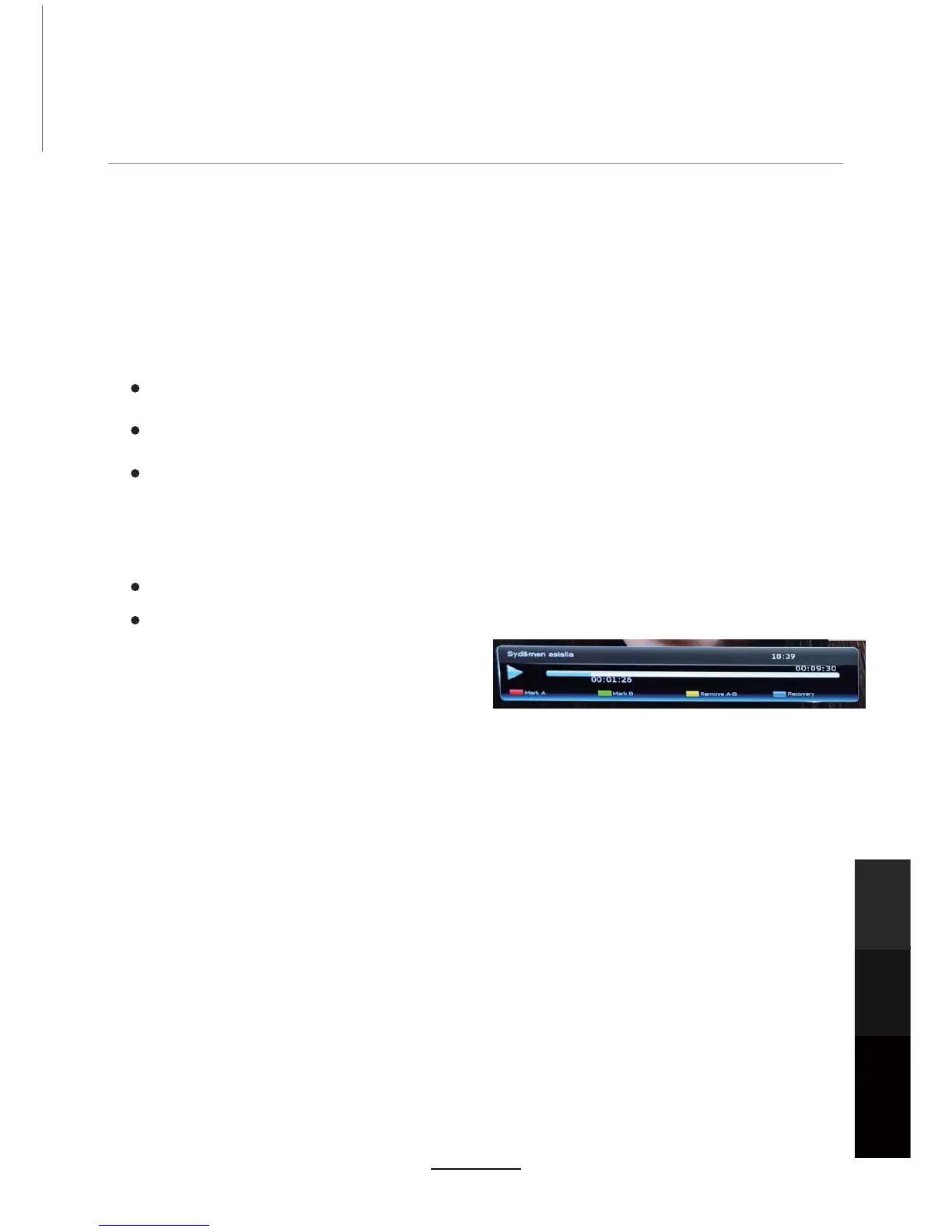
Mark Point A: Press the [RED] button during playback to set the start position of
the section to be removed. An “A” sign will be placed on the progress bar.
Mark Point B: Press the [GREEN] button to set the end position of the section to be
removed. A “B” sign will be placed on the progress bar.
Remove A-B: Press [YELLOW] once you have set the section of the recorded program to
be removed. A dialog box will be displayed asking whether you wish to remove the
selected section. Select Yes and press the OK button. The section will now be removed
and will not be viewed during playback. This section will also change from blue to purple
in the progress bar when [INFO] is pressed. Should you not wish to proceed with
removing this section, select NO to change the section to be cut, or select Cancel to exit
completely and return to normal playback.
Blue Button - Recovery: Press the [BLUE] button should you wish to bring back the removed
sections of the recorded program. This
will remove all removed sections and
the program will now play in its entirety.
NOTE: You can remove as many sections
within the recorded program as you wish by
simply following the above steps again.
Editing Recorded Programs
In this mode you can remove sections of the recorded program, so that during playback, these
sections will be skipped and playback will continue past the removed section.
1. Open the record list by pressing [REC.list] in DTV source.
26HOHFWWKHUHFRUGHGSURJUDP\RXZLVKWRHGLWXVLQJ>Ÿ@>ź@%HJLQSOD\EDFNRIWKHVHOHFWHG
program by pressing [OK] .
3. Once playback has begun, press the [INFO] button. This will display a playback progress
bar and a number of options using the coloured buttons:
NOTE: 1. The Media Player supports most, but not all file format and media codecs.
2.Use an external HDD up to 2TB with a separate power supply; do not disconnect USB during
recording/playback.
Maintenance
and Service
NETWORK
Media
Operation
27



 To Next Page