6
NOTE:
Before making or changing cable connections, please make sure that power to the unit is
completely disconnected by switching o
the power supply and unplugging the power
cable from the wall outlet.
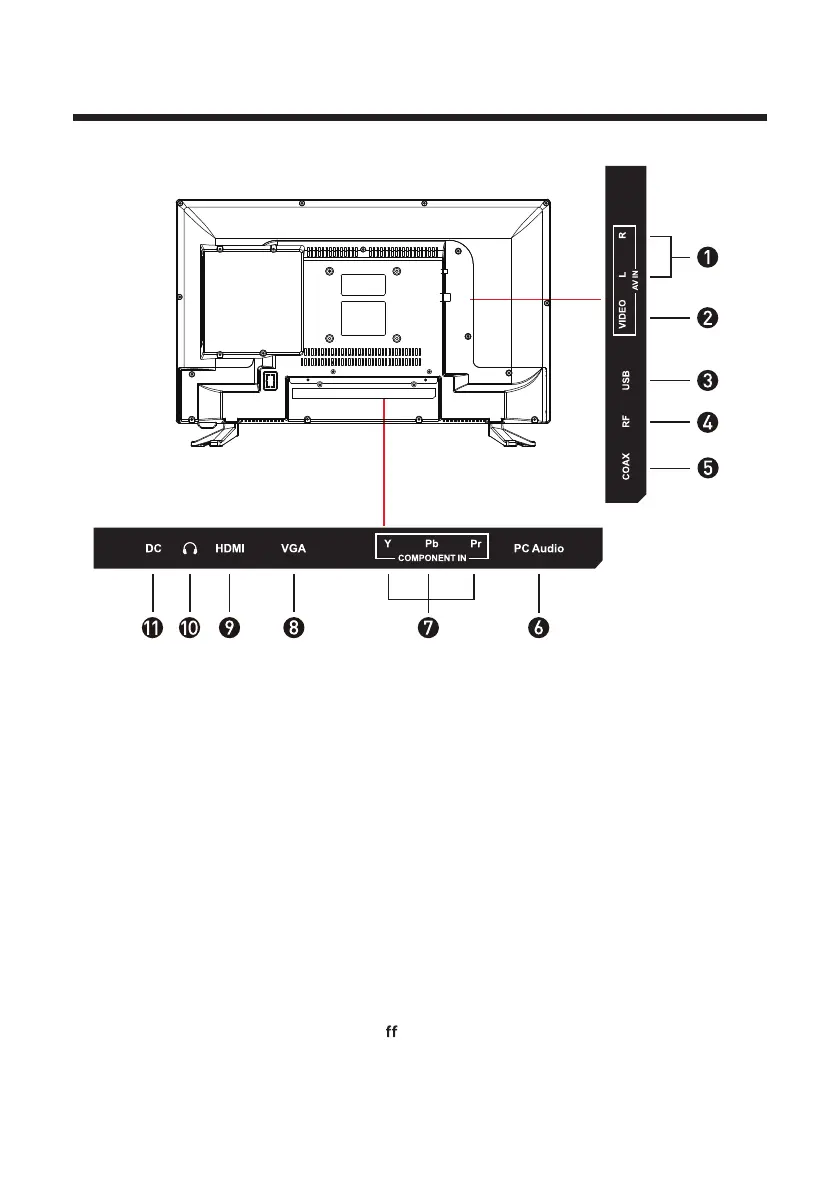
USB3.
5. COAX
9. HDMI
RF: Antenna connection
4.
7.
YPbPr: Connect to the YPbPr video
output terminal of the DVD
VIDEO: Video input2.
1. AUDIO IN R/L: Stereo audio input
PC AUDIO: Connect it to the audio
output terminal of the PC
6.
VGA: PC video input8.
10. HEADPHONES
11. DC IN 12V
Back View
Video and YPbPr share with Audio
in (R/L).



 To Next Page