5
Getting Started
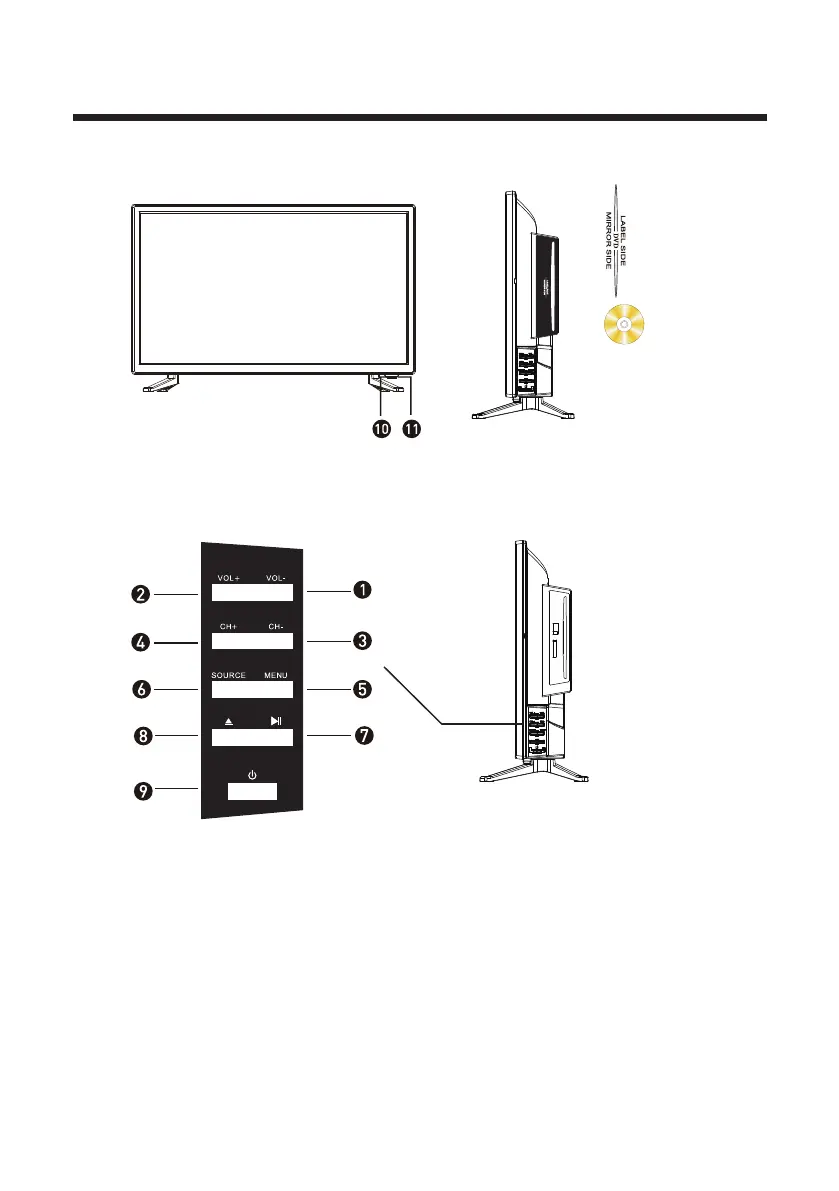
Front View
Button Functions
9. POWER: Turn on TV/Standby
6. SOURCE: Audio/Video input source selection
5. MENU: Open settings menu
1. VOL-: Decrease volume
2. VOL+: Increase volume
3. CH-: Previous channel
4. CH+: Next channel
7. Play/Pause: Play/Pause toggle in DVD/media player modes
8. Eject: Eject disc
10. IR RECEIVER: Receives infrared signals from the remote control
11. INDICATOR LED: Status indicator
Disc Tray Slot
Insert the DVD
with the
label side
facing the back.



 To Next Page