9
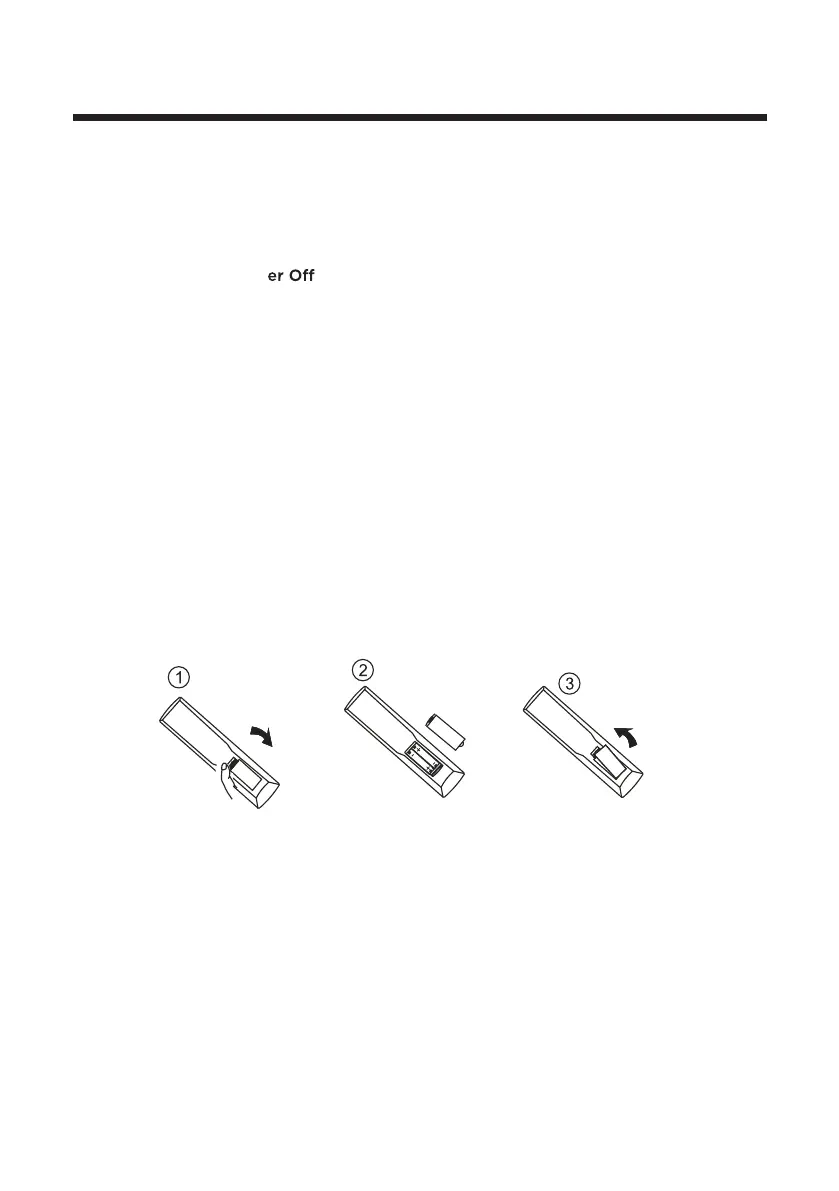
Install the Batteries
If the remote control signal becomes weak or stops working, replace the batteries in
the remote control.
1. Open the battery cover.
2. Insert two size-AAA batteries. (Place the batteries with their terminals
corresponding to the (+) and (-) indications in the battery compartment.)
3. Replace the cover.
33.
SLEEP: Auto Pow
Timer.
Selects the screen size.31.
ASPECT:
29. D.MENU: Display the menu of the DVD.
32. D.TITLE: Go to the title page of DVD disk.
30.
GOTO: Play from the desired location.(DVD/USB mode)
34. MUTE: Mute or restore the sound.



 To Next Page