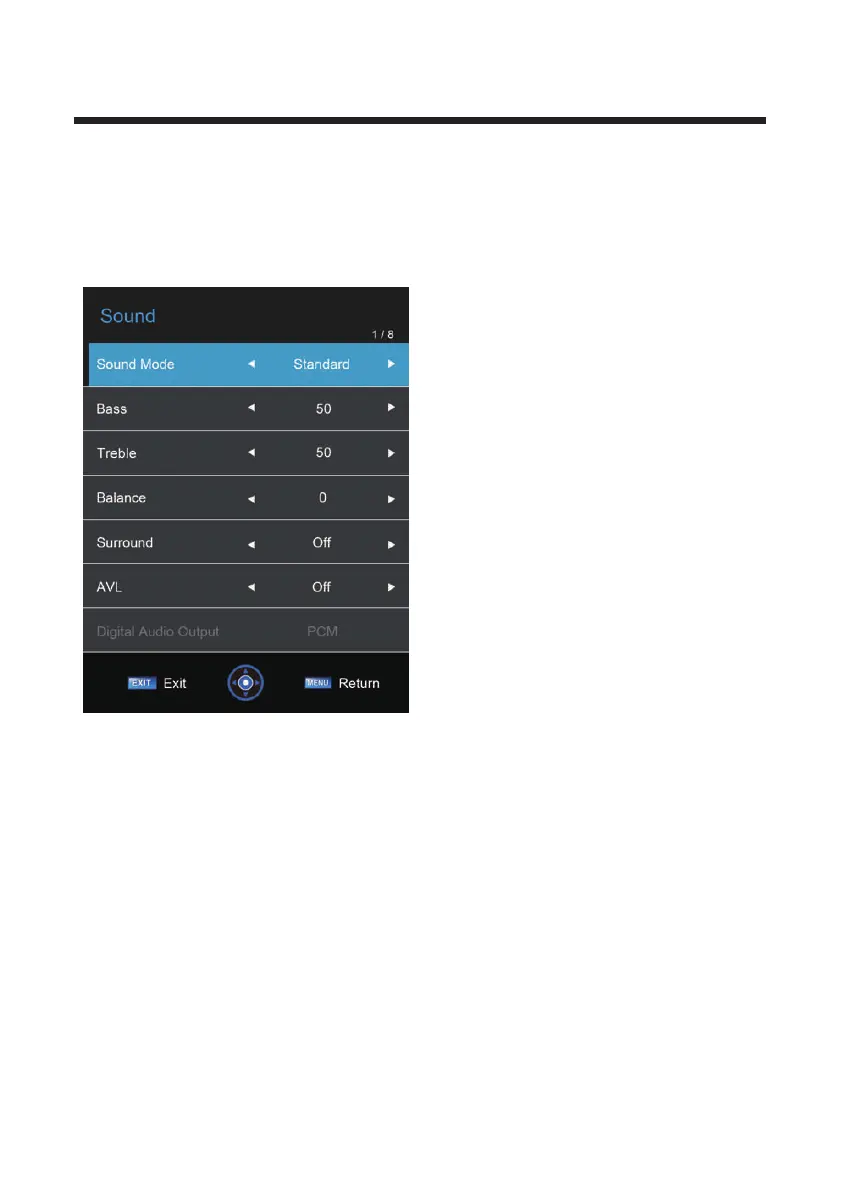
2. Sound Menu
The picture is for a reference only; the actual item is the standard.
Press MENU button to display the main menu.
Press ◄/► button to select Sound in the main m
The picture shown may not reflect all
available setting. Scroll down with the▼button
to display more settings.
Sound mode: Choose from presets or a
customisable user setting.
Bass: Adjust the level of bass audio(1-100)
Treble: Adjust the level of treble audio(1-100)
Balance: Adjust the Left/Right audio output.
Surround: If you have surround sound speaker
set up use this
AVL: Audio Volume Leveler-Use to limit the
range of loudness/softness .If you find yourself
adjusting the volume often during a movie or
between programs an TV commercials,you may
find the feature useful.
Digital Audio Output: Turn digital audio output
PCM/Auto /Off.
Audio Description: Some programs /videos may
provide an extra narrative track for the visually
impaired audience .You can turn this on/off and
set the ‘Mix Level’.
enu, and then press OK button to
enter.
1. Press ▲/▼ button to select the option that you want to adjust in the Sound menu.
2. press ◄/► button to adjust.
3. After finishing your adjustment, Press MENU button to save and return back to the
previous menu, or press EXIT button to exit the entire menu.
13



 To Next Page