Connecting the power
1
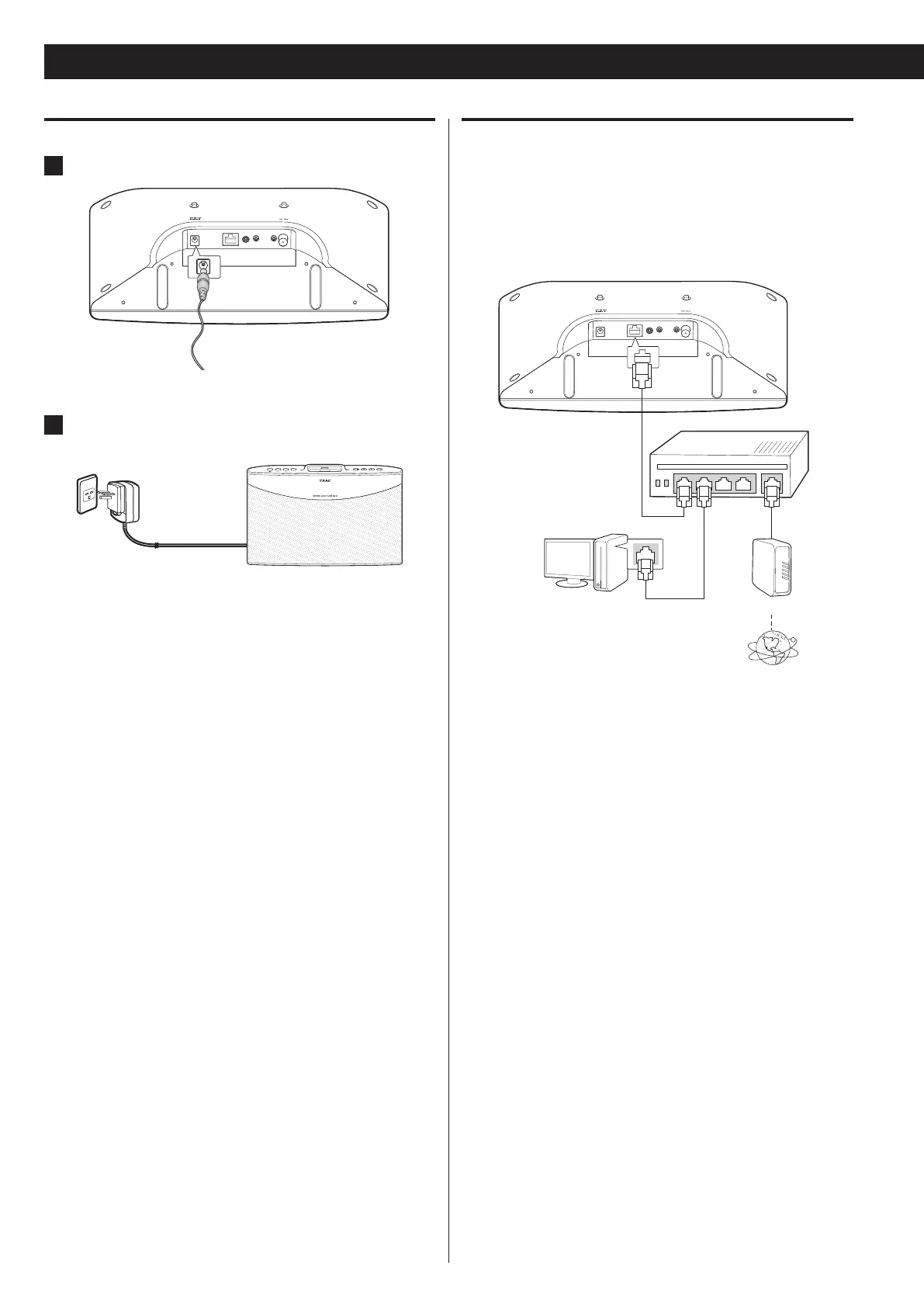
Connect one end of the power adapter to DC IN 12V.
2
Connect the power plug to the AC wall socket.
Note
Use the supplied power adapter and plug only. Do not use any AC o
adapter other than the one included with this unit.
Be sure to connect the power adapter to an AC outlet which o
supplies the correct voltage.
If you do not use the unit for a certain amount of time, disconnect o
the AC adaptor from the wall socket.
Connecting the LAN/ETHERNET cable
To connect this unit to a broadband home network to listen to
Internet radio broadcast, connect the LAN/ETHERNET cable to the
ETHERNET port.
For detailed information on wired network setting, see “Setting up a
wired network connection” on page 23.
[ Wired LAN ]
LAN port/Ethernet
connector
To LAN port
To LAN port
Router
Modem
Internet
Connections (2)
To WAN side


 To Next Page
 Loading...






