Playing music from iPod/iPhone
1
Connect your iPod/iPhone to the unit.
For detailed information on connecting the iPod/iPhone, see
“Connecting the iPod/iPhone” on page 9.
If you connect an iPod/iPhone that is playing a song, the song o
is automatically output from the NS-X1.
2
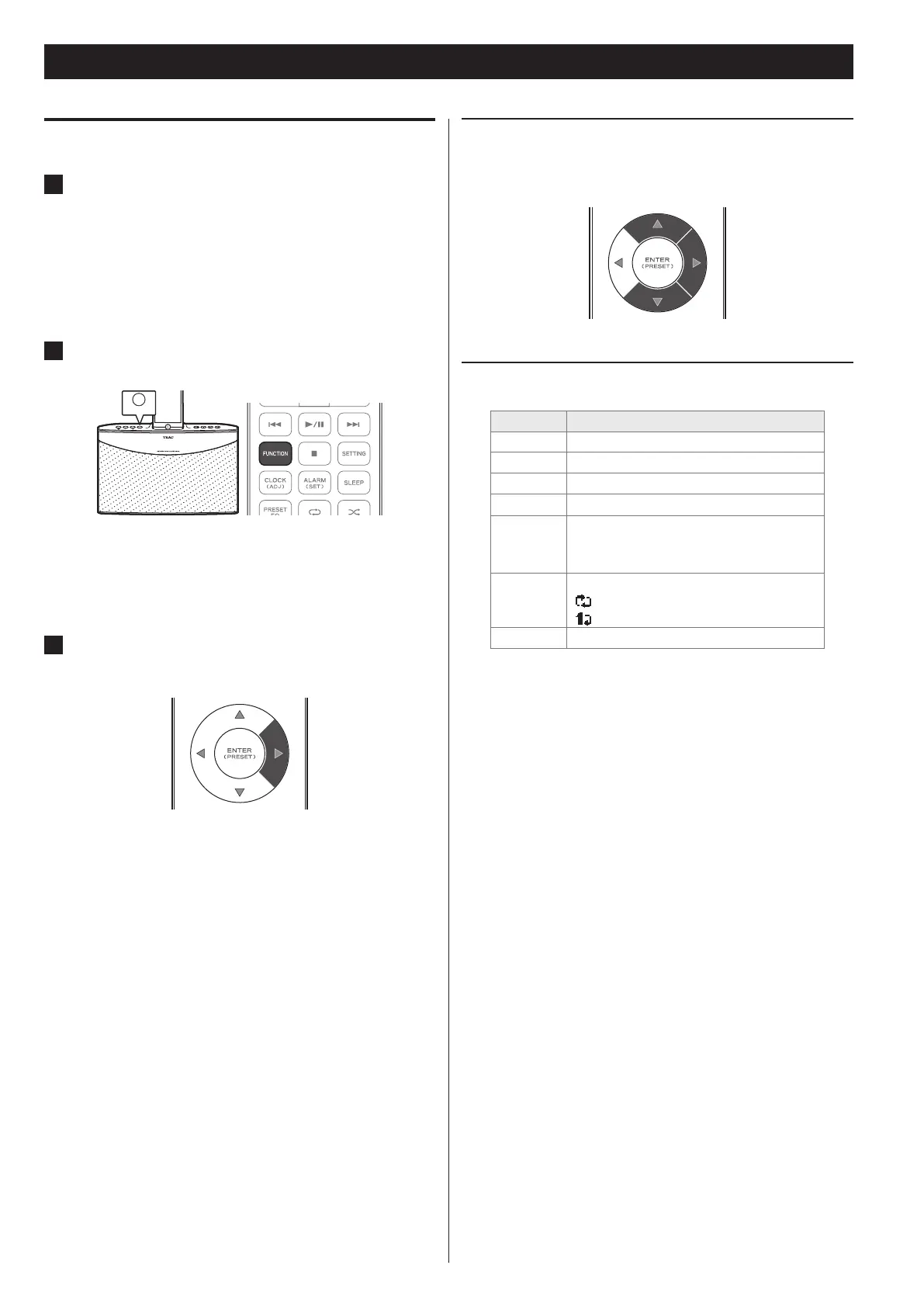
Press the FUNCTION button on the unit or the remote
control repeatedly until “iPod” appears on the display.
You can also select iPod as the input source from the menu. o
For detailed information, see “Selecting an input source from
the Home menu” on page 12.
3
Press the RIGHT (t ) button.
Playback starts.
You can control playback from your iPod/iPhone. o
iPod/iPhone
Selecting an iPod/iPhone menu item
Press the UP and DOWN (5 and b) buttons to select the desired
menu item, and then press the RIGHT (t) button.
Button operation during iPod/iPhone playback
Button Description
VOL - or + Adjust volume
.
Play the current song from the beginning
7/9
Play or pause the currently selected music
/
Play the next song
8
Stop playback
Move to the previous menu on the iPod/
iPhone while stopped
¼
Select a repeat option
: Repeat all songs
: Repeat 1 song
½
Set the shue mode
If you connect the iPod/iPhone while a function is selected, a list
o
of files that is one folder up from the file being played appears
automatically on the iPod/iPhone display. However, the iPod/
iPhone may behave differently depending on the operating state
of the NS-X1.



 To Next Page