FM (1)
Auto tuning
1
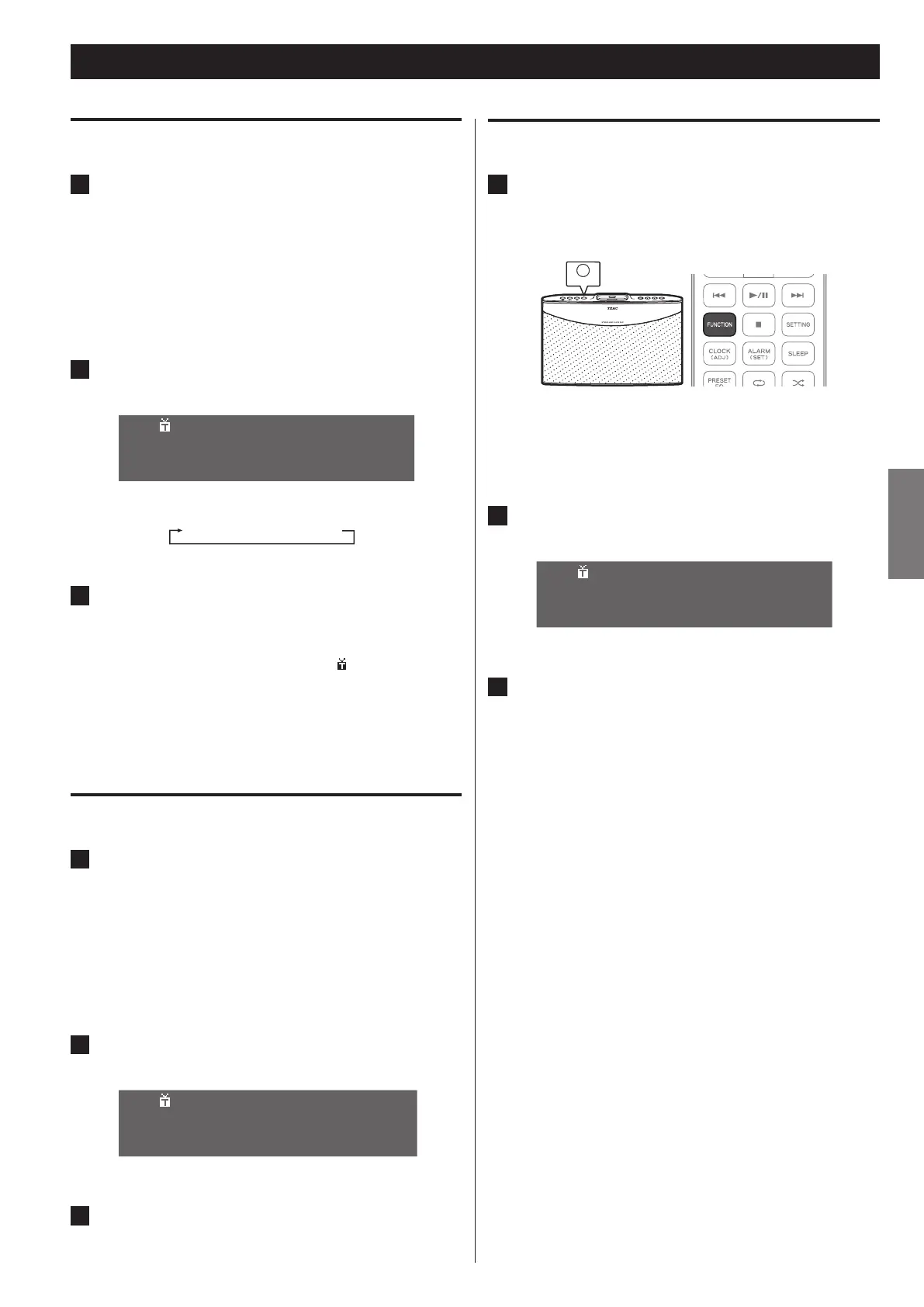
Press the FUNCTION button on the unit or the remote
control repeatedly until “FM” appears on the display.
FM is selected as the input source.
You can also select FM as the input source from the menu. For
o
detailed information, see “Selecting an input source from the
Home menu” on page 12.
2
Press the STOP (8) button repeatedly until “Auto”
appears.
A u t o
9 9 . 5 0
M
H z P 0 1
Each time you press the button, the mode changes as follows:
Auto w Manual w Preset
3
Press the PREVIOUS (.) or NEXT (/) button to start
searching a station of sufficient strength.
When the unit detects a station of sufficient strength, the
o
display shows the tuned frequency and
icon.
If the station detected is not the desired one, simply repeat o
this operation.
Stations of insufficient signal strength are skipped during the
o
auto tuning process.
Manual tuning
1
Press the FUNCTION button on the unit or the remote
control repeatedly until “FM” appears on the display.
FM is selected as the input source.
You can also select FM as the input source from the menu. For
o
detailed information, see “Selecting an input source from the
Home menu” on page 12.
2
Press the STOP (8) button repeatedly until “Manual”
appears.
M a n u
a
l
9 9 . 5 0
M
H z P 0 1
3
Press the PREVIOUS (. ) or NEXT (/ ) button
repeatedly until the desired frequency has been reached.
Tuning in a preset station
1
Press the FUNCTION button on the unit or the remote
control repeatedly until “FM” appears on the display.
FM is selected as the input source.
You can also select FM as the input source from the menu. For o
detailed information, see “Selecting an input source from the
Home menu” on page 12.
2
Press the STOP (8) button repeatedly until “Preset”
appears.
P r e s
e
t
9 9 . 5 0
M
H z P 0 1
3
Press the PREVIOUS (.) or NEXT (/) button repeatedly
until the desired preset station appears.



 To Next Page