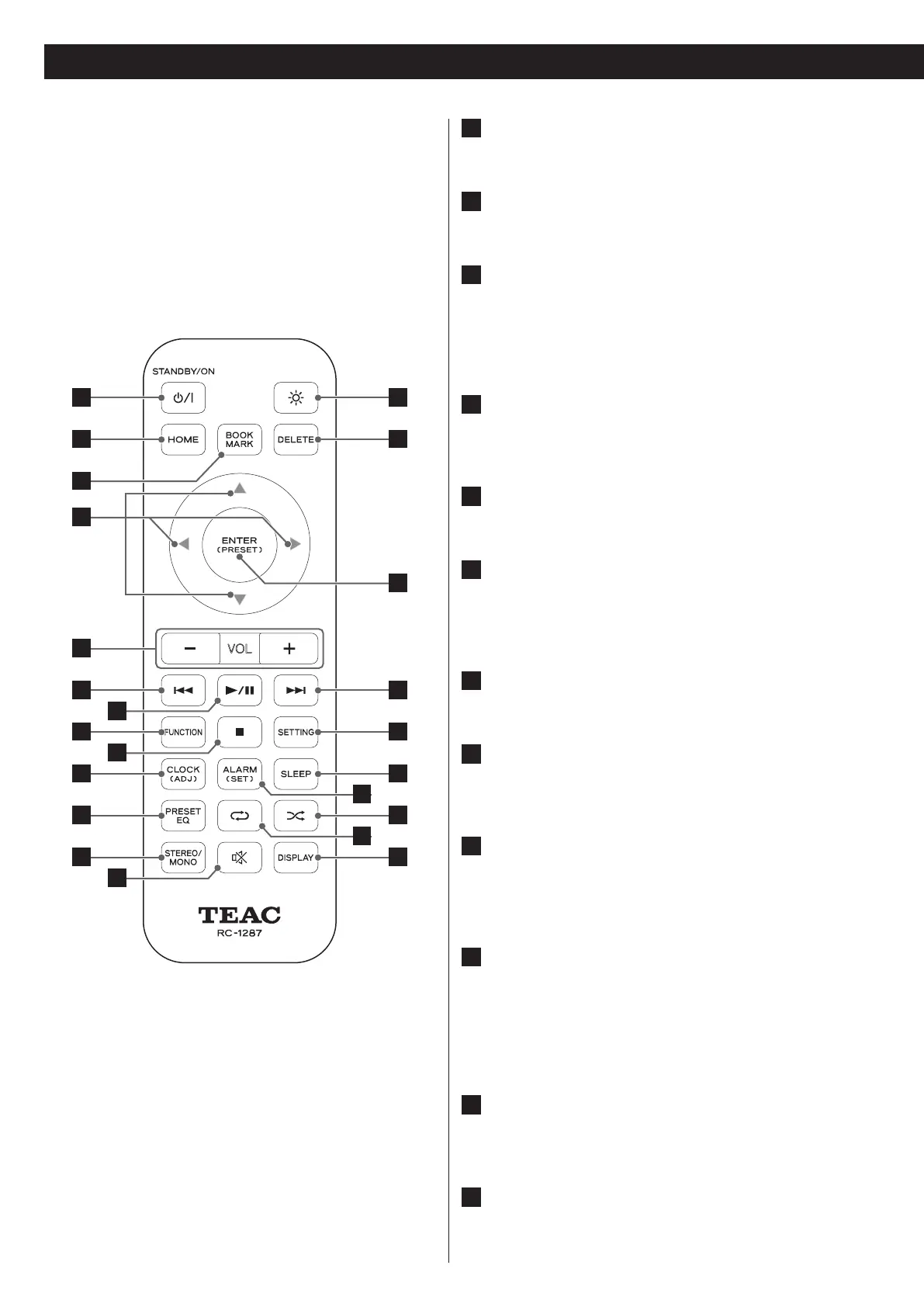
Identifying the Parts (Remote Control Unit)
1
14
2
5
15
6
17
8
18
10 19
11 21
12 23
16
3
7
9
20
22
13
4
1
STANDBY/ON (¤) button
Press this button to turn the unit on or put it into standby.
2
HOME button
Press this button to go to the Home menu.
3
BOOKMARK
Press this button to add a bookmark to your Internet radio
stations list.
Use this button as well to go to the Bookmark list (in Home
menu).
4
UP(5), DOWN(b), LEFT(g), RIGHT(t)
To move up, down, left or right on the menu, press the
corresponding arrow button.
5
VOL - /+
Press this button to turn the volume down or up.
6
PREVIOUS (.)
Press this button to search a frequency (in FM tune or preset)
Use this button as well to play the current song from the
beginning (in music)
7
PLAY/PAUSE (7/9)
Press this button to play or pause music.
8
FUNCTION
Press this button to select an input source (iPod / Net Radio /
MUSIC SERVER / FM / AUX).
9
STOP (8)
Press this button to stop playback of the music.
Use this button as well to select an FM tuning mode (Auto/
Manual/Preset).
10
CLOCK (ADJ)
Press this button to check the time.
To set the clock, press and hold this button.
To set the clock, you must have your unit connected to the o
Internet.
11
PRESET EQ
Press this button to change the preset EQ setting (Flat/Rock/
Pop/Classic/Jazz/Talk).
12
STEREO/MONO
Select Stereo / Mono (in FM)



 To Next Page