10
Connections (front panel)
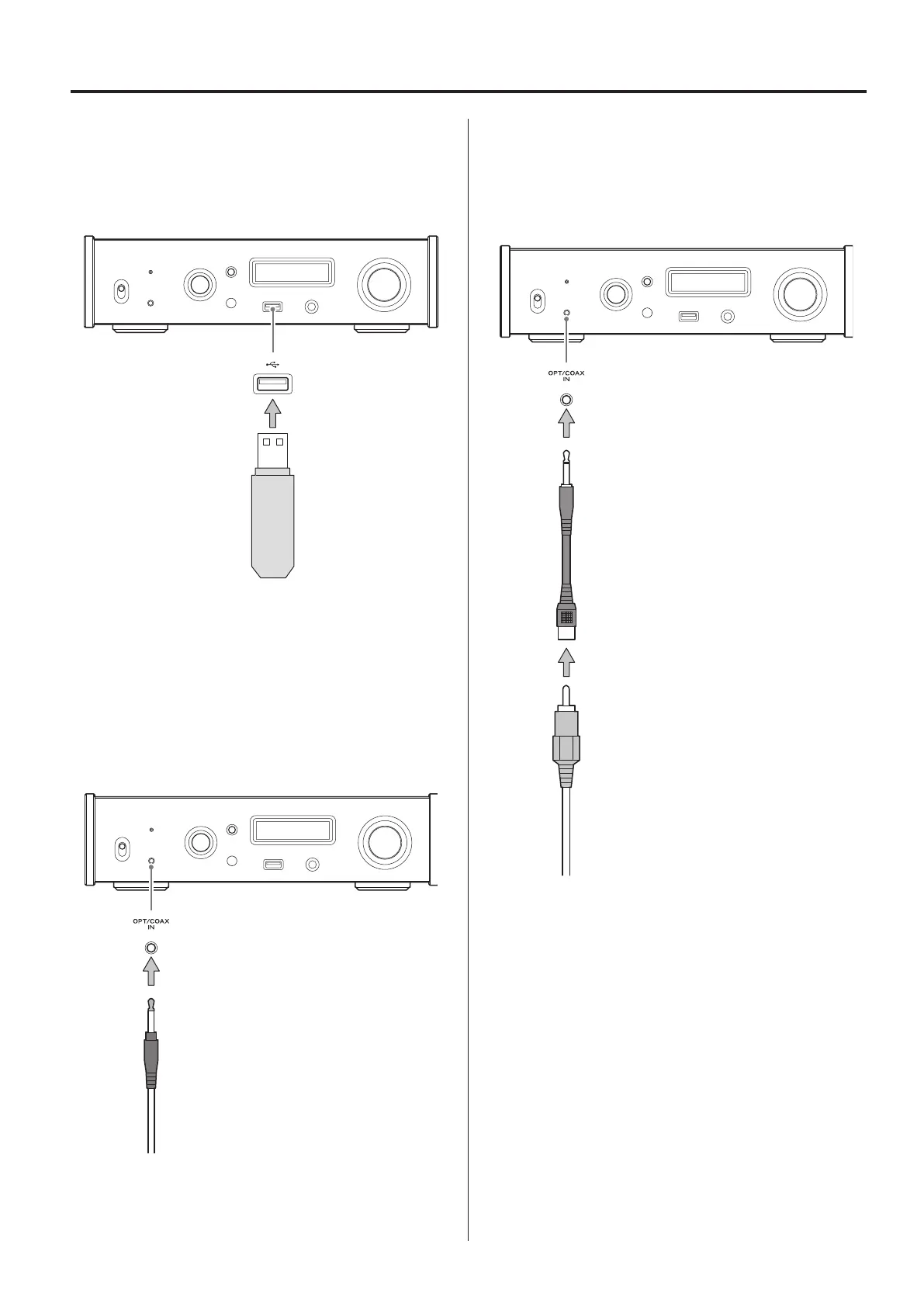
USB flash drives
Connect USB flash drives to the USB port on the front of the unit.
To play music files on a USB flash drive, set the input source to NET
and use the app for playback.
o For details, see the Network Manual.
Digital audio input (OPT/COAX IN)
This input connector can be used for both optical (OPT) and coaxial
(COAX) connections.
Optical (OPT) connection
Use a commercially-available optical cable with a mini plug.
To enable this input, turn the INPUT SELECTOR knob to select OPTf.
o The “f” indicates the front panel.
Optical mini plug
Coaxial (COAX) connection
Use the included RCA conversion cable and a commercially-
available RCA coaxial digital cable.
To enable this input, turn the INPUT SELECTOR knob to select COAXf.
o The “f” indicates the front panel.
RCA conversion cable
RCA coaxial digital cable



 To Next Page