10
Pairing the Wireless Subwoofer with the Main Unit
Automatic pairing
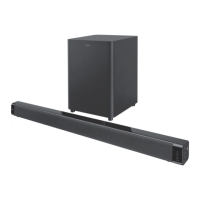
The subwoofer and soundbar will automatically pair when both units are plugged into the mains
sockets and turned on. No cable is needed for connecting the two units.
• Whenthesubwooferispairingwiththemainunit,thePairIndicatorwillash.
• Whenthesubwooferispairedwiththemainunit,thePairIndicatorwilllightup.
NOTE:
- Do not press the Pair button on the rear of the subwoofer, except for manual pairing.
- If the automatic pairing fails, pair the subwoofer with the main unit manually.
Manual pairing
1. Ensure that all the cables are well connected and the main unit is in Standby mode.
2. Press and hold the Pair button on the rear of the subwoofer for a few seconds. The subwoofer
will enter the pairing mode and the Pair Indicator will blink quickly.
3. Press the /SOURCE button on the main unit or the button on the remote control to switch
the main unit on.
4. After the wireless connection succeeded, the Pair Indicator will light up.
5. If the Pair indicator blinks, the wireless connection has failed. Unplug the cable of the
subwoofer and then reconnect the main cable after 3 minutes. Repeat step 1 ~ 4.
NOTE:
• Ifthewirelessconnectionfailsagain,checkifthereisconictorstronginterference(for
example, interference from an electronic device) around your location. Remove these conicts
or strong interferences and repeat the above procedures.
• Thesubwoofershouldbewithin6mofthesoundbar.
• IfaTVoranexternaldeviceisconnected,themainunitandthesubwooferwillswitchon
automatically when the TV or the external device is switched on.
• IfthemainunitisnotconnectedwiththesubwooferanditisinOnmode,thePOWERIndicator
will ash. Follow step 1 ~ 4 above to pair the subwoofer to the main unit.
Basic Operation
Standby/ON
When you rst connect the unit to the mains socket, the unit will be in STANDBY mode.
- Press to switch the unit ON.
- Press again to switch the unit back to STANDBY mode. The POWER indicator will light up red.
- Disconnect the mains plug from the mains socket if you want to switch the unit OFF
completely.
Select Modes
Press the SOURCE button repeatedly on the unit or on the remote control to switch between
AUX,MP3LINK,OPTICALandBLUETOOTH modes.


 To Next Page