8
First-timeuse:
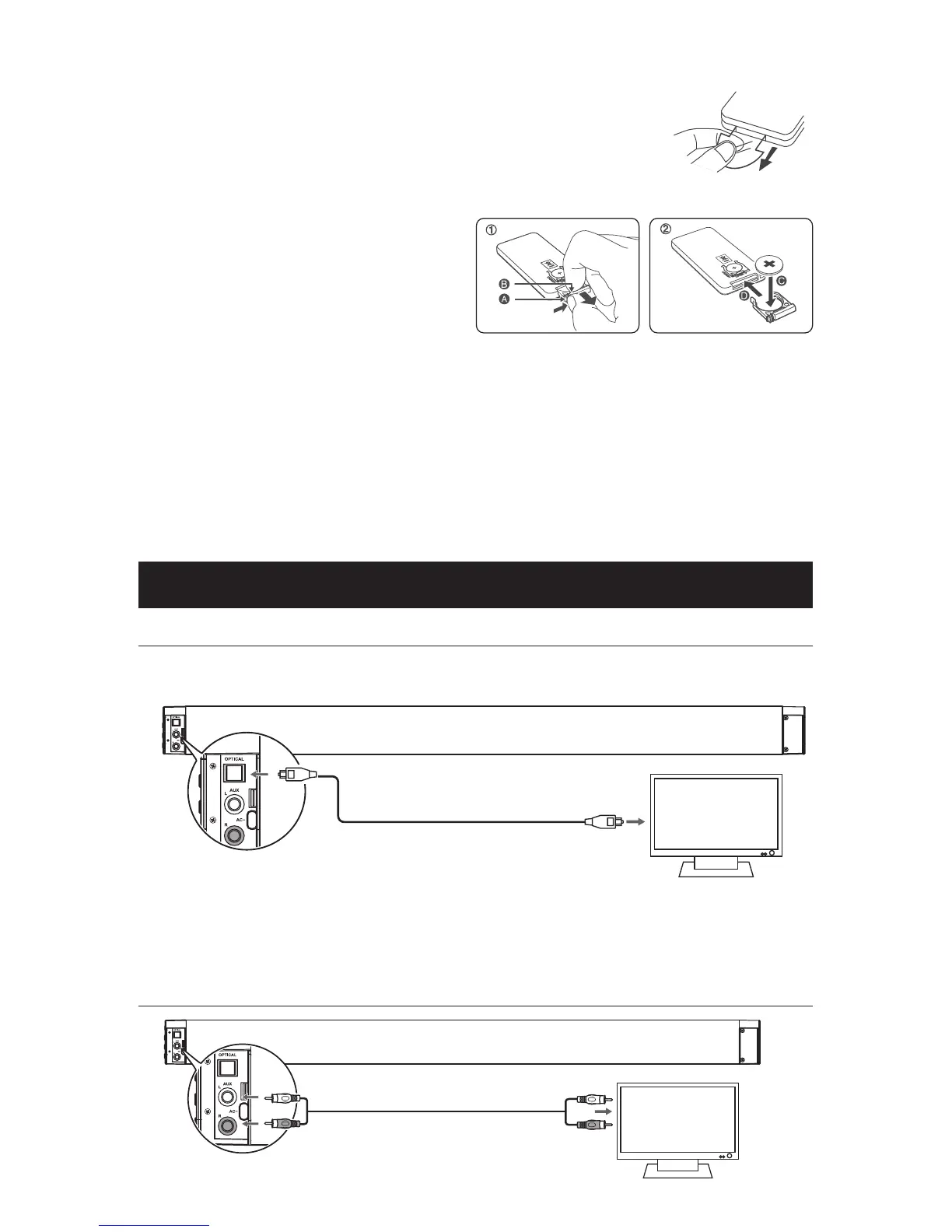
The unit has a pre-installed lithium CR2025 battery. Remove the protective
tab to activate the remote control battery.
Replace the Remote Control Battery
1 Pull out the battery tray and remove the old battery.
2 Place a new CR2025 battery into the battery
tray with correct polarity (+/-) as indicated.
3 Insert the battery tray back into the slot.
Precautions Concerning Batteries
•
When the Remote Control is not to be used
for a long time (more than a month), remove
the battery from the Remote Control to prevent it from leaking.
•
If the batteries leak, wipe away the leakage inside the battery compartment and replace the
batteries with new ones.
•
Do not use any batteries other than those specied.
•
Do not heat or disassemble batteries.
Never throw them in re or water.
•
Do not carry or store batteries with other metallic objects. Doing so could cause batteries to
short circuit, leak or explode.
•
Never recharge a battery unless it is conrmed to be a rechargeable type.
Connections
Use the OPTICAL Socket
- Remove the protective cap of the OPTICAL socket, then connect an OPTICAL cable (not
included) to the TV’s OPTICAL OUT socket and the OPTICAL socket on the unit.
OPTICAL cable
Tip: If there is no sound come out of the soundbar and the indicator light ash fast. Make sure
the audio setting of your source player (e.g. DVD player, game player, TV) is setted to PCM
with optical input.
UsetheAUXSocket
RCA stereo audio cable


 To Next Page