19
ENGLISH
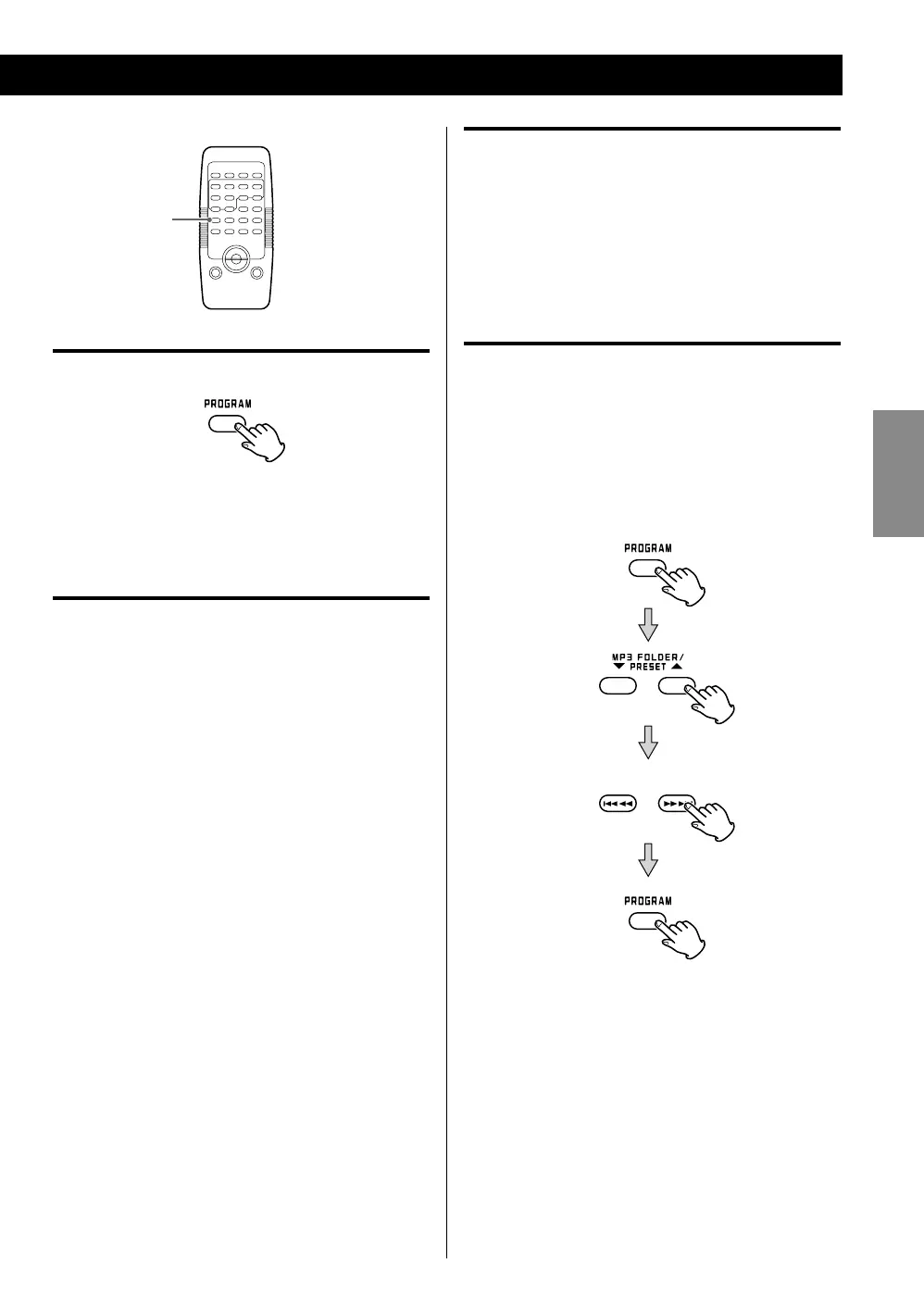
Checking the programmed order
When the unit is stopped, press the PROGRAM button
repeatedly. The track/file number and program number
will be shown on the display.
Adding a track/file to the end of the
programme
When the unit is stopped, press the PROGRAM button
repeatedly until “PXX” blinks on the display. Select a
folder number using the MP3/WMA FOLDER button
and a track/file number using a SKIP (. or /)
button and then press the PROGRAM button. The
track/file is added to the end of the programme.
Replacing a track/file in the programme
When the unit is stopped, press the PROGRAM
button repeatedly until the programme number to be
changed appears on the display.
Select a new folder number using the MP3/WMA
FOLDER button and a new track/file number using
a SKIP (. or /) button and then press the
PROGRAM button.
To clear the program
< When you press the FUNCTION button.
< When you have programmed a CD, opening the disc
compartment cover clears the programme contents.
< When you have programmed USB memory, pulling out
the memory clears the programme contents.
< If the power supply is interrupted, the programmed
contents will also be cleared.
PROGRAM



 To Next Page