29
ENGLISH
6
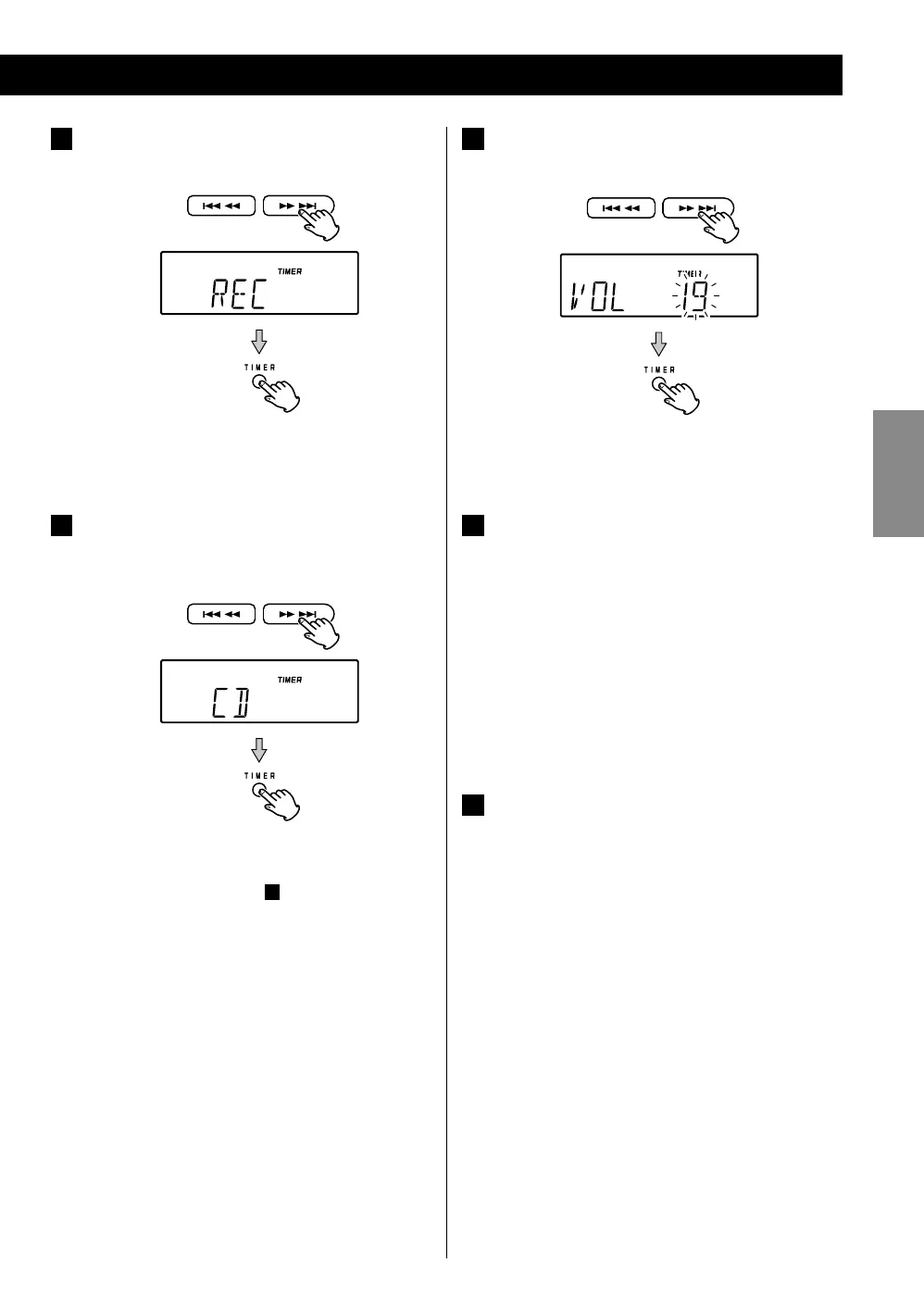
Use the SKIP (
.
/
/
) buttons to select “PLAY”
or “REC”, and then press the TIMER button.
The source is displayed.
7
Use the SKIP (
.
/
/
) buttons to select the
source (CD, USB, FM, AM or BUZZER), and then
press the TIMER button.
< AUX cannot be selected.
< If “REC” was selected in step
6
, only AM or FM can be
selected.
The volume value blinks.
8
Use the SKIP (
.
/
/
) buttons to set the
volume, and then press the TIMER button.
TIMER indicator appeares.
The display returns to the current source.
9
Prepare the playback source.
If the source is set to “CD”, load a CD.
If the source is set to “USB”, plug a USB memory into
the USB connector.
If the source is set to “TUNER”, tune in to a station.
< If the source is set to “CD” but no disc is loaded, or
if the source is set to “USB” but no USB memory is
plugged in, the timer will use the tuner for playback
instead.
10
Press STANDBY/ON to put the unit in standby.
The timer will not work if the unit is not in standby
(off).
Now the timer is set.
The unit will turn on and the TIMER indicator will start
blinking when the ON time is reached and turn off
when the OFF time is reached.



 To Next Page