30
ENGLISH
Programmed Playback 2
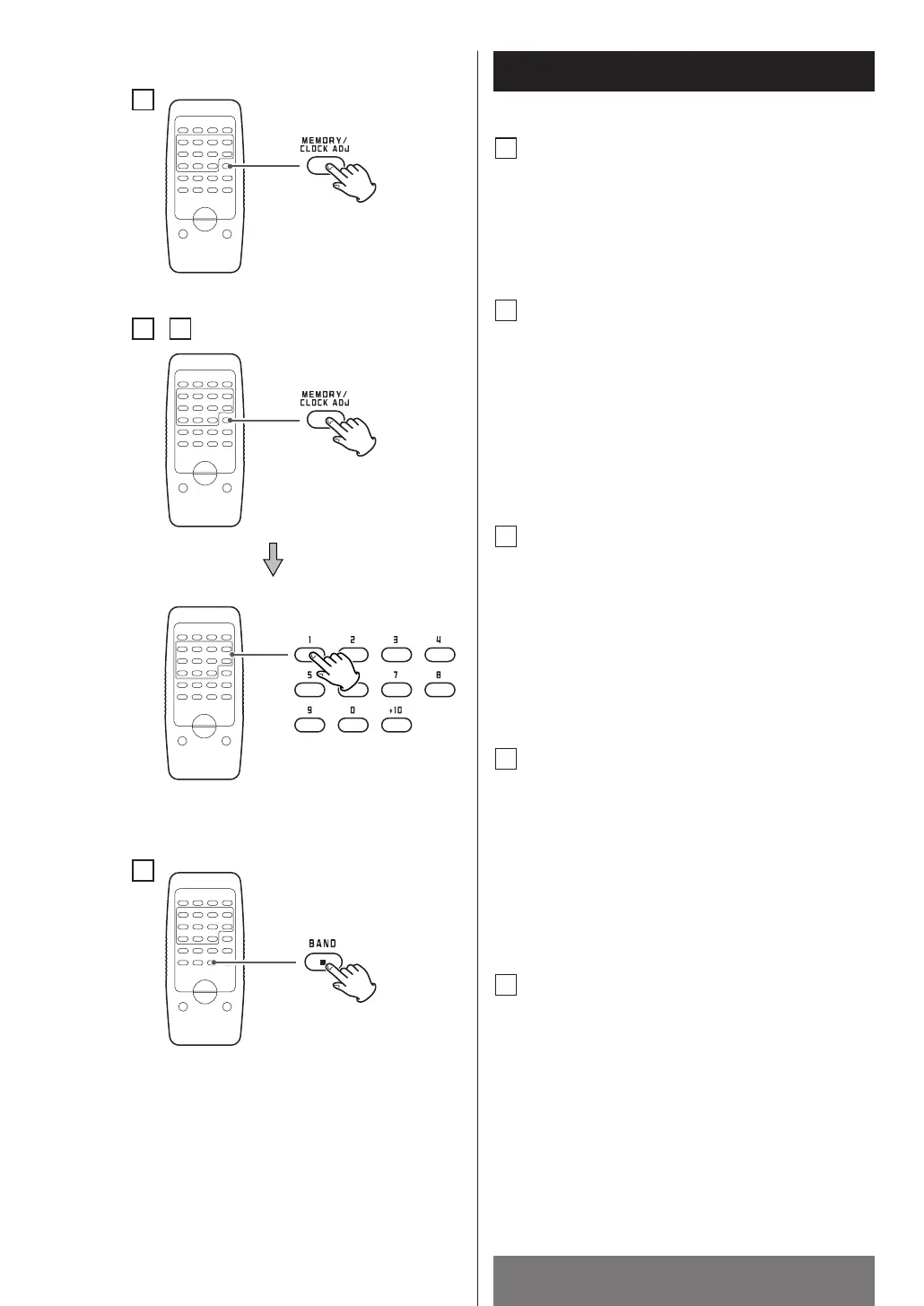
To add a track to the end of the
program
In the stop mode, press the MEMORY/CLOCK ADJ
button repeatedly until a track number “00”
appears on the display.
Select a track number by pressing the numeric
buttons.
The track is added to the end of the program.
B
To clear program
In the stop mode, do either of the following to
clear the program:
• Press L
on the disc cover and open it.
• Press the MEMORY/CLOCK ADJ button and then
the STOP button.
<
If the unit is disconnected from the power supply
for more than 3 minutes, the programmed
contents will be cleared.
E
To cancel the program playback
mode
Press the STOP button. “MEMORY” indicator
disappears, but the programmed contents aren’t
lost.
To return to the program mode, press the
MEMORY/CLOCK ADJ button.
D
To check the programmed order
In the stop mode, press the MEMORY/CLOCK ADJ
button repeatedly to show the track numbers that
have been stored in memory.
A
To overwrite the program
In the stop mode, press the MEMORY/CLOCK ADJ
button repeatedly until the track number to be
changed appears on the display.
Select a new track number by pressing the
numeric buttons.
C
D
B
A
C



 To Next Page