42
ENGLISH
Clock Adjustment
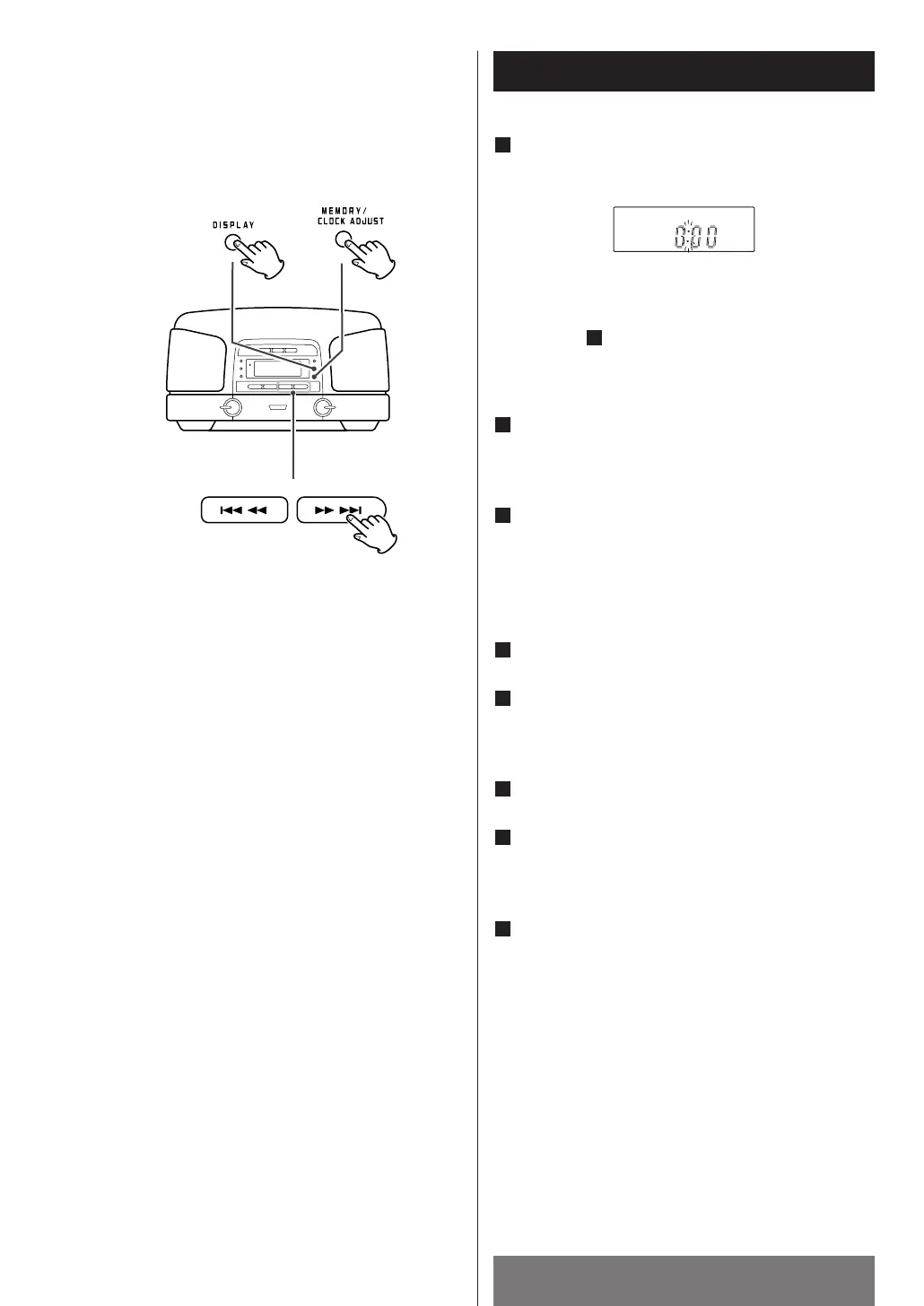
In the CD mode or the TUNER mode, press the
DISPLAY button to select clock display.
“:” blinks in the clock display.
< If the AUX button is selected or the unit is off, press
and hold the MEMORY/CLOCK ADJUST button for
2 or more seconds, and continue the procedure
from step .
<
Press the STOP button to cancel the time setting.
(In the TUNER mode, press the DISPLAY button.)
Within 4 seconds, press and hold the
MEMORY/CLOCK ADJUST button for 2 or more
seconds.
Press the .m
or ,/ button to select
“12H” or “24H”.
If you select “12H”, “AM” indicator appears in the
morning and “PM” indicator appears after noon.
<
In the TUNER mode, use the TUNING knob.
Press the MEMORY/CLOCK ADJUST button.
Press the .m
or,/ button to set the
current hour.
<
In the TUNER mode, use the TUNING knob.
Press the MEMORY/CLOCK ADJUST button.
Press the .m
or,/ button to set the
current minute.
<
In the TUNER mode, use the TUNING knob.
Press the MEMORY/CLOCK ADJUST button to
finish the time setting mode.
The clock starts from 00 second.
<
If the unit is disconnected from the power supply
for more than 3 minutes, the clock and timer
setting will be reset.
<
If the unit is disconnected for less than 3 minutes
the time displayed may not be correct.
8
7
6
5
4
3
2
3
1



 To Next Page