EN
23
Upconversion
Use to activate the upconversion circuit when receiving PCM signals.
o See page15 for the relationships between input sampling fre-
quencies and sampling frequencies after upconversion.
MENU
UPCONVERT
OFF
OFF
The original input signal is sent directly to the D/A converter
without upconversion.
2× Fs
If the input audio signal is less than 2× a standard sampling fre-
quency, it is upconverted 2× and then sent to the D/A converter.
4× Fs
If the input audio signal is less than 4× a standard sampling fre-
quency, it is upconverted 4× and then sent to the D/A converter.
8× Fs
If the input audio signal is less than 8× a standard sampling fre-
quency, it is upconverted 8× and then sent to the D/A converter.
DSD 256
DSD 512
The input source is converted to DSD digital format, and then sent
to the D/A converter.
4 Turn the INPUT knob to change the setting
value.
o You can also use the up and down (k, j) buttons on the
remote control.
o Press the MENU button to return to setting item selection.
5 Press the INPUT knob.
o You can also press the ENTER button on the remote control.
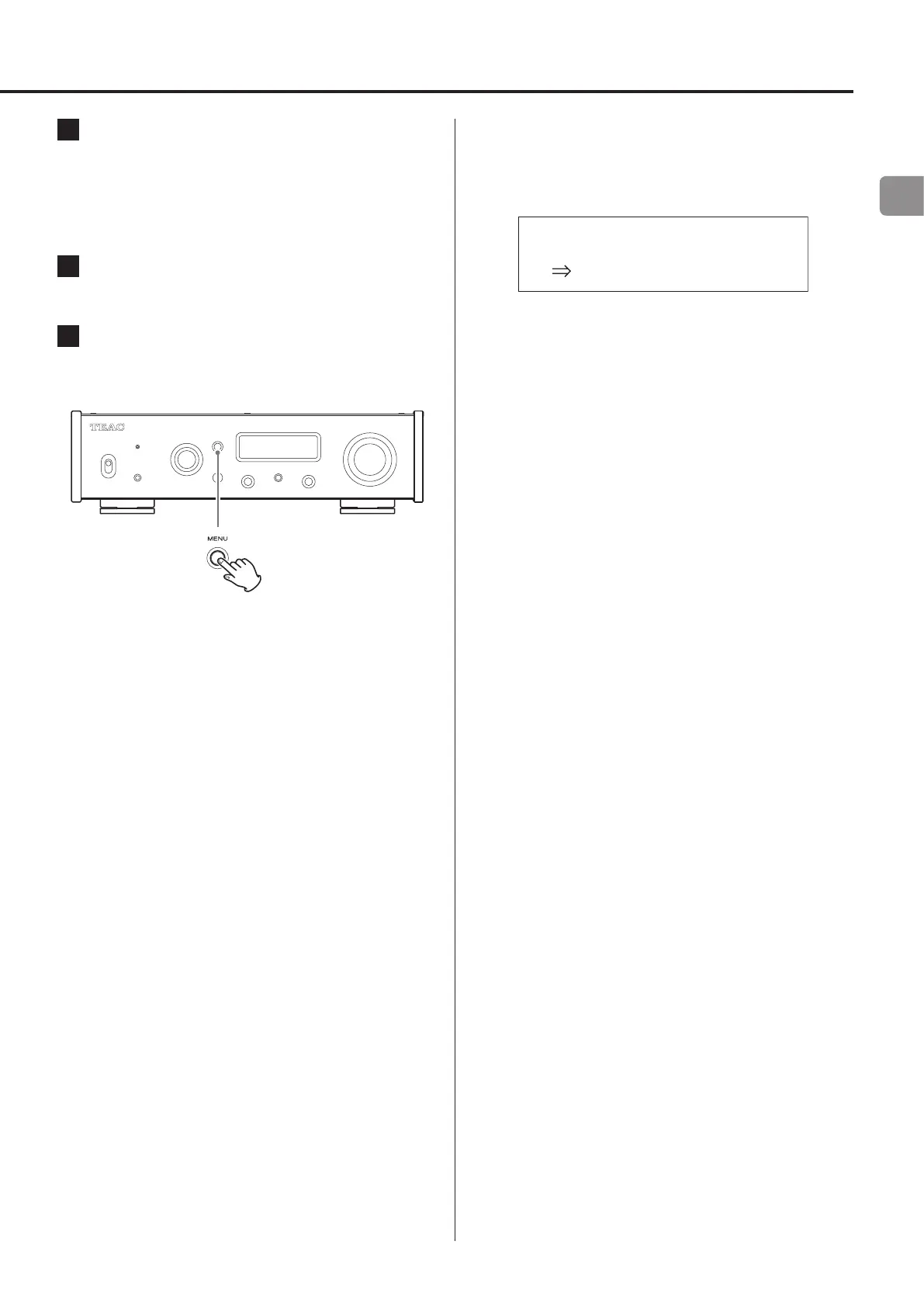
6 When you are done changing settings, press
the MENU button to show the input source sta-
tus again.
o If you do not do anything for about 7 seconds, the display
will return to showing the input source status.


 To Next Page