Flushing technology
6-23
10
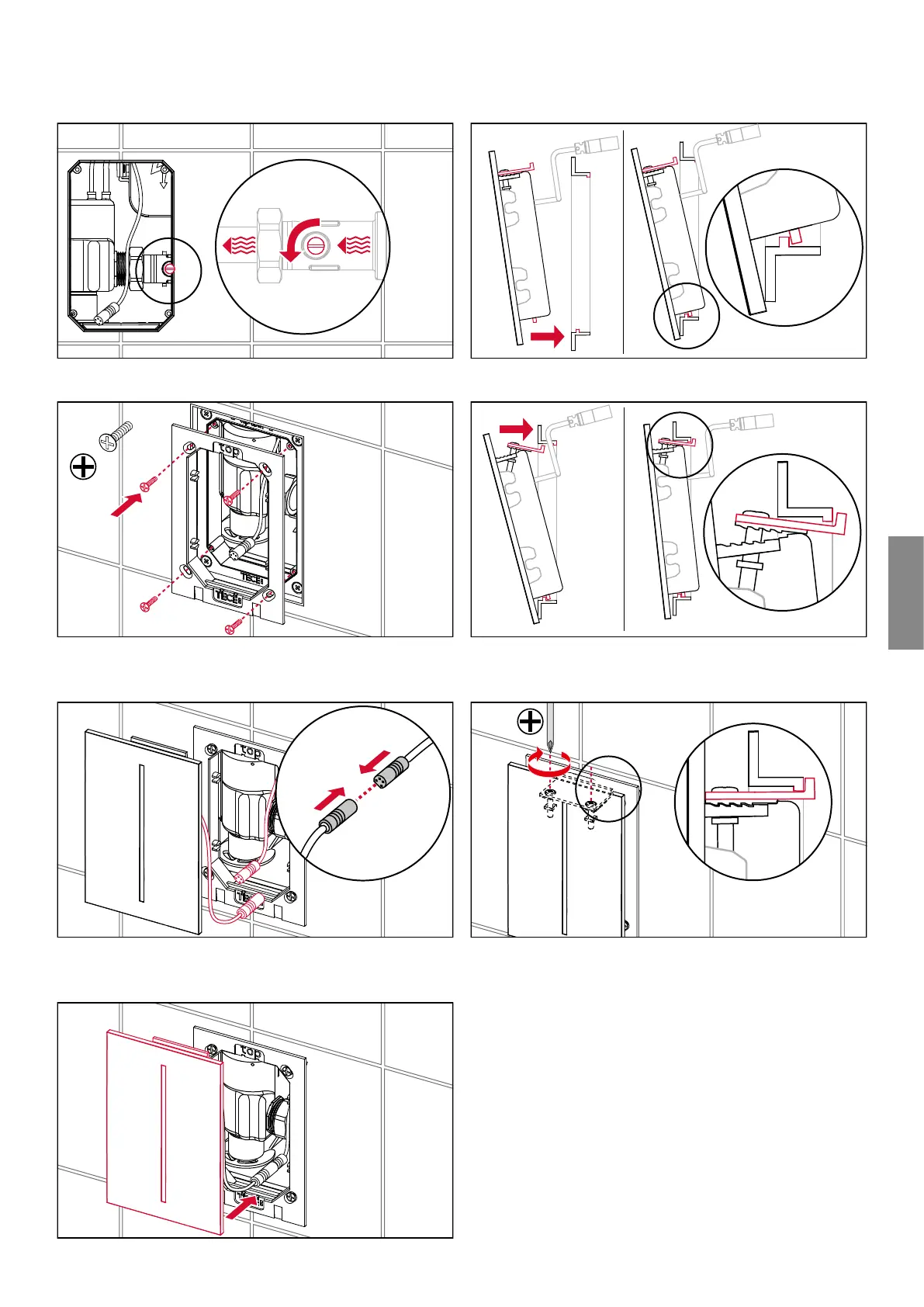
Open the inlet flow control.
Screw the support frame onto the urinal flush valve hous-
ing.
12
Connect the plug-in connection for the infrared sensor on
the cover plate.
13
Mount the cover.
14
Hook in the bottom of the cover panel.
The top of the anti-theft device must be detached for the
installation.
16
Mount the anti-theft device from the top of the cover using
a Philips screwdriver.



 To Next Page