8
support@techage.com
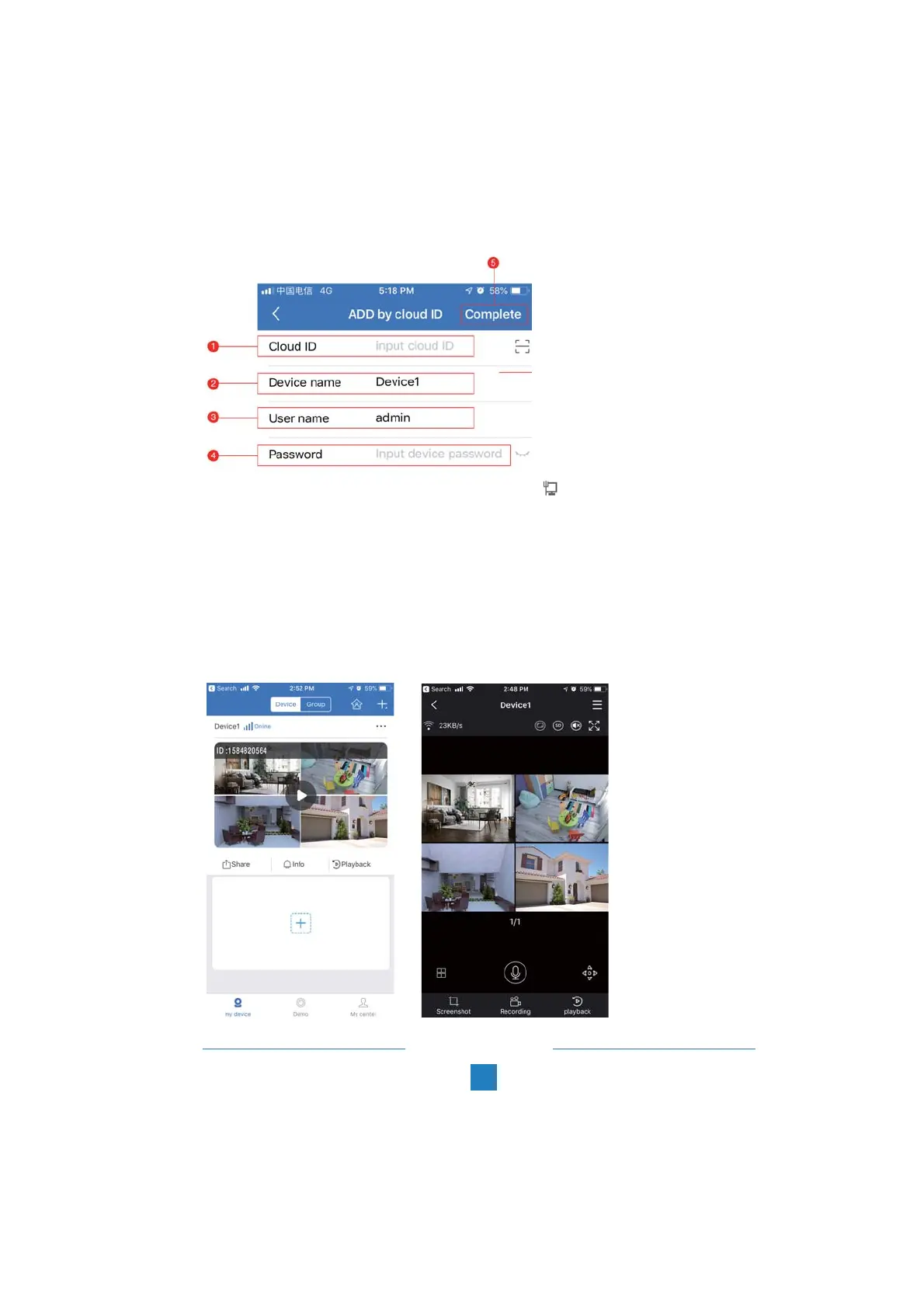
D: Make your device profile
2. Device Name: Name the system you want to call it.
3. User Name: Enter the NVR’s User Name (Default: admin)
4. Password: Enter the NVR’s password (Default: No password required, just leave it blank)
5. Tap Complete.
Tips:
If you’ve set a password on your NVR system, please update your password on APP to view.
E: Tap the channel Number, then you shall see the live video of different channels.
1. Cloud ID: The Cloud ID can be found after you click icon on the right bottom corner of
the screen.



 To Next Page