TECHBASE (C) MBus Gateway RTU 3/8
© 2014 TECHBASE
Group
Technical contact - support.techbase.eu 3/8
Please login into iModCloud with your account or create new account.
How to create new account and add device in iModCloud.
If you have an account, please contact us via http://support.techbase.eu/ to provide the appropriate
MBus Gateway template for iModCloud. Then you can run to the next step.
2.1.2 Start MBus Gateway
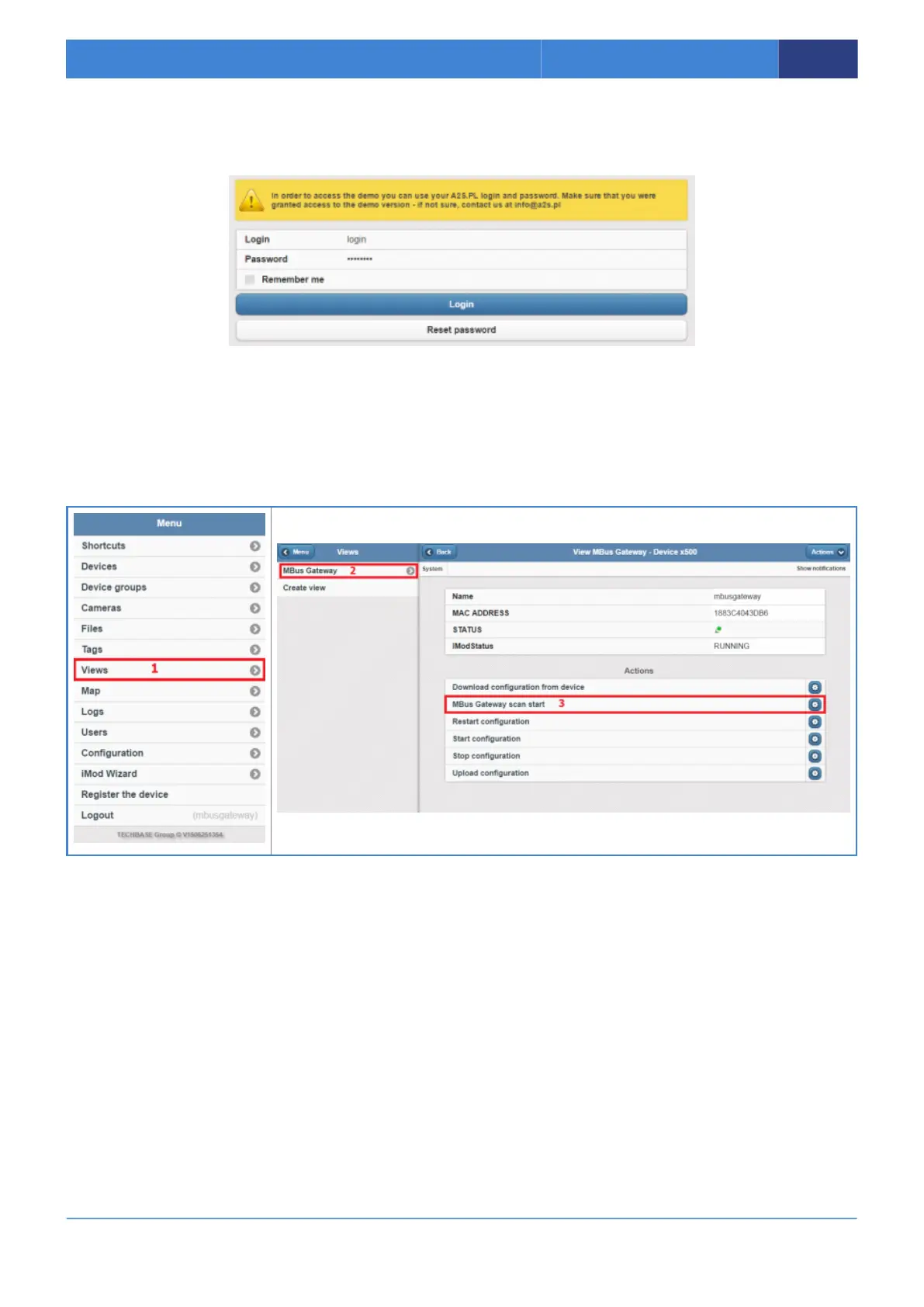
Go to MBus Gateway view (1,2) and run MBus Gateway scan start action (3).
Generating configuration may take a several minutes. Please be a patient. So please waiting for note
about finish in notification bar.
2.1.3 Check configuration
For check please go to the Main Page of http://demo.imodcloud.com/ and then to the devices view.
Next please choose your device and check iMod Parameters.



 To Next Page