TECHBASE (C) MBus Gateway RTU 5/8
© 2014 TECHBASE
Group
Technical contact - support.techbase.eu 5/8
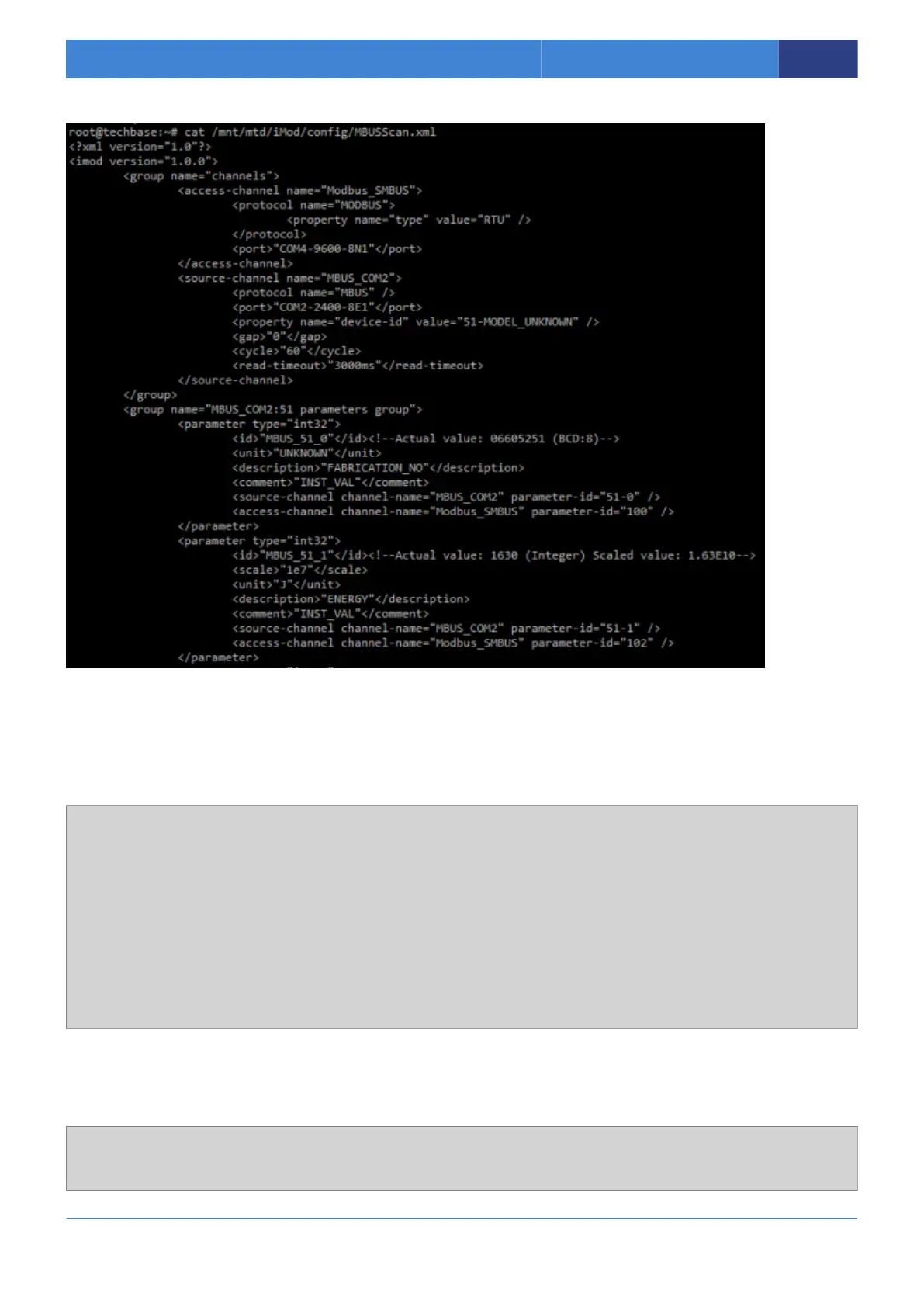
Your configuration file is should look like this:
Check that the generated file is correct parameters.
2.2.2 Parameters in configuration
In configuration file you can find parameters like following this one.
<parameter type="int32">
<id>"MBUS_67296041_41_1"</id><!--Actual value: 0 (Integer)-->
<scale>10e3</scale>
<unit>"Wh"</unit>
<description>"UNKNOWN"</description>
<comment>"INST_VAL"</comment>
<source-channel channel-name="MBUS_COM1" parameter-id="41-1"/>
<access-channel channel-name="Modbus_SMBUS" parameter-id="302"/>
</parameter>
Following part of the configuration is responsible for mapping mbus to modbus. In this example
parameter 1 from meter with ID 41 is mapping on modbus parameter ID 302. You can change
modbus ID in this place.
<source-channel channel-name="MBUS_COM1" parameter-id="41-1"/>
<access-channel channel-name="Modbus_SMBUS" parameter-id="302"/>



 To Next Page