6.11
6.10: R
6.9: When the window show
78
a stop if a fault occurs. Treadmill will stop once the fault occurs. Window will show the ERR
message and will sound the buzzer.
s the ERR message, press “stop” key, the ERR message will be
deleted.
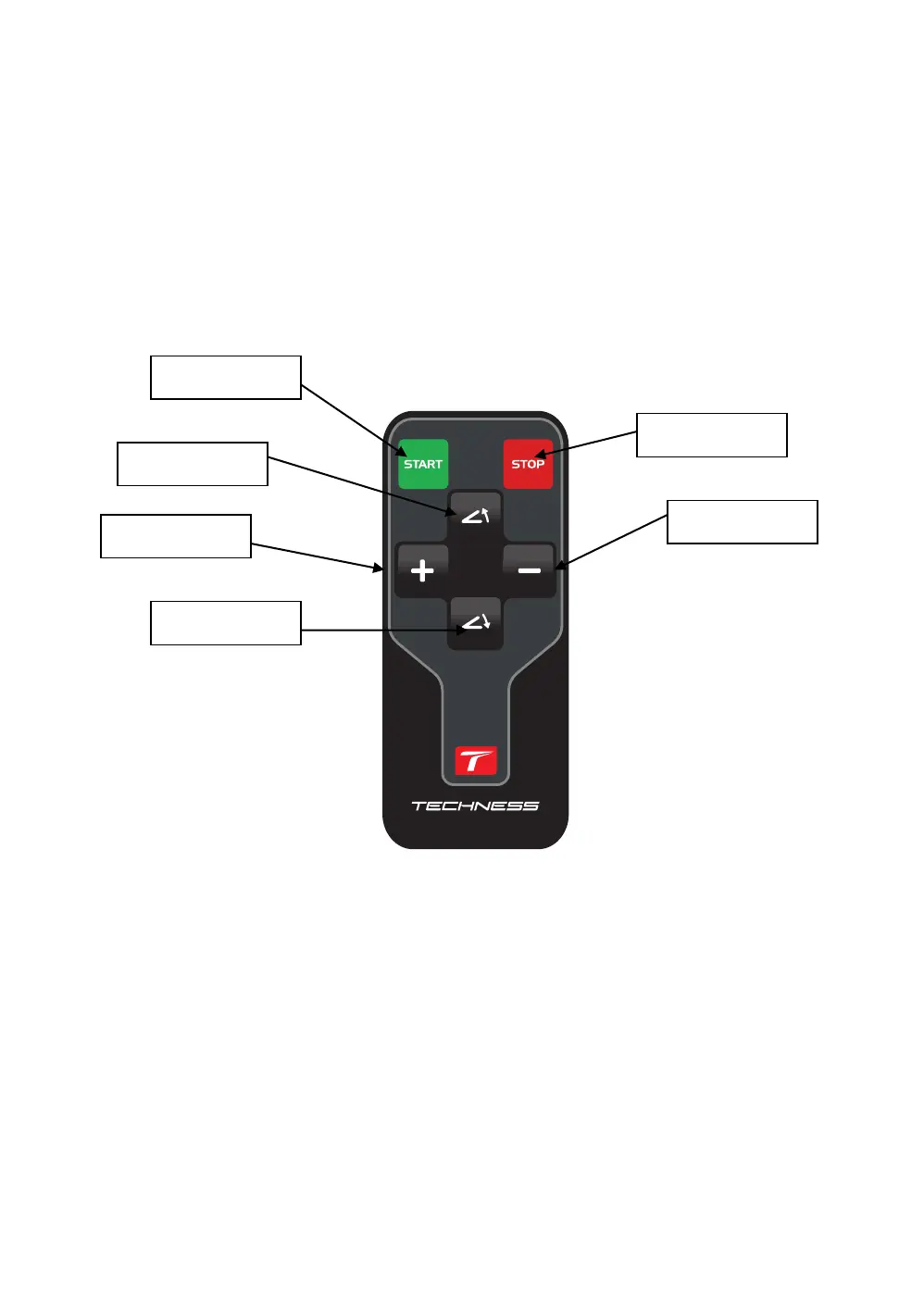
emote control function. The treadmill comes with an infrared remote. The furthest
usable distance is 4 meters. Aiming it directly will work best. When the treadmill stops, press
the power off key, the screen will then turn off.
BODY FAT FUNCTION
When the treadmill stops, press the “PROG” key to select” FAT “and enter into body fat
function. Left “SPEED” window displays the set parameter, press “MODE” key to choose the
item serial number; Right “DISTANCE” window displays the set item ,press “ + ” 、“-”key to
set the data.
A) F1, means Sex, 1(male), 2(female). The default is Male
B) F2, means Age, the range is 10-100, and the default is 25.
START key
Incline +
STOP key
Incline -
SPEED +
SPEED -


 To Next Page