EasyManua.ls Logo

Technics SE-A50 - Page 3

Technics SE-A50
15 pages
Print Icon
To Next Page IconTo Next Page
To Previous Page IconTo Previous Page
Loading...
@
LOCATION
OF
CONTROLS
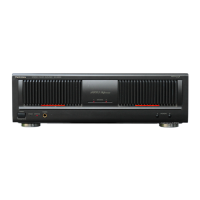
eFront
Power
switch
Speaker
indicator
Power
indicator
Operation
indicator
(Rch)
Speaker
seleciors
(main/remote)
Operation
indicator
(Lch)
Headphones
jack
eRear
Zz
Main
speaker
terminals
(Rech)
-
(Lch)
Stereo/monaural
selector
Input
(R)
(L)
terminal
(-)
inpur||
STEREG|
|
MEMOBTLS
|
=
;
AC
outlet
(-)
(4+)
(For
[XA,
PA,
PE]
area)
Voltage
selector
(127
V=110
V<220
V<=240
V)
(For
[EK,
XL,
XA,
PA,
PE]
areas)
i
a
Remote
speaker
terminals
@
DISASSEMBLY
INSTRUCTIONS
Ref.
No.
4
How
to
remove
the
cabinet
How
to
remove
the
front
panel
Procedure
1-4
.
Remove
the
2
screws
(@,
@)
and
remove
the
bracket.
2.
Remove
the
6
screws
(@~®@).
3.
Remove
the
front
panel
in
the
direction
of
the
arrow.
4.
Pull
out
the
1
connector
(J3).
5.
Pull
out
the
2
flat
cables
(J4,
J5).
1.
Remove
the
2
connectors
(J1,
J2).
2.
Remove
the
2
screws
(@,
@).
cable
Pull
out
the
flat
cable
while
Z
pressing
the
connector
Flat
ff
Connector
How
to
remove
the
power
switch
P.C.B
and
LED
P.C.B.
1.
Remove
the
power
switch
knob
by
pushing
it
from
behind
the
front
panel.
2.
Remove
the
2
screws
(@,
@).
3.
Remove
the
power
switch
P.C.B.
4
5
1.
Remove
the
5
screws
(@~®@).
2.
Remove
the
front
shield
case
in
the
direction
of
the
arrow.
1-455
.
Release
the
2
claws.
.
Remove
the
LED
P.C.B.
LED“PrCiB:
Power
switch
Knob
'
Power
switch
P.C.B.

Related product manuals