RQT5414
8
121110
98765432
1
RANDOM
TRACK MIN SECINDEX
1
9 0
≥10
1
9 0 ≥10
RANDOM
RANDOM
121110
98765432
1
TRACK MIN SEC INDEX
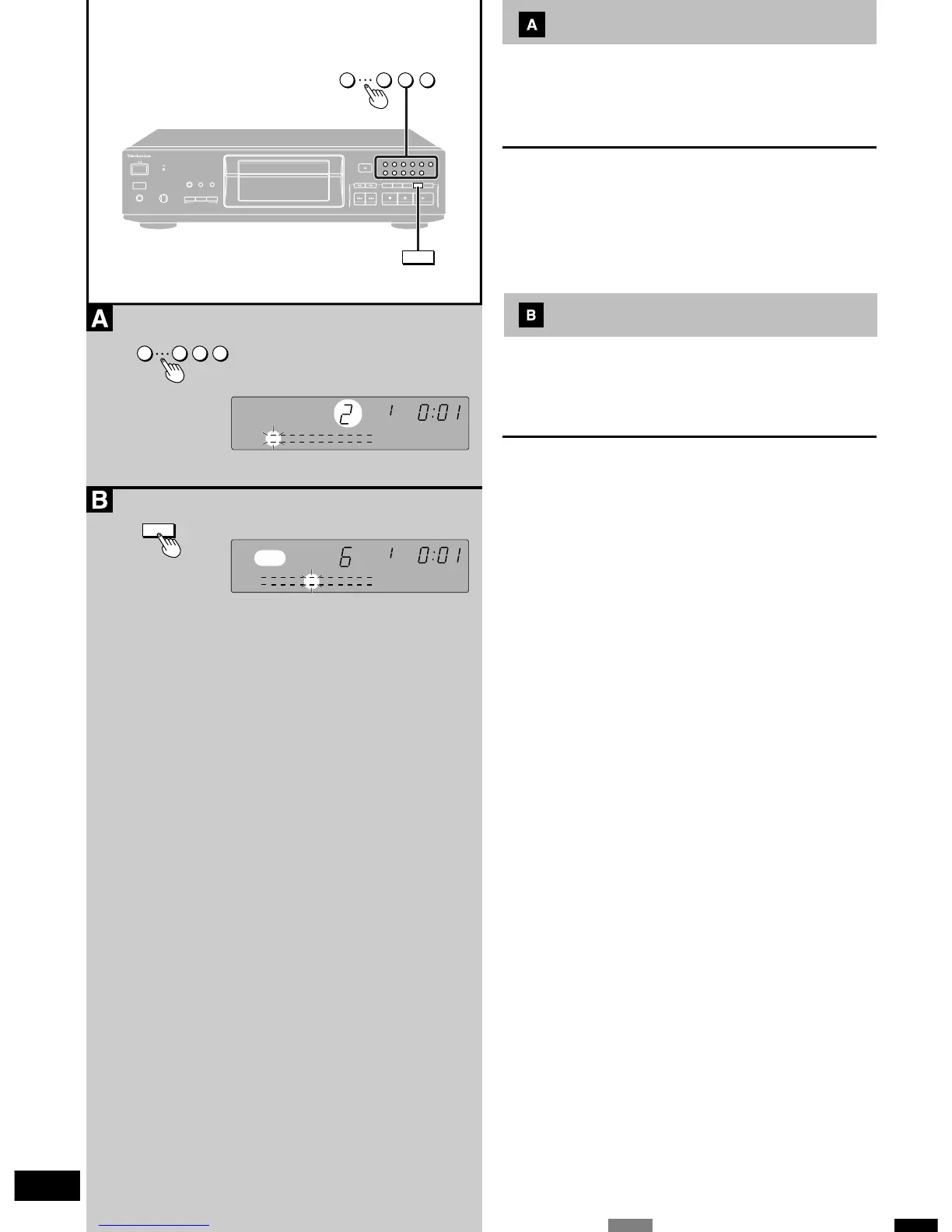
Direct access play
With this function, a disc is played from a desired track to the last
track and then stops automatically.
Press the numeric buttons.
Play will begin from the selected track number.
To select a two-digit track
Press [≥10] and then the two numbers you want within 7 seconds.
For example
Track No. 25: [≥10] → [2] → [5]
Track No. 30: [≥10] → [3] → [0]
Random play
With this function, all tracks on a disc are played one time each in
random order, and then play stops automatically.
Press [RANDOM].
Random play is canceled when play is stopped.
To cancel random play
Press [RANDOM].
For your reference
During program play:
The programmed tracks will be played in random order.



 To Next Page