EasyManua.ls Logo

Technics SU-V620 - Page 9

Technics SU-V620
16 pages
Print Icon
To Next Page IconTo Next Page
To Previous Page IconTo Previous Page
Loading...
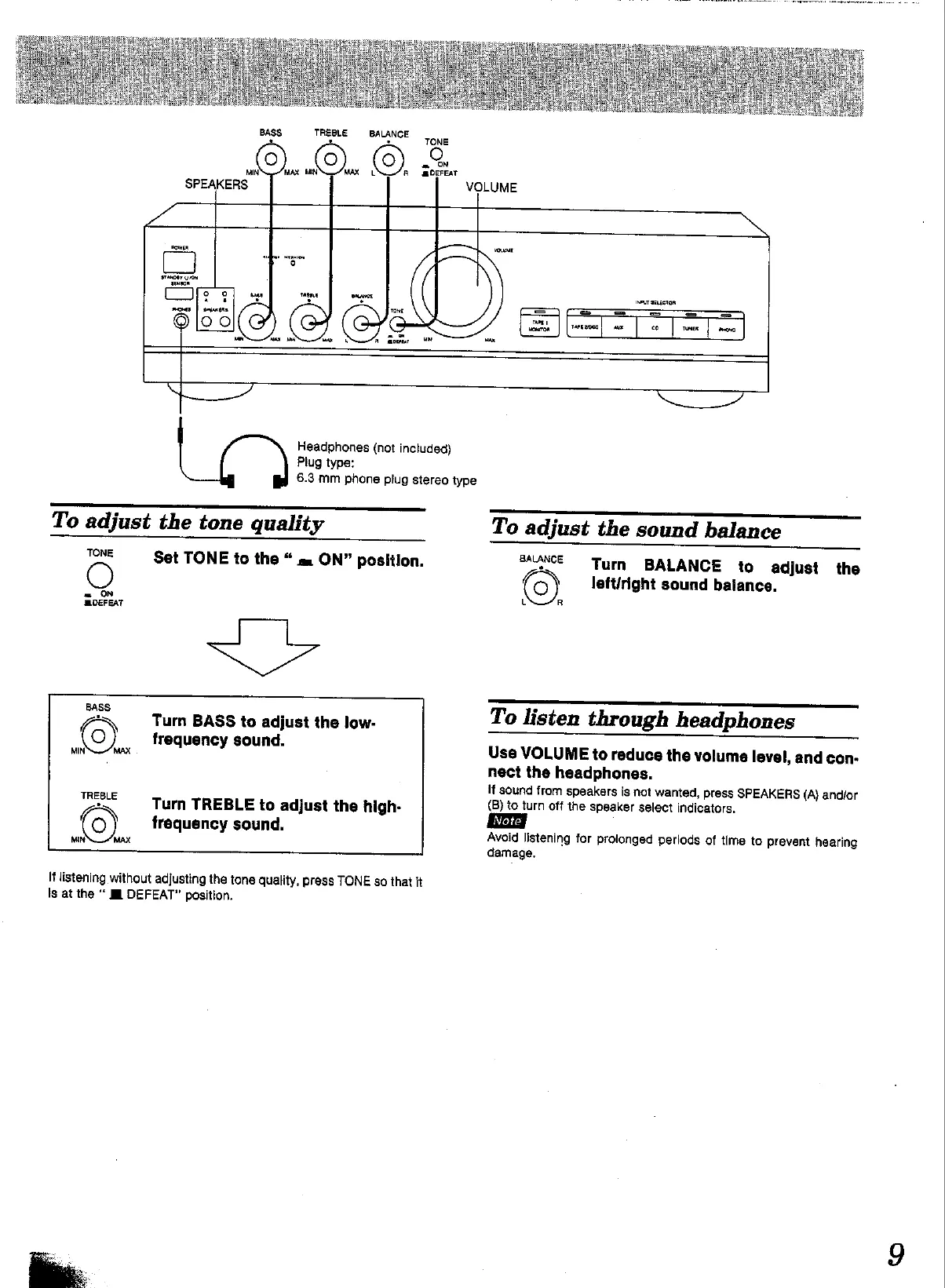
BASS.
TREBLE
BALANCE
>,
LON
©)
a
TONE
=
ON
@DEFEAT
VOLUME
/
(a)
GeL
vow
INBUT
aELECtOR
eo
5
Headphones
(not
included)
Plug
type:
6.3
mm
phone
plug
stereo
type
To
adjust
the
tone
quality
TONE
O
=
ON
MOEFEAT
Set
TONE
to
the
a
ON”
position.
SF
Turn
BASS
to
adjust
the
low-
frequency
sound.
Turn
TREBLE
to
adjust
the
high-
frequency
sound.
It
listening
without
adjusting
the
tone
quality,
press
TONE
so
that
it
is
at
the
EI
DEFEAT”
position.
“NT
To
adjust
the
sound
balance
BAANCE
Turn
BALANCE
to
adjust
the
(©)
left/right
sound
balance.
L
R
To
listen
through
headphones
Use
VOLUME
to
reduce
the
volume
level,
and
con-
nect
the
headphones.
if
sound
from
speakers
is
not
wanted,
Press
SPEAKERS
(A)
andior
(B)
to
turn
off
the
speaker
select
indicators.
Avoid
listening
for
prolonged
periods
of
time
to
prevent
hearing
damage.

Other manuals for Technics SU-V620

Related product manuals