EasyManua.ls Logo

Technics SX-KN1400 - Page 17

Technics SX-KN1400
68 pages
Print Icon
To Next Page IconTo Next Page
To Previous Page IconTo Previous Page
Loading...
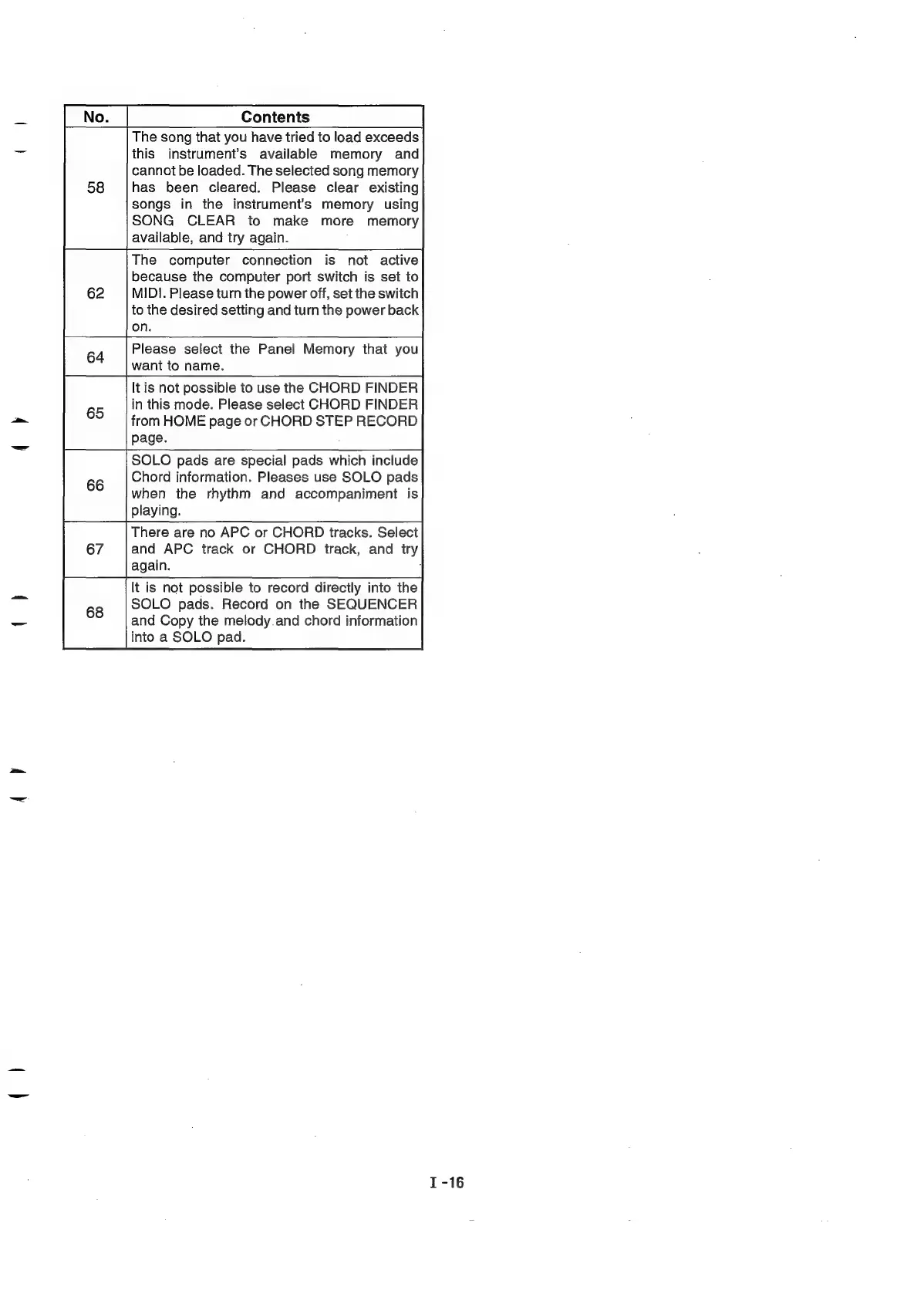
The
song
that
you
have
tried
to
load
exceeds
this
instrument’s
available
memory
and
cannot
be
loaded.
The
selected
song
memory
has
been
cleared.
Please
clear
existing
songs
in
the
instrument's
memory
using
SONG
CLEAR
to
make
more
memory
available,
and
try
again.
The
computer
connection
is
not
active
because
the
computer
port
switch
is
set
to
MIDI.
Please
turn
the
power
off,
set
the
switch
to
the
desired
setting
and
turn
the
power
back
It
is
not
possible
to
use
the
CHORD
FINDER
in
this
mode.
Please
select
CHORD
FINDER
from
HOME
page
or
CHORD
STEP
RECORD
SOLO
pads
are
special
pads
which
include
Chord
information.
Pleases
use
SOLO
pads
when
the
rhythm
and
accompaniment
is
There
are
no
APC
or
CHORD
tracks.
Select
and
APC
track
or
CHORD
track,
and
try
It
is
not
possible
to
record
directly
into
the
SOLO
pads.
Record
on
the
SEQUENCER
and
Copy
the
melody.and
chord
information
into
a
SOLO
pad.

Related product manuals