EasyManua.ls Logo

Technics SX-KN1600 - Page 13

Technics SX-KN1600
72 pages
Print Icon
To Next Page IconTo Next Page
To Previous Page IconTo Previous Page
Loading...
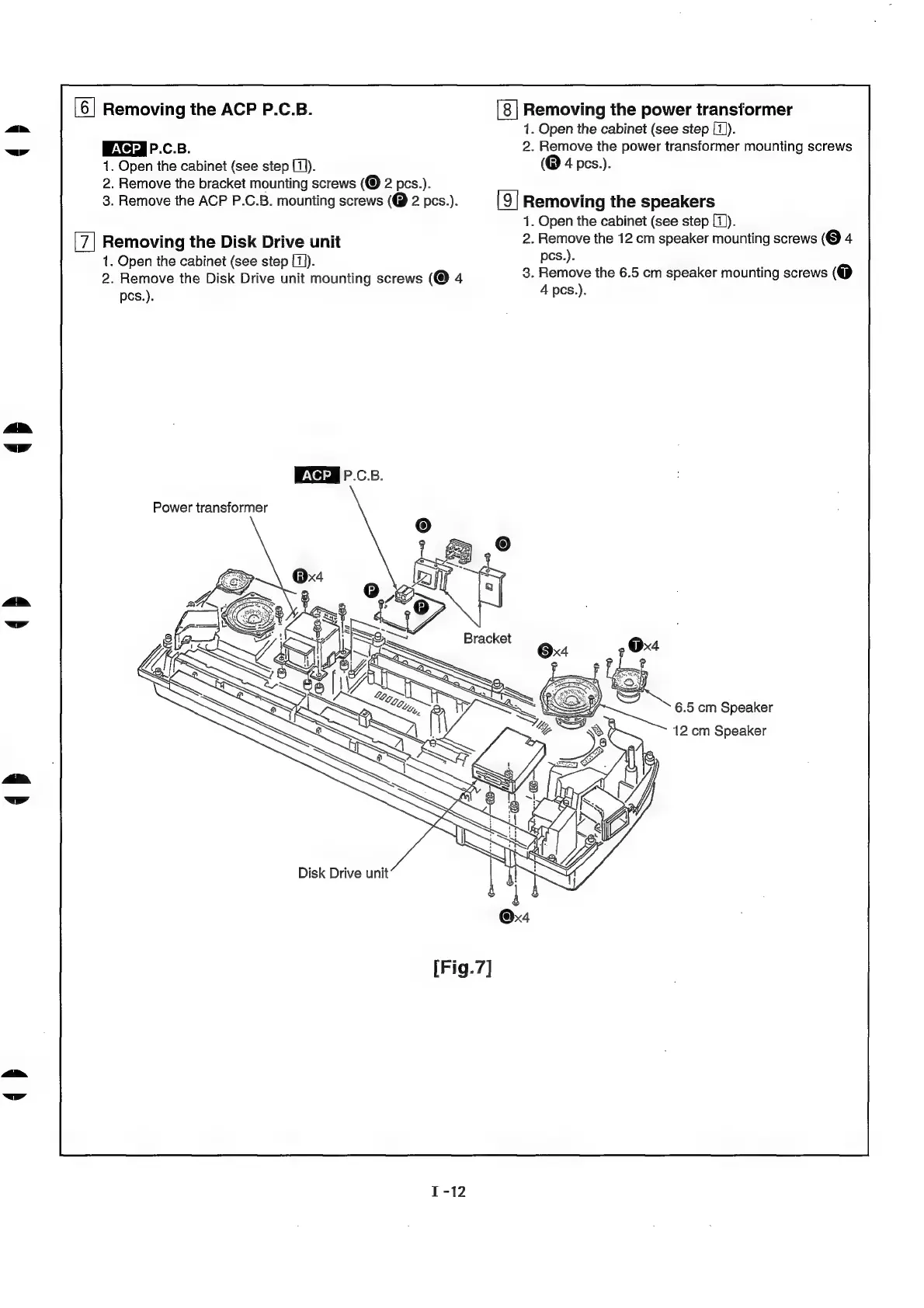
[6]
Removing
the
ACP
P.C.B.
P.C.B.
1.
Open
the
cabinet
(see
step
[1]).
2.
Remove
the
bracket
mounting
screws
2
pcs.).
3.
Remove
the
ACP
P.C.B.
mounting
screws
(@
2
pcs.).
Removing
the
Disk
Drive
unit
1.
Open
the
cabinet
(see
step
[1)).
2.
Remove
the
Disk
Drive
unit
mounting
screws
(@
4
pcs.).
P.C.B.
Power
transformer
Disk
Drive
unit
Removing
the
power
transformer
1.
Open
the
cabinet
(see
step
[1]).
2.
Remove
the
power
transformer
mounting
screws
(@
4
pcs.).
[9]
Removing
the
speakers
1.
Open
the
cabinet
(see
step
[1)]).
2.
Remove
the
12
cm
speaker
mounting
screws
(@
4
pcs.).
3.
Remove
the
6.5
cm
speaker
mounting
screws
(@
4
pes.).
6.5
cm
Speaker
12
cm
Speaker

Related product manuals