GB 5
3. Then press once again, the hour digits flash. Press c or d button to set the hours. Press and hold c / d will
accelerate your setting.
4. Then press once again, the minute digits flash. Press c or d button to set the minutes. Press and hold c / d
will accelerate your setting.
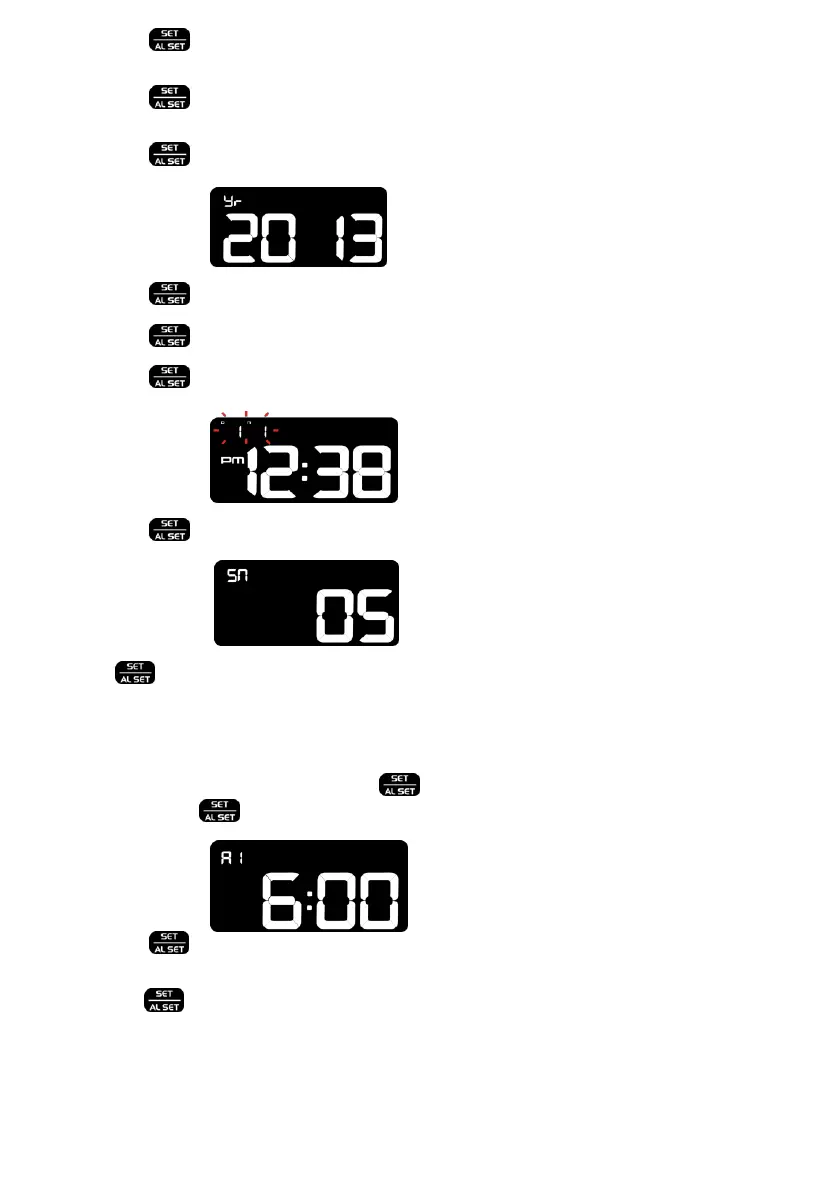
5. Then press Yr2013c or d button to set the year.
6. Then press once again, month digits flash. Press c or d button to set the month.
7. Then press once again, date digits flash. Press c or d button to set the date.
8. Then press md-date digits flash. Press c or d to select month-md-
dm
9. Then press SN05c or d button to set the snooze duration from 5 minutes to 60
minutes.
10. Press to return to normal mode, or it will return to normal mode in around 15 seconds if no further press of any
other buttons.
TO SET ALARM 1 AND 2
1. TO SET ALARM 1 : At normal time display, press 6:00A1
Then press and hold for 2 seconds, the alarm hour digits flash. Press c or d to set the hours of your desired
alarm time.
2. Then press once again, the alarm minute digits flash. Press c or d button to set the minutes of your desired
alarm time.
3. Then press once again to complete set-up. If no key is pressed in approximate 15 seconds at any time during
set-up, the clock will exit the alarm set-up mode.


 To Next Page